

✨ Is Synthesia Right for You?
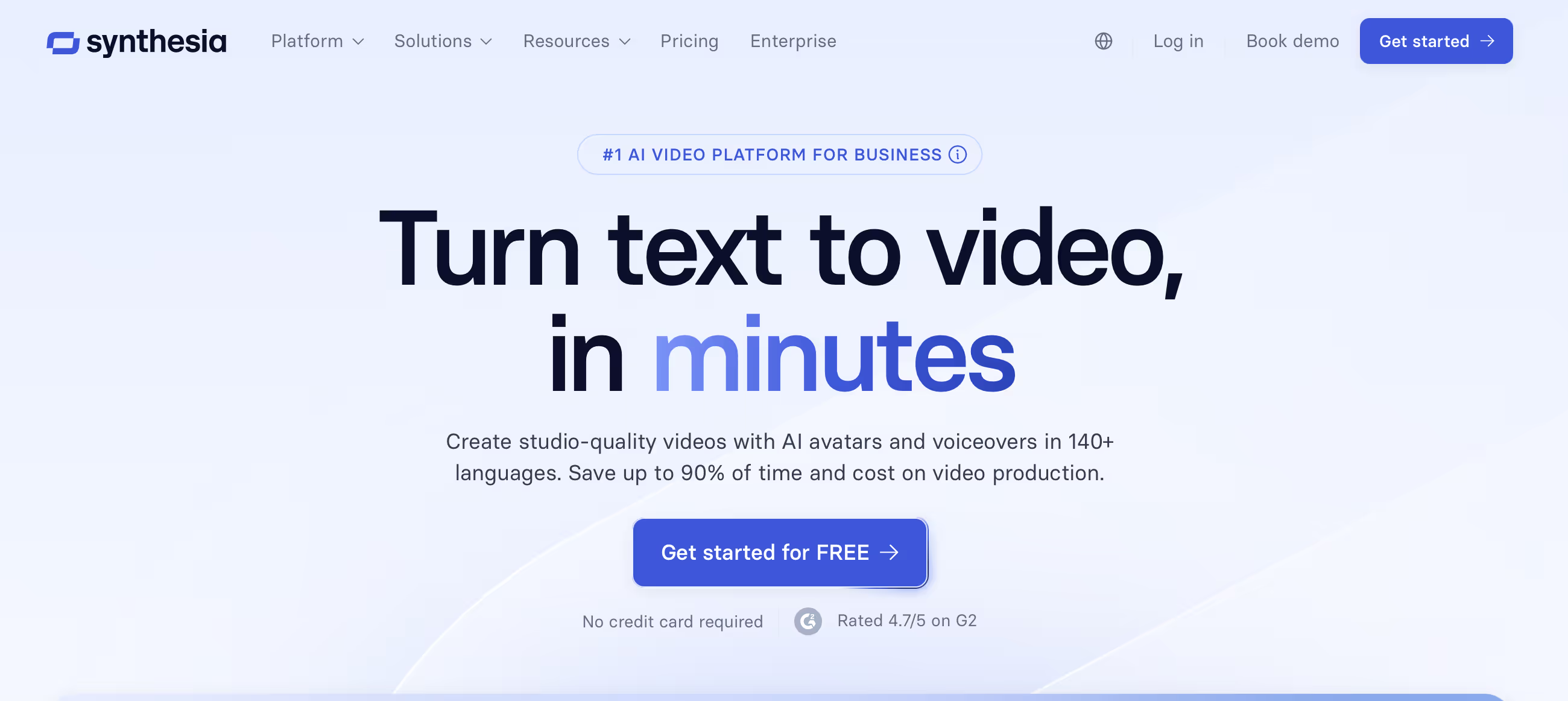
What it is: An AI video platform that transforms text scripts into professional talking-head videos featuring realistic AI avatars, without cameras, actors, or studios.
Best for: Enterprise L&D teams, global companies needing multilingual training content, HR departments scaling onboarding videos, and internal communications teams producing 10+ videos monthly.
Main limitation: Minute-based pricing ($18-89/month for 10-30 minutes) runs out faster than expected, and aggressive content moderation blocks legitimate healthcare and financial content without clear appeal processes.
Get it if: You're producing training, onboarding, or internal communications at scale across multiple languages and want to eliminate video production bottlenecks entirely.
Skip it if: You're building personal brand content requiring authenticity, producing consumer marketing needing emotional impact, working with tight budgets and low video volume, or in healthcare/financial services without custom avatar budget.
🎯 Why Synthesia?
Video production is killing your team's productivity. Scheduling shoots, coordinating talent, editing, re-shoots, translations—easily 13+ days for a single training video. Synthesia turns that into 5 days, and updates take minutes instead of entire re-shoots.
💰 Time Arbitrage That Actually Works
Zoom's training team cut production time by 90%. One video that took two weeks? Now done in hours. The time savings compound when you're producing dozens of videos monthly.
🌍 Multilingual Without the Agony
160+ languages with automatic dubbing that preserves lip-sync. What used to require translation agencies, voice talent in multiple languages, and weeks of coordination? Now it's a button click. For global teams, this eliminates the biggest video production bottleneck.
💵 The Pricing Model Flips the Script
Creator plan at $64/month gets you 30 minutes—roughly $2 per minute. Traditional corporate video runs $1,000-$5,000 per finished minute. The ROI calculation is straightforward when you're producing volume.
⚡ Updates Without Re-shoots
Policy changed? Product updated? Just edit the script and regenerate. No scheduling, no reshoots, no coordination. This alone justifies the platform for fast-moving companies.

📈 What Synthesia Users Typically Achieve
Your Time Savings Will Surprise You
That monthly training update that ate your entire Friday? Done by lunch. Most teams cut video production time by 60-70%, which compounds fast when you're cranking out dozens of videos. The real win isn't the first video—it's never hiring a production crew again.
Budget Relief Comes Fast
If you're currently paying $5K-15K per professional video, Synthesia pays for itself in 2-3 videos. The savings stack when you need frequent updates—compliance changes, product launches, onboarding iterations. One update cycle that would've cost $30K through an agency? You'll handle it in-house.
Multilingual Content Becomes Realistic
That global rollout you've been delaying because translation quotes made you wince? You'll launch in 10+ languages without the months-long coordination nightmare. The automatic dubbing eliminates the back-and-forth that usually kills timelines.
The Engagement Boost is Noticeable
People actually watch AI avatar videos longer than slide decks. The professional delivery beats static PowerPoints without question. You won't get emotional connection, but you will get information retention—which is the point for training content.
Where You'll Hit Friction
Your first video takes 1-2 hours figuring out the interface. Minute consumption burns faster than you'd guess—each 4-minute training video costs you about 5 minutes of credits after iterations. Healthcare and finance teams get flagged constantly by content moderation.
💡 Here's what works: start simple with stock avatars for internal stuff. Add custom avatars only when moderation forces your hand or brand guidelines demand it. Keep real humans for anything requiring authentic emotion or credibility.
🛠️ How Synthesia Works
Think PowerPoint, not Premiere Pro. The workflow feels familiar if you've built presentations.
Setup
Start with text. Paste your script, upload a document, or let the AI assistant generate content from prompts. You can import PowerPoints directly. Choose from 230+ stock avatars or create your digital twin using webcam footage.
Customization
Add backgrounds, images, screen recordings, or video clips. Brand kits on Enterprise lock in your colors, fonts, and logos automatically. The drag-and-drop editor works like Canva.
Generation
Click generate and wait 7-15 minutes for typical videos. Enterprise users get priority processing under 5 minutes. The platform handles rendering entirely—no local processing power needed.
Iteration
Change a word? Re-generate just that scene. No timeline editing, no coordination headaches. The entire first video takes an hour or two. Third video? Under 30 minutes.
Integration
Export to your LMS with SCORM support. Push directly to platforms via 50+ integrations. API access on Creator+ plans for custom workflows.
⚙️ Core Features & Performance
🎭 AI Avatars That Pass Professional Standards
Express-2 avatars show natural gestures, appropriate facial expressions, and convincing lip-sync. Most viewers won't consciously notice they're AI—though longer videos can trigger uncanny valley discomfort. Stock avatars work for general business. Personal avatars ($0 extra on paid plans) create your digital twin from webcam footage in 24 hours. Studio avatars ($1,000/year) offer professional quality with controlled filming.
🗣️ Voice and Language Capabilities
160+ languages and accents handle global rollouts that would require armies of voice talent. AI dubbing preserves lip-sync—your avatar appears to speak French, Japanese, or Portuguese natively. Voice cloning bundles with Personal Avatars, letting you speak 29+ languages using your own voice model.
🎨 Templates and Customization
60+ pre-designed templates cover training modules, product announcements, HR communications. Templates look professional but feel constrained if you want pixel-perfect control. Brand Kits (Enterprise) auto-apply logos, colors, and fonts to every video.
🔗 Integration Ecosystem
50+ LMS integrations make Synthesia sticky for L&D teams. SCORM export (Enterprise) means videos track completion in your learning management system. Marketing teams get HubSpot, Intercom, Zapier. Developers get API access starting on Creator plans.
⚠️ What's Missing: Custom animation, advanced video editing, consumer-grade emotional range, frame-accurate control.
📊 The Verdict: Our Assessment
8.0/10 - Synthesia delivers exactly what it promises: turning text into professional training videos at enterprise scale. Strong for its core use case, weaker on pricing transparency and content moderation clarity.
⚠️ Trade-offs: Minute-based pricing surprises users. Content moderation blocks legitimate business content. Not suitable for consumer-facing emotional storytelling.
⚠️ Skip if: You need personal brand authenticity, consumer marketing emotional punch, or work in regulated industries without custom avatar budget.
💬 What Users Say: Reviews & Verified Experiences
User ratings: 4.7/5 on G2 (2,375+ reviews), 4.6/5 on Capterra (313 reviews), 4.1/5 on Trustpilot (1,732 reviews).
👍 Pros: What Users Love
- Time Savings Are Real: "What used to take 4 hours now takes 30 minutes," says Rosalie Cutugno, Global Sales Enablement Lead. Multiple users describe turning weeks of work into hours without exaggeration.
- Learning Curve Barely Exists: "I've never even used a tutorial because the platform is so easy to use," notes an enterprise customer. First videos typically complete within an hour for new users, even without technical backgrounds.
- Multilingual Support Transforms Operations: "We launched training in 12 languages simultaneously—previously impossible with our budget," reports one HR director. The automatic dubbing eliminates translation bottlenecks that used to take weeks.
- Quick Updates Save Headaches: "When our compliance policy changed, I updated 47 training videos in two hours. With our old process, that would've taken months and cost thousands," L&D manager review.
👎 Cons: Common Complaints
- Content Moderation is Aggressive: "I had videos approved, only to have nearly identical versions later flagged without explanation," reports Trustpilot reviewer. "My account was banned within 30 minutes creating a promotional video for my dental clinic," another user complains. The moderation feels subjective and blocks legitimate business content.
- Pricing Math Surprises People: "When I requested more minutes, I was quoted an additional $10,000. Yes—ten thousand dollars," Trustpilot reviewer. The minute consumption happens faster than expected, especially for longer training content.
- Avatar Limitations Show: "Sometimes I need them to pause and continue with certain pitch or inflection that I cannot get," Capterra reviewer notes. The avatars work for professional delivery but lack nuanced emotional expression.
- Support Inconsistency: Response times vary widely. AI chat frustrates users needing immediate help during launches. Live training sessions receive praise when available, but access is limited to higher-tier plans.
🚫 3 Critical Mistakes to Avoid
Mistake #1: Underestimating Minute Consumption
One L&D team bought the Starter plan (10 minutes/month) assuming it covered their needs. Each training video ran 3-5 minutes. Credits vanished in three videos. They hit their limit week one and faced $10,000 quotes for more minutes.
⚠️ Fix it: Calculate your actual video volume before committing. Most teams need Creator ($64/mo annual) minimum. Track average video length and multiply by monthly output. Add 30% buffer for re-generates and iterations.
Mistake #2: Ignoring Content Moderation Restrictions
A healthcare training company spent weeks creating medical education videos. Content moderation blocked every single one without clear explanation. Manual review took 12-24 hours and upheld blocks. They needed the $1,000/year custom avatar add-on from day one but didn't know until after annual commitment.
⚠️ Fix it: If you're in healthcare, financial services, or any regulated industry, test your specific content in the free trial before annual commitment. Plan for custom avatar costs upfront. The blocks happen without warning and appeals rarely succeed.
Mistake #3: Using AI Avatars Where Authenticity Matters
A startup used Synthesia for their CEO's quarterly message to investors and customers. The avatar delivery felt robotic and impersonal. Engagement metrics dropped 60% versus previous live-recorded messages. They lost credibility when credibility mattered most.
⚠️ Fix it: Reserve Synthesia for training, onboarding, process documentation, and compliance content. Use real humans for executive communications, customer testimonials, sales demos, and brand storytelling. The platform excels at scale, not connection.
FAQ
How does Synthesia pricing compare to traditional video production?
Traditional corporate video production runs $1,000-$5,000 per finished minute when factoring in scripting, filming, talent, editing, and revisions. Synthesia's Creator plan at $64/month delivers 30 minutes of video—roughly $2 per minute. The ROI math works when producing 5+ videos monthly at 3-5 minutes each. For occasional one-off videos, the subscription model hurts. Enterprise pricing remains opaque until custom quote, typically justified when producing 50+ videos annually or requiring unlimited minutes. The minutes don't roll over, so unused credits vanish monthly.
Can I create a custom avatar that looks exactly like me?
Yes, with limitations. Personal Avatars (included on Starter+ plans) use webcam footage to create your digital twin, ready next business day. Studio Avatars ($1,000/year add-on) offer higher quality with professional filming in controlled conditions. Both require consent verification through recorded statements. The result looks like you and mimics your general mannerisms, but won't capture unique speaking patterns perfectly—it's a professional presenter version of you. Healthcare and financial services content requires custom avatars due to content moderation restrictions on stock avatars. Voice cloning bundles with Personal Avatars, letting your avatar speak in 29+ languages using your voice model.
What happens if my video gets flagged by content moderation?
You receive a vague notification and the video won't generate. Manual review takes 12-24 hours and often upholds the block without specific explanation. Medical content, financial advice, anything resembling news commentary—all face heavy restrictions. Your options: appeal (slow and rarely successful), rephrase the script (frustrating guesswork), or switch to custom avatars (expensive but usually solves it). This is Synthesia's biggest operational frustration based on user reviews. The moderation feels subjective and inconsistent—identical content sometimes passes and sometimes fails. No clear guidelines exist for what triggers blocks. For regulated industries, budget the $1,000/year custom avatar cost from the start.
How does Synthesia compare to HeyGen for marketing content?
HeyGen wins for marketing teams: unlimited video generation on paid plans, free tier for testing, more creator-friendly avatar styles, and better social media optimization. Synthesia wins for enterprise L&D: superior security compliance (SOC 2, ISO 42001), better multilingual support (160+ languages vs HeyGen's 40+), deeper LMS integrations with SCORM export, and established enterprise support infrastructure. Choose HeyGen for social media marketing, ads, and creator content under 2 minutes. Choose Synthesia for training videos, corporate communications, and multilingual content at enterprise scale. The pricing models differ fundamentally—HeyGen offers unlimited generation, Synthesia gates by minutes.
Is the transcription and lip-sync accurate in non-English languages?
Generally yes, though quality varies by language. Western European languages (French, German, Spanish, Italian) perform excellently with natural lip-sync and accurate pronunciation. Asian languages (Mandarin, Japanese, Korean) work well but may show occasional lip-sync drift on longer phrases. Users report some pronunciation issues with technical terms and proper nouns across all languages—add these to your pronunciation guide (Enterprise feature). The 1-Click Translation feature (Enterprise only) handles 80+ languages with automatic lip-sync adjustment. For mission-critical multilingual content, test your specific language combinations during trial before committing. The automatic dubbing preserves the original pacing and tone remarkably well.
What's the actual learning curve for someone who's never made videos?
Most users produce their first video within 45 minutes to 2 hours. The interface resembles presentation software (PowerPoint, Google Slides) more than video editing tools, so if you can make slides, you can use Synthesia. Synthesia Academy offers structured courses and live webinars, but many users skip tutorials entirely—the platform is that intuitive. The complexity isn't in using the tool, it's in understanding what content works with AI avatars versus what needs human presenters. Technical teams find it trivial. Non-technical content creators report minimal struggle. The learning happens in content strategy (what to delegate to AI) rather than tool mechanics. By your third video, production typically drops under 30 minutes.
Suggestly
Find your best-fit B2B tool in 90 seconds
✓ Free personalized recommendations
✓ Based on YOUR business needs
✓ No signup required

Synthesia




