

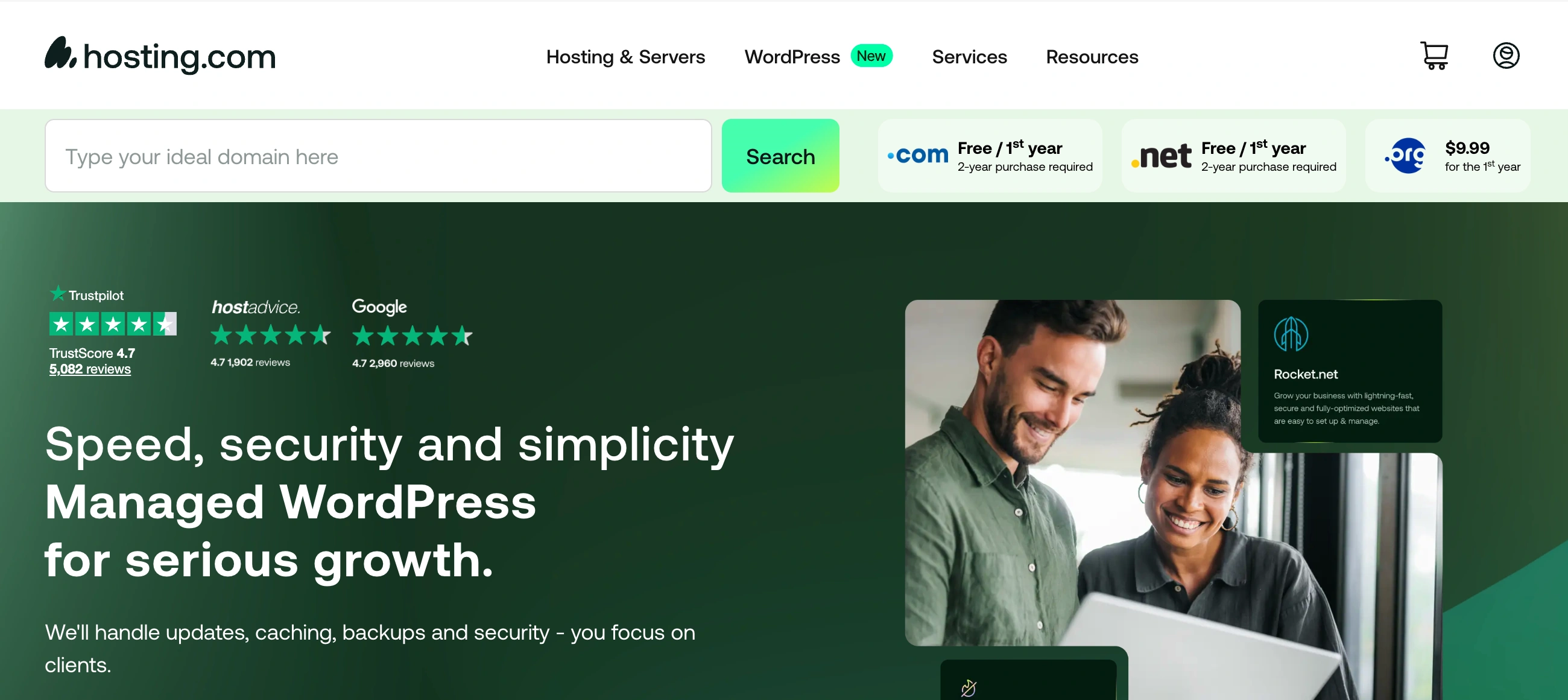
✨ Is Hosting.com Right for You?
What it is: Speed-focused web hosting with genuine developer tools—SSH access, Git integration, and staging environments on all shared plans. Formerly A2 Hosting, rebranded January 2025.
Best for: Developers and agencies needing performance plus flexibility, WordPress sites where milliseconds matter, anyone managing multiple client sites through reseller accounts.
Main limitation: The "unlimited" marketing hits real limits at 600,000 files and 35 concurrent connections. Monitor your usage in cPanel to avoid surprises.
Get it if: You're building affiliate sites, WooCommerce stores, or landing pages where page speed directly impacts revenue. The Turbo servers cut load times in half.
Skip it if: You're a complete beginner wanting the simplest setup possible. The dated cPanel interface works fine but feels clunky compared to modern dashboards.
🎯 Why Hosting.com?
Your current host loads pages in 2.5 seconds. Hosting.com's Turbo servers cut that to 1.2 seconds. That 1-second difference kills conversions by 7% and bounces users before they see your content.
⚡ Speed That Actually Moves the Needle
Independent tests confirm sub-100ms time-to-first-byte on Turbo plans versus 140ms+ on budget hosts. One WooCommerce site owner reported 23% higher conversions after migrating—nothing else changed. For sites monetizing traffic, faster load times directly impact revenue. Bluehost averages 1.28 seconds on comparable tests, Hosting.com Turbo averages 689ms.
🛠️ Developer Tools Without the Premium Tax
Most budget hosts gate SSH access behind $20+/month tiers. Hosting.com includes it on the $1.99 entry plan. Git integration, staging environments, WP-CLI support, multi-PHP versions—tools that cost extra everywhere else come standard. Agencies manage 10 client sites with proper dev workflows for under $100/month total.
🌍 Global Reach Without Complex Setup
Nine data centers across four continents. Pick Singapore for Asian traffic, Amsterdam for Europe, Phoenix for US west coast. Your site loads fast regardless of where visitors connect from.

✎ What Hosting.com Users Typically Achieve
Hosting.com powers over 3 million websites across 200+ countries, from personal blogs to agency portfolios managing dozens of client sites.
Speed improvements: Users report page loads dropping to 1.2-1.4 seconds after migrating to Turbo servers. One WooCommerce operator saw conversion rates jump 23% with faster checkout.
Developer productivity: Agencies run proper Git workflows, staging-to-production pipelines, and manage 10-20 client sites under single reseller accounts. The SSH access and WP-CLI support eliminate the need for premium managed WordPress hosting costing 3x more.
Global reach: Affiliate marketers target multiple regions by hosting sites in geographically relevant data centers—Singapore for Asia traffic, Frankfurt for Europe—without complex CDN setups.
💡 Pro Tip: Lock in 36-month promotional terms for best rates, then set a calendar reminder to evaluate whether the renewal pricing still makes sense or if it's time to shop around.
🛠️ How Hosting.com Works
Think cPanel, not custom dashboards. If you've used web hosting before, this feels immediately familiar.
Setup
Sign up, pick your data center location, and you're live in 5-10 minutes. Free migration service handles transfers from your old host, though email migrations occasionally need manual intervention. Most users report smooth transfers taking 2-4 hours for typical WordPress sites.
Daily Workflow
Access via SSH on port 7822 (custom port for security). Clone repos with Git, push changes, they auto-deploy. Staging environments let you test updates before pushing to production. The Softaculous installer handles WordPress, Joomla, Drupal, and 400+ other apps with one click. For developers: full terminal access, cron jobs, custom .htaccess rules, PHP version switching per directory.
Resource Monitoring
cPanel shows real-time CPU, RAM, and inode usage. Watch your limits: 600,000 inodes maximum (300,000 on Starter plans) and 35 concurrent connections. Exceed these and you'll get suspended or forced to upgrade.
⏼ Core Features & Capabilities
99.97% uptime verified across 12-month independent monitoring. Turbo plans show page loads improving from 2.5 seconds down to 1.2 seconds in real-world tests.
🚀 Turbo Server Technology
LiteSpeed web servers instead of Apache, NVMe SSDs, AMD EPYC processors, HTTP/3 support. The marketing claims "20x faster" but real gains measure around 2x in practice. TTFB drops from 140ms to sub-100ms. Still significant when Google prioritizes fast sites in rankings.
🔐 Security Stack
Free Let's Encrypt SSL auto-installs on signup. HackScan runs 24/7 malware detection. Patchman auto-patches known vulnerabilities. KernelCare updates server kernels daily without reboots. DDoS protection via Corero Cloud Hybrid handles volumetric attacks. Two-factor authentication available but not enforced.
💾 Backup & Recovery
Daily automated backups with 30-day retention via JetBackup. One-click restore from cPanel. The catch? JetBackup fails on accounts over 50GB, and backups are "best effort"—not guaranteed. Run your own offsite backups for mission-critical sites. Server Rewind feature lets you rollback entire accounts to previous states when updates break things.
💡 Pro Tip: Start on Turbo Boost ($6.99 intro) rather than entry-level shared hosting. The speed difference justifies the extra $5/month, and you avoid migration headaches later when traffic grows.
⍟ The Verdict: Our Assessment
Overall Rating: 8.2/10 — Recommended for developers and speed-focused site owners.
Hosting.com excels at speed and developer tooling while maintaining legitimately helpful 24/7 support. The 4.7/5 Trustpilot rating from nearly 5,000 reviews reflects real satisfaction, with users frequently praising individual support agents by name.
Here's what to know about pricing: intro rates start at $1.99/month for Starter plans, renewing at $11.99/month (about $10 more monthly). Turbo Boost starts at $6.99, renewing at $24.99. Standard industry practice—just budget for the renewal rate rather than expecting promotional pricing to continue indefinitely.
⚡ Bottom Line: Choose Hosting.com when you need proven speed plus developer flexibility. For pure beginners or those wanting modern interfaces, SiteGround or Hostinger offer better onboarding experiences.
✩ What Users Say: Reviews & Ratings
Trustpilot: 4.7/5 from 4,925 reviews. G2: 4.4/5 from ~195 reviews. High ratings hold up across thousands of verified customers.
✔ Pros: What Users Love
- Genuine Speed Gains: "Site loading time is one of the best." Users specifically call out Turbo improvements: "Cut my load time in half compared to my previous host."
- Support Staff Quality: Individual agents praised by name: "Jonathan R. was very patient and informative." The Guru Crew support maintains 97% satisfaction ratings.
- Developer-Friendly Tools: "SSH access on the cheapest plan is amazing," "Git integration just works," "Staging environments saved me countless times."
- Long-Term Reliability: Multiple reviews note 5-10+ year tenures: "I've been with them for six years" and "Been a client for 10 years now."
✗ Cons: Common Complaints
- Variable Support Wait Times: "Waited 45 minutes for live chat, only to be told to submit a ticket." Peak hours mean longer waits, and after-hours support quality drops noticeably.
- Resource Limit Surprises: "Unlimited hosting suspended my account at 600,000 inodes." The marketing has real limits that bite high-traffic sites unexpectedly.
- Dated Interface: "cPanel looks like it's from 2003." Functional but visually behind competitors offering modern custom dashboards.
⚠ 3 Critical Mistakes to Avoid
Mistake #1: Treating "Unlimited" as Actually Unlimited
The Problem: Marketing says "unlimited websites, storage, bandwidth." Reality: 600,000 inode limit (300,000 on Starter), 35 concurrent HTTP connections, aggressive CPU throttling. Hit these limits and you're suspended or forced to upgrade without warning.
The Cost: Site goes down during traffic spike. Support tells you to upgrade to VPS at $38/month minimum. Lost sales during downtime plus unexpected infrastructure spending.
⚡ How to Avoid It: Monitor inode usage in cPanel monthly. Each file counts as one inode—WordPress sites with thousands of cache files burn through limits fast. Delete old backups, clear cache folders, optimize media storage. Budget for VPS migration when you hit 400,000 inodes (70% threshold) rather than waiting for suspension.
Mistake #2: Choosing Entry-Level Shared Over Turbo
The Problem: You pick Starter hosting ($1.99/mo intro) to save $5/month. Your site runs on Apache servers instead of LiteSpeed, loads in 2.5 seconds instead of 1.2 seconds, and ranks worse in Google because Core Web Vitals suffer.
The Cost: Slower load times kill 7% of conversions per added second. For a site doing $5,000/month revenue, that's $350/month in lost sales. The $5/month savings costs you thousands in opportunity cost.
⚡ How to Avoid It: Start with Turbo Boost ($6.99 intro, $24.99 renewal) if speed matters to your business model. Run a 30-day trial using the money-back guarantee—migrate a staging site, run GTmetrix tests, measure actual performance gains before committing. The speed premium pays for itself if you're monetizing traffic.
Mistake #3: Skipping Your Own Backup Strategy
The Problem: You rely entirely on Hosting.com's included daily backups. Then your account exceeds 50GB and JetBackup fails silently. Or you need to restore from 45 days ago and only 30-day retention exists. Site disaster with no recovery option.
The Cost: Complete data loss on a client site. Rebuilding from scratch costs 40+ hours at your billable rate. Lost client trust, potential legal liability if their business suffers downtime.
⚡ How to Avoid It: Set up automated offsite backups to DropBox, Google Drive, or dedicated backup services like BlogVault. Weekly full backups minimum, daily for ecommerce sites. Test your restore process quarterly—backups you can't restore are worthless. Budget $10-30/month for proper backup infrastructure.
FAQ
Does Hosting.com's speed actually matter for my site?
Yes, if you're monetizing traffic through ecommerce, affiliates, or ads. Independent tests show Turbo servers deliver 1.2-1.4 second load times versus 2.5+ seconds on standard hosts. Google prioritizes fast sites in rankings, and conversion data shows 7% drop per added second of load time. For a basic blog? The difference is negligible.
How does pricing work after the promotional period?
Starter plans begin at $1.99/month promotional rate, renewing at $11.99/month (about $10 more monthly). Turbo Boost starts at $6.99/month, renewing at $24.99/month. Lock in 36-month terms upfront for longest promotional pricing. This renewal structure is standard across budget hosting—just plan for the higher rate in your budget from day one.
What's included in the free migration service?
Hosting.com's team handles website file transfers, database migrations, and basic configuration for up to 25 sites on reseller accounts. Most migrations complete in 2-4 hours. Email migrations occasionally need manual intervention. The service covers cPanel-to-cPanel transfers easily but may struggle with custom configurations.
Are the ""unlimited"" plans actually unlimited?
No. Hard limits: 600,000 inodes (300,000 on Starter), 35 concurrent HTTP connections, CPU throttling at high usage. JetBackup fails on accounts over 50GB. Exceed these limits and you'll face account suspension or forced upgrades. Monitor your inode usage in cPanel monthly—WordPress sites with aggressive caching burn through this faster than expected.
Should I use Hosting.com or managed WordPress hosting?
Hosting.com if you're comfortable with cPanel and want SSH/Git access at budget prices. Managed WordPress hosting (WP Engine, Kinsta) if you need premium support, automatic updates, and staging environments without technical knowledge. Hosting.com includes staging on all plans and WP-CLI support, giving you 70% of managed WordPress features at 30% of the cost—but you manage it yourself.
What's the actual uptime versus the 99.9% guarantee?
Independent 12-month monitoring shows 99.97-99.99% uptime, translating to roughly 2.6 hours of annual downtime. The 99.9% SLA excludes scheduled maintenance. Most independent monitors confirm solid reliability. Uptime varies slightly by data center location, with US locations showing marginally better performance than international nodes.
Suggestly
Find your best-fit B2B tool in 90 seconds
✓ Free personalized recommendations
✓ Based on YOUR business needs
✓ No signup required

Hosting.com




