

✨ Is Strapi Right for You?
What it is: An open-source headless CMS that turns your content structure into REST and GraphQL APIs. You build the backend your way—100% JavaScript/TypeScript, fully customizable, with the option to self-host or use managed cloud hosting.
Best for: Development teams building websites, mobile apps, or IoT platforms who want complete control over their content infrastructure without paying for features they don't need.
Main limitation: Version migrations between major releases (v3→v4→v5) require real work—plan on dedicating developer time to upgrades. Community plugins aren't always maintained, so you might build your own extensions.
Get it if: You need full ownership of your data, want to avoid vendor lock-in, have developers comfortable with Node.js, or you're building content for multiple platforms from one source.
Skip it if: You need a no-code solution for non-technical teams, want zero infrastructure management, require enterprise support on day one, or prefer a plug-and-play CMS like WordPress.
🎯 Why Strapi?
Most CMS platforms force you into their way of doing things. Strapi flips that—you own everything. Your data lives where you want it, your content structure follows your business logic, and you're not paying monthly fees that scale with your traffic.
💰 The Economics Actually Work
Self-hosting Strapi costs you server infrastructure—maybe $20-100/month depending on your scale. Compare that to managed CMS platforms charging per API call or content entry. Moving from Contentful to self-hosted Strapi can cut CMS costs by 80% while gaining more flexibility. The savings compound when you're managing multiple projects.
🔓 Zero Vendor Lock-In
Your content sits in PostgreSQL, MySQL, or SQLite—standard databases you can move anywhere. The APIs you build? They're yours. No proprietary formats, no export limitations. Migrate to another platform if you need to, though most teams stay because customization beats switching.
⚙️ Build APIs Your Way
Need REST? Done. Want GraphQL? Built-in. Both? No problem. Strapi generates the boilerplate and lets you customize every endpoint. Building a complete API for a mobile app takes hours instead of weeks because Strapi handles authentication, permissions, and database operations out of the box.
🌍 One Content Source, Everywhere
Manage content once, deliver it to your Next.js site, React Native app, and Vue.js admin panel from the same backend. The headless approach means your content team works in Strapi's admin panel while developers pull exactly what they need through APIs.

📈 What Strapi Users Typically Achieve
Your Development Speed Multiplies
Building complete APIs takes hours instead of weeks. Creating a full backend for a mobile app—authentication, permissions, content management—can happen in a single afternoon. The time savings come from Strapi generating boilerplate code you'd otherwise write manually.
Multi-Platform Content Gets Simple
Managing content for your website, iOS app, and Android app from one place eliminates data fragmentation. Update your product catalog once, and all three platforms pull fresh data automatically. This saves hours weekly by avoiding manual updates across multiple systems.
Hosting Costs Drop Significantly
Self-hosting on a $20/month DigitalOcean droplet beats paying hundreds monthly to SaaS platforms that charge per API call or content entry. Migrating from a managed CMS to Strapi can deliver 80% cost savings. The break-even point hits fast if you're managing multiple projects.
You Own Your Data Completely
Export your content anytime, migrate to different infrastructure, or switch platforms without dealing with proprietary formats. This flexibility matters most when your business grows and requirements change—no vendor lock-in means you control your timeline and costs.
💡 Pro Tip: Start with Strapi Cloud's free tier to test your content structure, then decide whether self-hosting or paid Cloud makes sense for your traffic and team capabilities.
🛠️ How Strapi Works
Setting up Strapi feels more like building a custom application than configuring a traditional CMS. You're working in code from the start, which gives you control but requires technical knowledge.
Setup
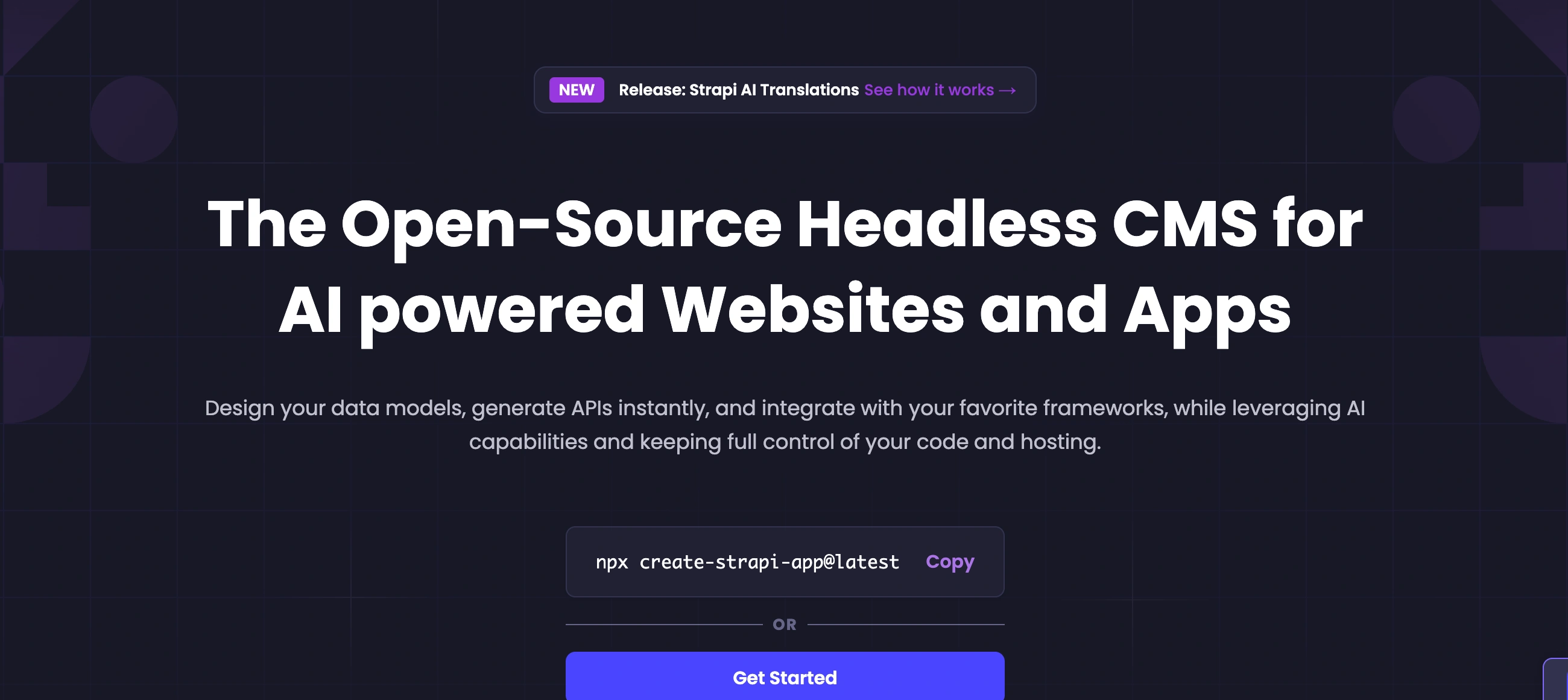
Run `npx create-strapi-app@latest` and you're installing. Pick your database (PostgreSQL recommended for production, SQLite for testing), and Strapi generates your project structure. First-time setup takes 15-30 minutes. For self-hosting, budget another hour for deployment to your preferred platform—DigitalOcean, AWS, Heroku, or your own servers.
Building Content Types
The Content-Type Builder is where you define your data structure. Creating a blog? Add fields for title, author, body, featured image. Building a product catalog? Define SKUs, pricing, inventory, categories. Strapi generates the database schema and API endpoints automatically. Relationships between content types work like you'd expect—authors have many articles, products belong to categories.
Managing Content
The admin panel works like any modern CMS—create entries, upload media, publish or save drafts. Content managers don't need technical knowledge once developers set up the structure. The media library handles images and files, with built-in resizing and CDN integration if you're using Strapi Cloud.
Using the APIs
Your frontend fetches content through REST or GraphQL endpoints. Strapi returns JSON that you parse in React, Vue, mobile apps, or wherever. For protected content, implement API tokens or JWT authentication. Webhooks let you trigger actions when content changes—perfect for rebuilding static sites or updating search indexes.
⚙️ Core Features & Performance
🎭 Content Modeling That Makes Sense
The visual content-type builder lets you create complex structures without touching config files. Components let you reuse field groups—build an "author bio" component once, use it across blog posts, case studies, and team pages. Dynamic zones give editors flexibility to mix and match content blocks per page.
🔐 Granular Permissions
Role-based access control works at the field level. Marketing can publish blog posts but not delete them. Content editors see draft articles but not admin settings. API tokens control what external applications can access. The free version gives you three roles; paid plans unlock unlimited custom roles.
🌐 Built for Global Content
Internationalization (i18n) manages content in multiple languages from one interface. Editors see all translations side by side, track which locales need updates, and publish changes per language. This beats maintaining separate content databases for each region.
🔌 Plugin Ecosystem
The marketplace offers plugins for SEO, email, image optimization, and third-party integrations. Quality varies—popular plugins like strapi-plugin-seo and strapi-plugin-sitemap get regular updates. Less popular ones might be abandoned. When official plugins don't exist, you're building custom ones or finding workarounds.
📊 Database Flexibility
Strapi supports PostgreSQL, MySQL, MariaDB, and SQLite. Use what your team knows or what your infrastructure already runs. Database migrations handle schema changes automatically as you modify content types.
☁️ Hosting Options
Self-host on any Node.js-compatible platform or use Strapi Cloud. Cloud starts at $15/month with managed hosting, automatic backups, and CDN. Free Cloud plan exists for testing with 2,500 API requests monthly. Cold starts on the free tier mean slower initial responses after inactivity.
📊 The Verdict: Our Assessment
7.8/10 - Strapi delivers exactly what it promises: complete control over your content backend. Strong for teams with development resources, weaker on plug-and-play simplicity and version migration smoothness.
Bottom Line: Choose Strapi when you have developers on your team and need a customizable headless CMS without recurring costs. Skip it if you need a no-code solution or want guaranteed upgrade paths without developer involvement.
💬 What Users Say: Reviews & Verified Experiences
User ratings: 4.6/5 on G2 (1,200+ reviews), 4.7/5 on Capterra (75 reviews).
👍 Pros: What Users Love
- Developer Freedom: "Strapi gives you complete control. I can customize everything without hitting arbitrary platform limits," says one G2 reviewer. Development teams consistently praise the ability to structure content and APIs exactly how they need them.
- Cost Efficiency: "The self-hosted option is incredible for non-profits and small companies," notes a Capterra reviewer. Multiple users report significant cost savings versus paid alternatives like Contentful.
- Clean Admin Interface: "Easy to use and offers internationalization support right from the start," mentions another reviewer. Content editors appreciate the intuitive panel once developers set up the structure.
- Flexible APIs: "With Strapi, we can decide whether to consume REST or GraphQL—both work well," explains a developer managing modern web projects. The automatic API generation saves weeks of backend development.
👎 Cons: Common Complaints
- Migration Pain: "The migration to v4 was painful. Each update brings some sort of breaking change," warns a Principal Engineer with 1-2 years using Strapi. Version upgrades require dedicated developer time and careful testing.
- Plugin Maintenance: "Lots of free plugins available but few are maintained or updated," notes one user. The community plugin ecosystem lags behind WordPress in both quantity and ongoing support.
- Technical Requirements: "If you decide to host Strapi on your own server it's not very easy," explains a web developer. Self-hosting requires DevOps knowledge that not all teams possess.
- Limited Free Roles: "With newer Strapi versions, they've limited the number of roles and you need to pay even if it's self-hosted," mentions a CTO managing multiple projects. Free version caps you at three user roles.
🚫 3 Critical Mistakes to Avoid
Mistake #1: Skipping Version Migration Planning
The Problem: Treating Strapi upgrades like routine updates instead of migration projects. Breaking changes appear mid-upgrade, incompatible plugins fail, and data structure issues require immediate fixes during deployment windows.
The Cost: Version migrations can consume days of developer time. Strapi v4 reaches end-of-life in April 2026, meaning teams still on v4 face mandatory migrations to v5 with potential downtime and feature breakage.
⚠️ Fix it: Test migrations in staging environments first. Allocate 2-4 weeks for major version upgrades, including time for plugin compatibility checks, custom code refactoring, and thorough testing. Read migration guides before starting, and backup everything.
Mistake #2: Underestimating Self-Hosting Requirements
The Problem: Choosing self-hosting to save money without accounting for infrastructure management, security patching, backup strategies, and scaling complexity. Teams without DevOps experience hit walls when traffic spikes or security vulnerabilities emerge.
The Cost: Infrastructure management can consume 312-1,300 developer hours annually for security patching alone. At average developer rates, that's $15,000-65,000 in opportunity cost that could have gone to feature development.
⚠️ Fix it: Calculate total cost of ownership honestly. If your team lacks DevOps expertise, Strapi Cloud's $15-99/month plans might cost less than the developer time self-hosting requires. For teams with infrastructure knowledge, self-hosting delivers major savings.
Mistake #3: Relying on Unmaintained Plugins
The Problem: Building your project around community plugins that haven't seen updates in years. When you upgrade Strapi versions, these plugins break with no maintainer to fix them.
The Cost: Critical functionality stops working post-upgrade. You either roll back (losing new features), rebuild the plugin yourself (consuming weeks), or find workarounds that add technical debt.
⚠️ Fix it: Check plugin update history before using them. Prefer plugins maintained by Strapi or active community members. For critical features, budget time to build custom plugins you control. Test all plugins in staging before production updates.
FAQ
Is Strapi actually free or are there hidden costs?
Strapi's open-source version is 100% free to self-host. You pay for server infrastructure (starting around $20-100/month depending on scale) and developer time to set it up. Strapi Cloud offers managed hosting from $15/month with a truly free tier for testing. Additional paid features include the Growth plan ($15/month) for advanced CMS capabilities and Enterprise Edition for audit logs, SSO, and SLA support.
How difficult is the setup process for non-developers?
Setting up Strapi requires technical knowledge—you're working with Node.js, databases, and deployment. Developers find it straightforward (30-60 minutes), but non-technical teams should use Strapi Cloud's managed hosting or hire a developer for initial setup. Once configured, content managers can use the admin panel without coding.
What happens when I need to upgrade versions?
Major version upgrades (v4→v5) require migration work. Strapi provides automated migration tools and documentation, but expect to dedicate 2-4 weeks for testing, custom code updates, and plugin compatibility checks. Minor updates are smoother. Strapi v4 support ends April 2026, so teams on v4 must migrate to v5.
Can I migrate my data out of Strapi later?
Yes. Your content lives in standard databases (PostgreSQL, MySQL, etc.) that export easily. No proprietary formats or lock-in. Many teams migrate between self-hosted and Strapi Cloud seamlessly. Your APIs and content structure are portable to other platforms if needed.
Does Strapi work for large-scale projects?
Absolutely. Strapi powers websites handling millions of requests monthly. You'll need to handle your own scaling for self-hosted setups (load balancers, CDN, database optimization). Strapi Cloud's higher tiers include scaling infrastructure. Performance depends on your server configuration and database setup.
What security and compliance features does Strapi include?
Strapi includes role-based access control, JWT authentication, CORS configuration, and API token management. Strapi Cloud is SOC 2 Type 2 certified and GDPR compliant. Self-hosted deployments require you to manage security updates, SSL certificates, and compliance yourself. Enterprise Edition adds SSO, audit logs, and advanced security features.
Suggestly
Find your best-fit B2B tool in 90 seconds
✓ Free personalized recommendations
✓ Based on YOUR business needs
✓ No signup required

Strapi




