

◑ Is Bonsai Right for You?
What it is: An all-in-one freelance business platform that combines proposals, contracts, invoicing, time tracking, and project management. Think of it as your admin assistant that doesn't take vacation.
Best for: Freelancers and small agencies ($2K-200K+ annually) who want to ditch the spreadsheet juggling act and look professional doing it.
Main limitation: Project management features feel basic compared to dedicated tools like ClickUp. You're getting convenience, not power features.
Get it if: You're spending more than 5 hours a week on proposals, contracts, and invoices, and you'd rather be doing actual billable work.
Skip it if: You need robust project management for complex team workflows, or you're running a full-scale agency with 20+ people and intricate resource planning.
⏼ Why Bonsai?
You're losing money every time you cobble together a proposal in Google Docs, email a PDF contract for signature, then chase down payments with manual invoices. Bonsai flips this mess into a smooth workflow. One freelancer calculated she saved $5,600 annually using Bonsai's tax features alone.
✔ Consolidates Your Entire Workflow
Proposals, contracts, invoicing, time tracking, expense management—all in one place. Users typically drop 3-4 separate tools after switching. Fewer subscriptions, fewer headaches, everything connected.
✔ Lawyer-Approved Templates
Over 100 contract templates built by actual lawyers. Freelancers report going from 2 hours to 15 minutes creating client agreements. Customize them once, reuse forever. They've got you covered whether you're a designer, consultant, or developer.
✔ Automated Invoicing
Set it once, forget it. Recurring invoices go out automatically. Payment reminders fire without you lifting a finger. One user mentioned cutting invoice-related work from 4 hours to basically zero per month.
✔ Professional Client Experience
Everything your client receives—proposals, contracts, invoices—looks cohesive and branded. The client portal keeps everything organized. Users consistently note this makes them look more professional and helps them land better clients.

✎ What Bonsai Users Typically Achieve
Time Savings
Most users save 5-10 hours monthly on admin work. Proposals go from 2 hours to 15 minutes. Invoicing becomes background noise instead of a weekly task.
Professional Upgrade
The branded client experience helps freelancers land bigger clients. One user mentioned moving from $50/hour projects to $5K+ retainers after looking more professional.
Tool Consolidation
Average user drops 3-4 separate subscriptions. That's $200-400 monthly in savings, though Bonsai itself costs $24-52/month depending on your plan.
Financial Clarity
Real-time dashboard shows what's outstanding, what's paid, revenue forecasts. Users mention better cash flow management and fewer surprises.
Common Friction Points
Learning curve exists—expect 1-2 hours to get comfortable. Project management feels limiting if you're used to robust tools. Custom branding requires the pricier plan.
💡 Smart play: Start with Starter plan ($24/month) to test the workflow. If you're using proposals, contracts, and invoicing regularly, upgrade to Professional for custom branding.
⛭ How Bonsai Works
It's your business operations layer. Doesn't replace your accounting software or deep project management—it sits between you and your clients, handling all the paperwork.
Setup
Connect your payment processor (Stripe, PayPal, or their Bonsai Payments), add your branding, tweak a few settings. Takes an hour or two if you're methodical. First-timers usually need a couple hours to get comfortable with all the features.
First Proposal
Pick a template, customize it, send it off. First one might take 30-45 minutes as you learn the ropes. Third one? Under 15 minutes. Users report the learning curve flattens fast.
Contracts & Invoicing
Same deal—templates make it quick. The magic is in the automation. Once a contract is signed, Bonsai can auto-generate invoices, send reminders, even trigger your next steps.
Time Tracking
Built-in timer works across desktop and mobile. Track time, assign it to projects, convert to invoices with one click. Not as feature-rich as Toggl, but it gets the job done for straightforward billing.
⏻ Core Features & Performance
✔ Proposals
Highly customizable templates with e-signature built in. Users report 30-50% faster proposal turnaround. The catch: they're template-based, so extreme customization takes work.
✔ Contracts
Lawyer-approved templates you can edit clause by clause. Convert to fully editable contracts if needed. Users love this flexibility. Missing: redlining and collaborative editing with clients.
✔ Invoicing
Auto-reminders, recurring billing, multiple currencies, ACH and credit card payments. One freelancer mentioned recovering an extra $3K annually just from automated payment reminders. Reporting is straightforward but limited for complex needs.
✔ Time Tracking
Works well for basic tracking. The mobile app handles light project management on the go. Not replacing dedicated tools, but solid for freelancers who bill hourly.
✔ Client Portal
Gives clients one place to see all their projects, documents, and invoices. The catch: it's not interactive enough. No task assignment or file uploads, so it's mostly a view-only space.
✔ Expense Tracking
Track expenses, categorize for taxes. The optional Tax add-on ($10/month) helps you estimate quarterly taxes and find deductions. Users report saving thousands.
✔ Financial Dashboard
See outstanding invoices, revenue forecasts, profit margins. Good enough for freelancers. Not replacing QuickBooks for serious accounting.
⚡ What's missing: advanced project management, AI features (competitors like Honeybook have AI assistants), deep integrations beyond Zapier, native accounting.
⍟ The Verdict: Assessment Based on Customer Data
7.8/10 - Solid choice for freelancers wanting to professionalize their business ops without complexity overload.
⚡ Trade-offs: Project management is basic. Pricing has increased 150%+ in recent years without proportional feature improvements. Custom branding locked to higher tiers frustrates users.
⚡ Skip if: You need robust project management, or you're price-sensitive and only need one or two features (better to use specialized tools).
✩ What Users Say: Reviews & Verified Experiences
User ratings: 4.6/5 on Capterra (95 reviews), 4.3/5 on G2 (89 reviews).
✔ Pros: What Users Love
- All-in-One Convenience: Users consistently mention dropping 3-5 separate subscriptions. "I eliminated Samcart, Teachable, and Post Affiliate Pro—saved $345/month." Another: "No more juggling between HelloSign, FreshBooks, and Excel."
- Professional Templates Save Hours: Multiple users report going from 2+ hours to 15 minutes on proposals. "The contract templates are incredible—I just customize once and reuse." Another verified user: "Went from dreading proposal work to knocking them out in minutes."
- Automated Workflows: Users love set-it-and-forget-it invoicing. "Auto-reminders recovered $3K I would have lost to forgotten follow-ups." Time tracking integration means "I hit stop on the timer and my invoice is 80% done."
- Tax Features Save Money: Multiple mentions of Bonsai Tax saving thousands annually. One user calculated $5,600 in tax savings from properly tracking deductions.
- Makes You Look Professional: Consistent theme: "My clients love the client portal." "Everything looks cohesive and branded—I've landed bigger clients since switching."
✗ Cons: Common Complaints
- Pricing Increases: Biggest complaint. "They've raised prices by over 150% in a few years." "I had to downgrade to keep it affordable and lost custom branding."
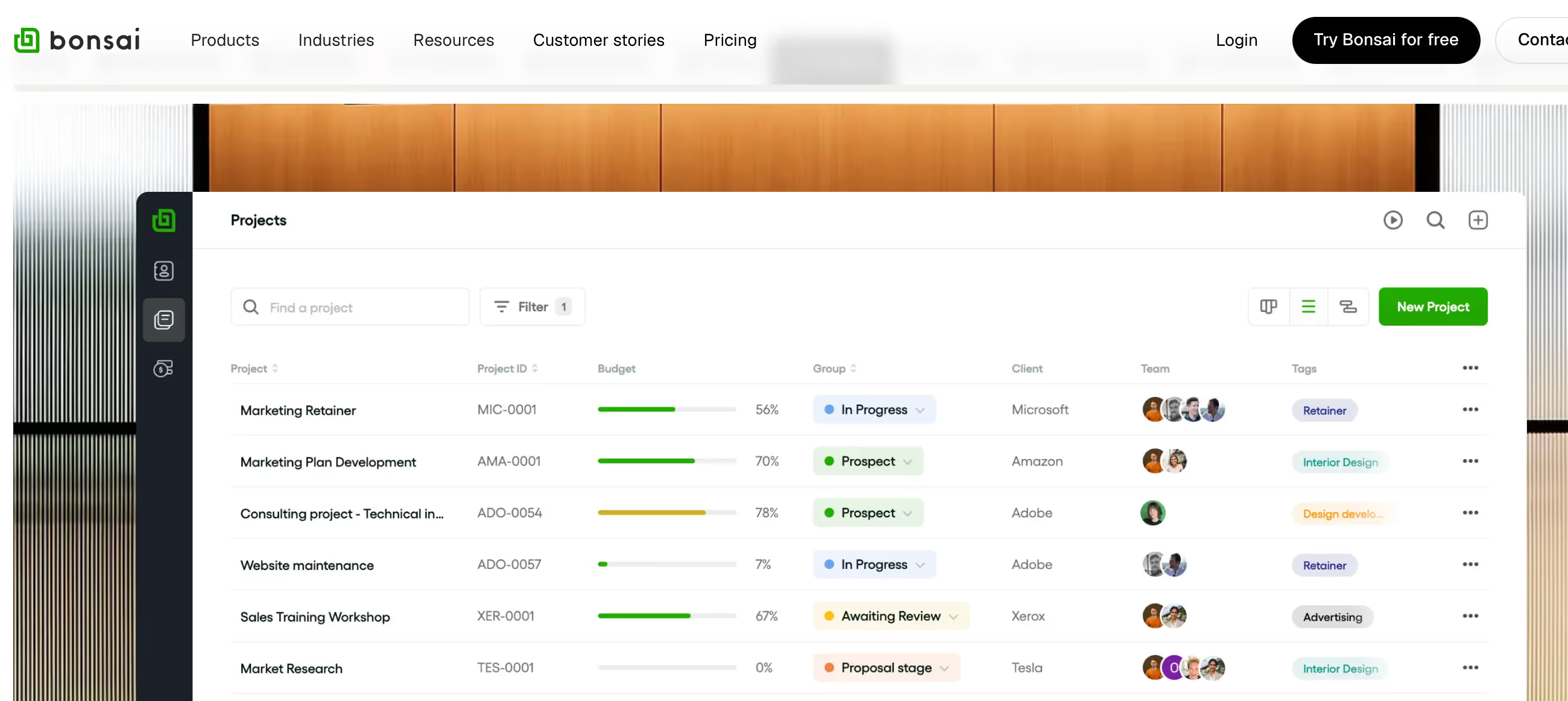
- Basic Project Management: Users note limitations: "Project management is list-only, no Kanban board view." "Works for simple freelance projects but nowhere near ClickUp capabilities."
- Client Portal Limitations: "I wish there was better client collaboration—can't assign tasks or have conversations in the portal." Everything goes to email instead.
- Currency Display Issues: "Clients can't see if pricing is CAD or USD on proposals—confusing for international work."
- No AI Features: Users comparing to Honeybook note: "Competitors have AI assistants and note-takers, Bonsai doesn't."
- Transaction Fees: Some users report unexpected fees. "Got charged $300 in transaction fees on my first two transactions."
⚠ 3 Critical Mistakes to Avoid
Mistake #1: Not Customizing Templates First
One freelancer sent out the default proposal template without customization. Client thought it looked generic and went with a competitor. Lost a $15K project.
⚡ Fix it: Spend 30 minutes upfront customizing your top 3 templates with your branding, tone, and typical project scope. Reuse them forever.
Mistake #2: Overbuying on the Plan
Some users jumped straight to Business plan ($52/month) when they didn't need team features. Paid for months before realizing Starter would've worked fine.
⚡ Fix it: Start with Starter plan. Upgrade only when you hit the limits. Most solo freelancers never need more than Professional.
Mistake #3: Ignoring the Mobile App
Freelancers on the go miss billable hours because they forget to track time. By the time they reconstruct it, they've lost 20-30% of actual hours worked.
⚡ Fix it: Set up the mobile app day one. Track time as you go. Your invoices will be more accurate and clients can't dispute your hours.
FAQ
Is Bonsai worth it for solo freelancers?
Yes, if you're doing consistent client work and want to professionalize your business operations. Solo freelancers making $2K+/month typically see ROI within 2-3 months from time saved on proposals and invoicing alone. The Starter plan ($24/month) covers proposals, contracts, unlimited invoicing, time tracking, and basic project management—enough for most solo operations. However, if you only send 1-2 invoices monthly and rarely create proposals, you might be better off with a free tool like Wave or Google Docs. Bonsai shines when you're using multiple features regularly and want everything connected in one platform.
How does Bonsai compare to Honeybook?
Both target freelancers and small agencies, but with different strengths. Bonsai focuses more on financial management with better expense tracking, built-in tax tools, and tighter integration between proposals and invoicing. It's also typically cheaper at $24-52/month vs Honeybook's $39-79/month. Honeybook excels at client experience and automation—it has AI features (AI assistant, note-taker) that Bonsai lacks, plus better workflow automation and a more robust client portal. Users who prioritize financial tracking prefer Bonsai; those wanting advanced automation and client collaboration lean Honeybook. If budget matters and you need solid contract/invoice tools, Bonsai wins. If you want cutting-edge automation and don't mind paying more, consider Honeybook.
Can Bonsai replace my accounting software?
Not entirely. Bonsai handles invoicing, expense tracking, and basic financial reporting well, but it's not a full accounting system. You can track income/expenses and even get tax estimates with the Bonsai Tax add-on ($10/month extra), which users report saves thousands annually in proper deductions. However, for full accounting operations—general ledger, comprehensive reporting, payroll—you'll need to integrate QuickBooks or Xero via Zapier. The upside: Bonsai streamlines client-facing finance (proposals to payment) better than traditional accounting software. The integration is straightforward, and many users successfully run both, using Bonsai for day-to-day client work and QuickBooks for year-end accounting.
What's included in the different Bonsai pricing plans?
Starter ($24/month): Unlimited clients, projects, proposals, contracts, invoicing, time tracking, expense tracking, basic reports, client portal. Good for most solo freelancers. Professional ($39/month): Everything in Starter plus custom branding (your logo, colors), automated workflows, scheduling/calendar, and advanced reports. Worth it if client perception matters. Business ($52/month): Everything in Professional plus subcontractor management, white-labeling, client billing (bill clients for team time), and collaboration tools. Best for small agencies or freelancers with 2-5+ team members. Add-ons available: Bonsai Tax ($10/month) for tax estimation and deduction tracking, and additional team seats ($9 each). Note: Prices have increased significantly over the years—some users report 150%+ hikes without proportional feature improvements, so factor that into long-term planning.
Does Bonsai work for agencies or just freelancers?
Bonsai works for small agencies (under 10 people), but it's clearly built for freelancers first. The Business plan includes team features like subcontractor management, team time tracking, and resource planning, which small agencies use successfully. However, limitations appear at scale: project management is basic (no robust Kanban boards, Gantt charts, or advanced resource allocation), reporting lacks depth for multi-project oversight, and the client portal doesn't support collaborative workflows. Agencies with 10+ people or complex project needs typically outgrow Bonsai and move to dedicated agency management tools like Workamajig or Monday.com. The sweet spot is 1-5 person creative studios or consultancies where client relationship management and financial tracking matter more than deep project orchestration.
How reliable is Bonsai's payment processing?
Very reliable for straightforward transactions. Bonsai integrates with Stripe, PayPal, and offers its own Bonsai Payments option. Users consistently report smooth payment processing with no technical hiccups—one mentioned "3+ years with zero payment processing issues." The automated payment reminders alone help users recover thousands in otherwise-forgotten invoices. However, watch for transaction fees: Bonsai Payments charges standard processing fees (typically 2.9% + $0.30), and some users reported unexpected additional fees on their first transactions. Always check the fee structure upfront. The platform doesn't hold your funds like some others (money goes straight to your connected processor), which reduces risk if Bonsai ever has issues. For international clients, multi-currency support works well, though some users note the currency doesn't always display clearly to clients on proposals—you may need to manually specify USD vs CAD.
Suggestly
Find your best-fit B2B tool in 90 seconds
✓ Free personalized recommendations
✓ Based on YOUR business needs
✓ No signup required

Bonsai




