

✨ Is Bitrix24 Right for You?
What it is: All-in-one business platform combining CRM, project management, communication, and collaboration tools—free forever for unlimited users, paid plans $49-$399/month add storage and advanced features.
Best for: Small-to-mid-sized teams wanting to consolidate 5-7 different tools into one platform. You value cost savings from flat-rate pricing (no per-user fees) over simplicity and need CRM plus team collaboration in one place.
Main limitation: Interface feels cluttered and overwhelming with too many features crammed together. Steep learning curve frustrates beginners, customer support is notoriously slow, and regional limitations mean advertised features may not work in your location.
Get it if: You're comfortable spending 2-3 weeks mastering a complex system to replace multiple tools. The free plan genuinely works for basic needs, and flat-rate pricing beats per-user costs at 10+ team members.
Skip it if: You need simple, intuitive software that "just works" without training. Customer support responsiveness matters. You're outside EU/Russia and need consistent feature access across regions. Consider simpler alternatives like HubSpot or ClickUp.
🎯 Why Bitrix24? (Consolidation Beats Simplicity)
Most businesses juggle separate tools for CRM, project management, chat, video calls, file storage, and task tracking. Bitrix24 replaces all of these with one platform—the good and the bad of that approach. You save money and reduce context-switching but inherit complexity and interface clutter that frustrates daily users.
💰 Free Forever Plan (Actually Unlimited Users)
The free plan supports unlimited users, not the typical "3-5 user maximum" competitors offer. You get CRM with unlimited contacts/deals, task management with Gantt charts, team chat and video calls, 5GB storage, and mobile apps. This makes Bitrix24 unbeatable for bootstrapped startups—run your entire business at $0 monthly while competitors charge $50-100 for comparable features.
📊 Flat-Rate Pricing Beats Per-User Costs
Paid plans charge by tier, not per user. Basic ($49/mo) supports 5 users, Standard ($99/mo) handles 50 users, Professional ($199/mo) covers 100 users. This means your 20-person team pays $99/month total while Monday.com charges $10-16 per user ($200-320/month). The economics flip dramatically versus per-user competitors once you exceed 10 team members.
🔧 Replace 5-7 Separate Tools
CRM for sales pipeline, project management for tasks, Slack for chat, Zoom for video, Google Drive for files, Calendly for scheduling, DocuSign for signatures—Bitrix24 includes all of these natively. You eliminate $200-500 monthly subscriptions across multiple tools plus the integration headaches connecting them. Everything syncs automatically because it's one system.
⚠️ But Interface Complexity Kills Productivity
Here's the brutal trade-off: consolidating 7 tools into one platform creates a cluttered interface that overwhelms users. Menus within menus, settings buried 3-4 clicks deep, features you'll never use crowding the dashboard. "The interface can feel cluttered and overwhelming, especially for new users," reviewers consistently report. New team members need 2-3 weeks training instead of the "30 minutes and you're productive" experience with focused tools like Notion or Asana

📈 What Bitrix24 Teams Actually Achieve
Replace 5-7 Tools, Save $200-500 Monthly
Teams replace CRM ($50-150/mo), project management ($50-100/mo), chat ($30-80/mo), video conferencing ($20-40/mo), file storage ($20-30/mo), document signing ($20-40/mo), calendar scheduling ($15-30/mo) into one $99-199/month platform. The math works at 10+ users where flat-rate Bitrix24 beats per-user competitors. Savings compound over time—$3K-6K annually for typical 20-person teams.
Flat-Rate Economics Beat Per-User Pricing
Monday.com charges $10-16 per user for comparable features. At 20 users, that's $200-320/month. Bitrix24 Standard at $99/month saves $100-220/month ($1,200-2,640 annually). The savings increase with team size: 50 users on Standard ($99/mo) versus Monday.com ($500-800/mo) saves $5K-8K yearly. This economic advantage is Bitrix24's big win.
Centralized Data Improves Coordination
Sales reps see project timelines tied to deals. Project managers access client communication history without switching tools. Chat conversations link to CRM contacts and tasks. Everything syncs because it's one database. This eliminates the "where did I see that?" scramble across multiple platforms. Information silos disappear when everything lives in one system.
Where Teams Hit Productivity Walls
Month 1: Learning curve slows work as team fights cluttered interface. Month 2-3: Automation setup requires technical expertise or expensive consultant ($3K-10K implementation costs). Month 4-6: Support tickets go unanswered for weeks when critical bugs hit. Month 12: Regional limitations discovered after significant investment. The complexity never fully disappears—it's the price paid for consolidation.
Support Failures Create Crisis Moments
WhatsApp integration breaks mid-campaign—support takes 2 weeks to respond, you've already lost $10K in marketing spend. CRM cards can't be deleted or merged—workarounds waste 5 hours weekly. Automation stops working after update—no explanation, no fix timeline, business processes stall. These aren't hypothetical scenarios—they're documented user experiences from recent reviews.
💡 Here's what works: Use Bitrix24 when cost savings justify complexity—startups bootstrapping growth, 20-50 person teams where flat-rate pricing delivers massive savings, organizations with dedicated admin who can manage the system. Don't use it when you need responsive support, intuitive interfaces, or consistent feature access globally. The trade-offs are clear and non-negotiable.
🛠️ How Bitrix24 Actually Works (The Learning Curve)
Expect 2-4 weeks before your team feels productive. Bitrix24 crams too many tools into one interface. The complexity is unavoidable..
Initial Setup (2-4 Hours Minimum)
Sign up for free plan or 30-day trial of paid tier. Configure company workspace: add team members, set permissions, choose which modules to enable (CRM, projects, tasks, chat, HR, etc.). Import contacts and deals from existing CRM via CSV—expect data mapping issues requiring manual cleanup. Connect integrations: calendar sync (Google/Outlook), email, phone system, payment processing. This takes 2-4 hours for basic setup; comprehensive configuration requires 8-12 hours across multiple sessions.
Team Onboarding (1-2 Weeks)
Schedule training sessions by role: sales team learns CRM and pipeline management (3-4 hours), project managers master tasks and Gantt charts (2-3 hours), everyone learns chat/video/files basics (1 hour). Onboarding takes longer than simpler tools because there's more to learn. Budget 8-12 hours per employee spread across first two weeks. Adoption stalls without dedicated training—people revert to old tools when confused.
Daily CRM Workflow
Add leads from web forms, email, phone calls, social media messages. Move deals through pipeline stages (qualifying, proposal, negotiation, closed). Log activities: calls, meetings, emails automatically or manually. Set tasks for follow-ups with automatic reminders. Generate quotes and invoices directly from CRM. Track sales performance via built-in reports and dashboards. The CRM works well once configured but requires 15-20 hours initial setup for custom fields, pipeline stages, and automation rules.
Project & Task Management
Create projects with task lists, assign responsibilities, set deadlines. View progress via Kanban boards, Gantt charts, or list views. Track time spent on tasks for billing/reporting. Collaborate through task comments, file attachments, @mentions. Use templates for recurring project types. Connect tasks to CRM deals for client work tracking. Scrum boards available on Standard+ plans (10 teams max on Standard, 20 on Professional).
Communication & Collaboration
Team chat organized by departments, projects, or topics. Video calls for 1-on-1 or group meetings (up to 24 participants Standard plan, 48 on Professional). Calendar for scheduling with availability checking. Shared documents with real-time editing (supports docx, xlsx, pptx formats). File storage acts like Google Drive with folders and permissions. Feed/activity stream shows team updates across all modules.
Automation & Workflows
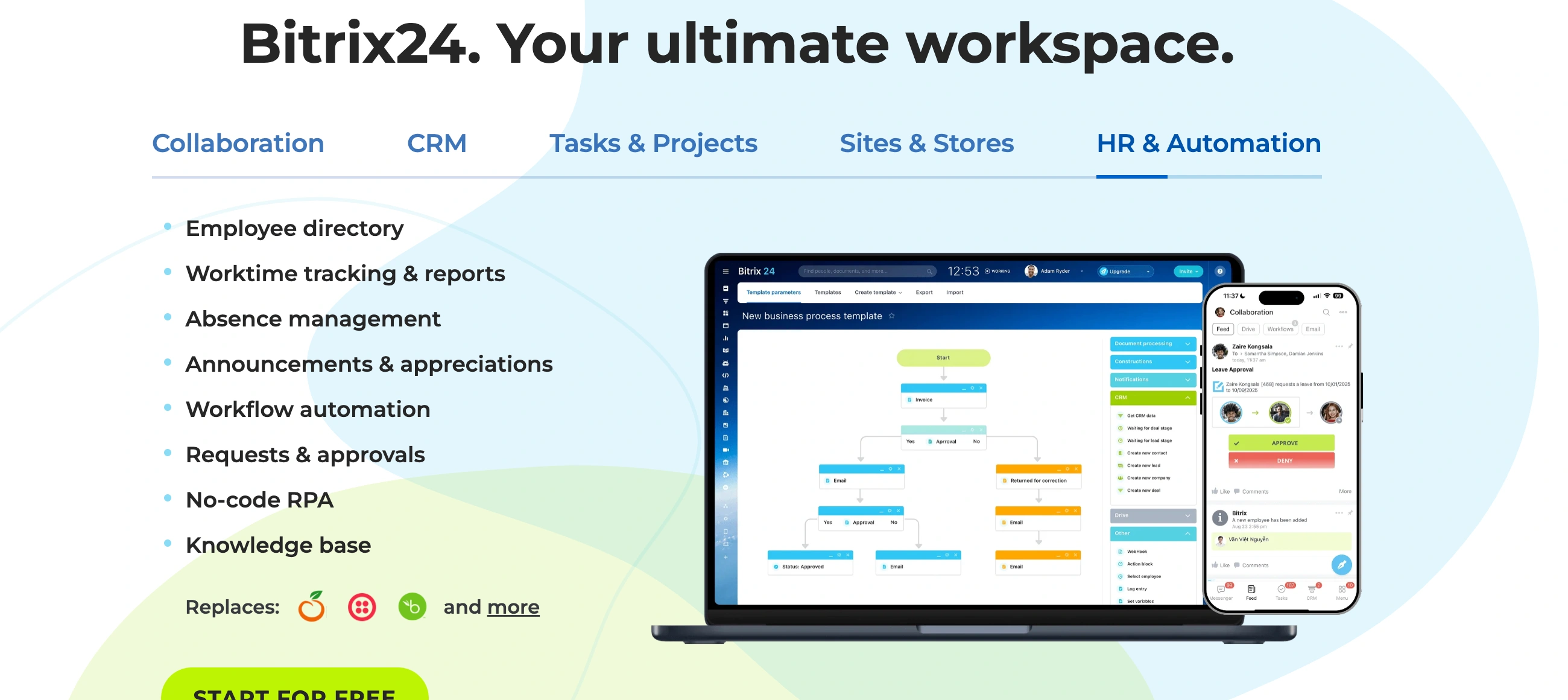
Create rules for repetitive actions: auto-assign leads to sales reps based on territory, send follow-up emails 3 days after proposal, create tasks when deal reaches specific stage, update contact records when forms submitted. Automation builder uses visual workflow designer—powerful but complex compared to Zapier's simplicity. Budget 4-8 hours learning automation capabilities on Standard+ plans.
⚙️ Core Features & Performance
🆓 Free Plan (Unlimited Users, Basic Everything)
Unlimited users—no 3-5 person cap like competitors. CRM: unlimited contacts, deals, quotes, invoices. Tasks: Gantt charts, dependencies, time tracking. Communication: chat, video calls (up to 4 participants), calendar. Documents: 5GB storage, online editing. Mobile apps (iOS/Android) with core features. Website builder and landing pages. Basic integrations (email, calendar). Support: community forum only, no direct support. Best for: Startups validating business model, tiny teams under 12 people, testing before paid upgrade.
💼 Basic Plan ($49/Month, 5 Users)
Everything in Free plus: 24GB storage (vs 5GB), HD video calls up to 24 participants, unlimited invoices and transactions, email marketing (up to 5K emails/month), online store with payment processing, digital signatures (Bitrix24 Sign), CRM automation (basic triggers/rules), phone support during business hours. Team size: Designed for 5 users maximum. Best for: Micro-businesses, professional services firms, small sales teams needing CRM + communication.
📈 Standard Plan ($99/Month, 50 Users)
Everything in Basic plus: 100GB storage, 50 users included, advanced CRM automation (sales funnels, workflows), email marketing (50K emails/month), marketing automation, web forms with advanced fields, 10 Scrum teams for project management, online document collaboration (Google Docs/Office365 integration), workflow automation (approval processes, RPA basics), sales intelligence and BI dashboards, priority email support. Team size: 6-50 users. Best for: Growing companies, marketing teams, agencies managing multiple clients, mid-sized sales operations.
🚀 Professional Plan ($199/Month, 100 Users)
Everything in Standard plus: 1TB storage (1,024GB), 100 users included, advanced customization (custom fields unlimited), email marketing (100K emails/month), 20 Scrum teams, sales intelligence with AI insights, advanced BI Builder dashboards, workflow automation (complex multi-step processes), enhanced security (audit logs, custom permissions), API access for custom integrations, live chat support. Team size: 51-100 users. Best for: Established mid-market companies, SaaS companies, enterprises managing complex workflows.
🏢 Enterprise Plan ($399/Month, 250 Users)
Everything in Professional plus: 3TB storage, 250 users maximum (custom pricing beyond 250), unlimited custom fields and pipelines, advanced automation and AI features, dedicated account manager, priority live chat and phone support, advanced security (SSO, LDAP, custom policies), on-premise deployment option available separately. Team size: 100-250 users. Best for: Large enterprises, companies with complex compliance requirements, organizations needing on-premise hosting.
🔧 Key Features Across All Paid Plans
CRM tools: Lead scoring, sales automation, product catalog, inventory management, recurring invoices, payment processing integration (Stripe, PayPal, Square). Marketing: Email campaigns, SMS marketing, social media ads integration (Facebook, Instagram), landing page builder, A/B testing, analytics. Contact Center: Omnichannel inbox (email, live chat, WhatsApp, Facebook, Instagram, Telegram), call center with telephony, chatbot builder. HR & Admin: Employee directory, absence tracking, time sheets, document approval workflows, knowledge base. Integrations: 550+ apps including HubSpot, Salesforce, Zoho, Microsoft 365, Google Workspace, Mailchimp, Zapier.
🚀 Quick Win: Start with free plan focusing only on CRM and tasks—ignore other modules until these work smoothly. Add communication features second, then projects. Gradual adoption prevents overwhelm and builds confidence before tackling advanced automation and customization.
📊 The Verdict: Powerful But Punishing
Overall Rating: 7.3/10 - Bitrix24 excels at consolidation and cost savings but fails at usability and support. Choose it when budget constraints and tool sprawl outweigh the complexity costs. Skip it when team productivity and user experience matter more than money saved.
Bottom Line: Choose Bitrix24 when you need to consolidate 5+ tools and have 10+ team members where flat-rate pricing saves thousands monthly. The free plan genuinely works for startups. Accept that you're trading user-friendliness for cost savings—budget 2-3 weeks training time and don't expect quick support responses. Skip it if you value intuitive interfaces, need responsive customer support, or want software that doesn't require extensive onboarding. The complexity tax is real and ongoing.
💬 What Users Say: Love the Features, Hate the Experience
User ratings: 4.1/5 on G2 (530+ reviews), 4.2/5 on Capterra (830+ reviews), 2.1/5 on Trustpilot (103 reviews).
👍 Pros: Consolidation and Cost Savings
- Everything in One Place: "What I like best about Bitrix24 is how all essential tools—CRM, project management, communication, and automation—are integrated into one unified platform," G2 reviewer states. "Instead of switching between multiple apps, everything happens in a single workspace, which makes coordination much faster and more efficient."
- Free Plan Actually Works: "The cost-effectiveness of Bitrix24 is another major advantage for our company as it offers numerous features at an affordable price," verified user notes. The unlimited users on free plan is unique—no other CRM offers this.
- Flat-Rate Pricing Wins at Scale: "Starter CRM from HubSpot was decent, but Professional was such a massive leap in cost that it was unaffordable to scale up. Bitrix24 allowed much more scalability," GetApp reviewer confirms. No per-user fees means predictable costs.
- Automation Powerful: "The automation features are especially powerful; they reduce repetitive tasks, streamline approvals, and keep projects moving without constant manual follow-ups," G2 user reports.
👎 Cons: Complexity and Abandonment Concerns
- Interface Overwhelming: "What I dislike about Bitrix24 is that the interface can feel cluttered and overwhelming, especially for new users," G2 reviewer states. "Because it offers so many features, navigating through menus and settings sometimes takes longer than it should." Multiple users cite "there are so many features that it can feel cluttered."
- Learning Curve Brutal: "Bitrix24 is quite hard to use at the start and learning curve is so long," Capterra user (Orçun E.) confirms. Teams need 2-3 weeks to become productive versus hours with simpler tools.
- Customer Support Nightmare: "I've been using Bitrix24 since last year, and I have to say: in the last few months, especially the last month, it feels like the platform has been abandoned and all the staff have been replaced by a dumb AI," verified Capterra reviewer (Larissa R.) states. "Support has been taking days, if not weeks, to respond. We're experiencing an error with card merging that's been open for over a month."
- Regional Feature Limitations: "After hours of setup, I found that these functions are disabled on the Global (UAE) cluster, even though they're clearly advertised. Bitrix24 never disclosed this limitation before purchase," Trustpilot reviewer reports. "I strongly advise any company outside the EU or Russia to avoid Bitrix24 until they clearly communicate what's actually included in each regional version."
- Hidden Costs Mounting: "Changes are made out of the blue, without warning, and we have to constantly find new ways to do things," Trustpilot user notes. "These aren't minor add-ons; they're core functions essential to using the CRM productively...This type of workaround for a fundamental feature is, frankly, unreasonable."
🚫 3 Critical Mistakes to Avoid
Mistake #1: Underestimating Training Time and Adoption Friction
You see "all-in-one platform" and assume team onboarding takes a few hours like Notion or Asana. Reality: the cluttered interface and feature overload confuse users for 2-3 weeks minimum. Sales reps complain navigation is too complex, project managers can't find settings buried 3-4 clicks deep, team members revert to old tools (Slack, Google Drive) because Bitrix24 feels overwhelming. Adoption stalls at 40-50% of team instead of target 80%+.
⚡ Fix it: Budget 2-3 weeks for team onboarding with role-specific training. Sales team: 4-6 hours on CRM only, ignore other modules. Project managers: 3-4 hours on tasks/Gantt charts. Everyone: 1-2 hours on chat/video/files basics. Create internal champions who master one module each and become go-to resources. Disable unused modules in settings to reduce interface clutter. Measure weekly adoption metrics and address friction points immediately. Plan 8-12 hours training time per employee spread across first month. The learning curve is real—denying it creates failure.
Mistake #2: Assuming Free Plan Scales to Paid Plans Smoothly
You start on free plan, team grows comfortable with basic features, then upgrade to Basic/Standard expecting similar experience with more capabilities. Instead, you encounter: features advertised but disabled in your region (UAE/Asia/LatAm clusters missing functionality), automation that requires technical expertise to configure, hidden costs for essential add-ons (telephony credits, premium integrations), support that takes weeks to respond even on paid plans. Your team is locked into Bitrix24 with months of data but frustrated by limitations.
⚡ Fix it: Test paid tier features during 30-day trial before committing. Verify regional availability—ask support "which features are unavailable on [your region] cluster?" before purchase. Budget implementation consultant ($3K-10K) for automation setup if lacking technical expertise. Calculate total cost: platform fee + telephony credits ($0.02-0.10/min for calls) + third-party integration costs + training time ($30-50/hour × hours invested). Expect 2-3x base subscription when factoring true costs. Don't assume advertised features work everywhere—regional limitations are real and poorly documented.
Mistake #3: Ignoring Customer Support Red Flags Until Crisis Hits
Support seems fine during sales process—demo calls are responsive, questions answered quickly. You assume this continues post-purchase. Then critical issue hits: CRM automation breaks mid-quarter, WhatsApp integration fails during campaign, data export bug prevents migration. You open ticket expecting 24-hour resolution. Reality: support takes 3-7 days for first response, provides generic troubleshooting that doesn't work, eventually suggests hiring Bitrix24 partner at $5K-10K to fix the issue. Your business process stalls for 2-3 weeks while support ignores tickets. That's $5K-15K in lost sales for a typical B2B operation.
⚡ Fix it: Accept that support will be slow and plan accordingly. Build redundancy: export CRM data weekly as backup, maintain alternative communication channels (Slack) if Bitrix24 chat fails, document critical workflows so you can rebuild if automation breaks. Join community forums where users help each other—official support won't. Budget consultant relationship ($200-500/month retainer) for urgent issues if running business-critical processes. Higher-tier plans (Professional/Enterprise) get marginally better support but still not comparable to HubSpot/Salesforce. If responsive support is non-negotiable, choose different platform—this won't improve.
FAQ
Is the Bitrix24 free plan actually usable or is it a trial in disguise?
The free plan is genuinely usable for unlimited users permanently—not a time-limited trial. You get: unlimited contacts and deals in CRM, task management with Gantt charts and dependencies, team chat and video calls (4 participants max), 5GB storage, mobile apps, basic integrations. Limitations: (1) 4-person video call limit versus 24-48 on paid plans, (2) 5GB storage fills quickly with documents, (3) No phone support or email marketing, (4) Basic automation only. Real use case: Startups with 5-12 people run entire operations on free plan for 6-18 months before upgrading. Unlike HubSpot or Monday.com free tiers that force upgrades at 3-5 users, Bitrix24 free genuinely supports small teams indefinitely.
Why is Bitrix24 so much cheaper than competitors like HubSpot or Salesforce?
Flat-rate pricing versus per-user fees creates massive cost differences at scale. Example: 20-person team. HubSpot Professional costs $800-1,600/month ($40-80 per user), Salesforce $50-150 per user ($1,000-3,000/month), Monday.com $10-16 per user ($200-320/month). Bitrix24 Standard handles 50 users for $99/month total--fixed cost regardless of team size within tier. The savings: $100-2,900 monthly ($1,200-34,800 annually) for same 20 users. Why so cheap? (1) Russian development costs lower than US/EU competitors, (2) Less polished UX reduces design investment, (3) Slower support keeps operational costs down, (4) Freemium model converts small percentage to paid. You are trading money for complexity and support quality--choose wisely based on priorities.
How long does it actually take to get Bitrix24 working for a team?
Honest timeline for 10-20 person team: Week 1 (8-12 hours): Admin configures workspace, imports CRM data, connects integrations, sets permissions. Weeks 2-3 (8-12 hours per person): Role-specific training—sales team learns CRM (4-6 hours), project managers master tasks/Gantt (3-4 hours), everyone learns chat/video/files (1-2 hours). Weeks 4-6 (4-8 hours): Fine-tune automation, customize fields, adjust workflows based on feedback. Total investment: 100-150 hours across team for basic productivity, 200-300 hours for advanced feature utilization. Compare: Notion (20-40 hours), Asana (30-60 hours), HubSpot (60-100 hours). Bitrix24 takes longer because interface is cluttered and features are complex. Budget 2-3 months before team feels truly comfortable versus 2-4 weeks for simpler tools.
What are these regional limitations people complain about?
Bitrix24 runs different server clusters by region—EU, Russia, USA, Global (covering Asia/Middle East/LatAm)—and features vary by cluster without clear documentation. Reported issues: (1) CRM automation features advertised globally but disabled on UAE/Asia clusters, (2) Telephony integrations work in EU/Russia but not everywhere, (3) Payment processing options vary by region, (4) AI features (CoPilot) limited availability outside core markets. The problem: Bitrix24 doesn't clearly disclose these limitations before purchase. Users discover after setup that advertised features don't work in their location. Solution: Before buying, ask support specifically "Which features are unavailable on [your country] cluster?" Get written confirmation. EU/Russia users get most complete feature sets. Global cluster users should verify every critical feature works in their region before committing.
Is Bitrix24 customer support really as bad as reviews suggest?
Yes. Support is consistently cited as worst aspect across reviews. Specific problems: (1) Response times: 3-7 days for first reply, 1-2 weeks for issue resolution, sometimes no response at all. (2) Quality: Generic troubleshooting steps that don't address actual problems, frequent redirects to documentation instead of solving issues, suggestions to "hire Bitrix24 partner" at $5K-10K for problems that should be covered by support. (3) Availability: Free plan gets zero support (community forums only), paid plans get email/chat but not phone support until Professional tier. (4) Recent deterioration: "Feels like platform has been abandoned and all staff replaced by dumb AI" multiple 2025-2026 reviews state. Mitigation: Budget $200-500 monthly for consultant retainer, join user communities for peer help, maintain backup systems for critical processes, export data weekly in case migration needed. If responsive support is critical to your business, choose different platform.
When does it make sense to choose Bitrix24 versus simpler alternatives?
Choose Bitrix24 when: (1) Budget constrained and need to consolidate 5+ tools—free plan or $99-199/month replaces $300-800/month in separate subscriptions. (2) Team size 10-50 users where flat-rate pricing beats per-user competitors by $100-500/month. (3) You have dedicated admin/IT person who can manage complexity and train users. (4) Willing to invest 2-3 weeks training time per team member for long-term savings. (5) Located in EU/Russia with full feature access. Choose alternatives when: (1) Need intuitive interface that new users master in hours not weeks—use Notion, Asana, ClickUp. (2) Responsive customer support critical for business operations—use HubSpot, Salesforce. (3) Team under 10 people where per-user pricing is still affordable—use Monday.com, Airtable. (4) Located in Asia/Middle East/LatAm where regional limitations restrict features—verify carefully before committing. The math is simple: Calculate cost savings versus productivity losses from complexity. If savings exceed $2K-5K annually and you can absorb 2-3 month learning curve, Bitrix24 works. Otherwise, pay more for better UX.
Suggestly
Find your best-fit B2B tool in 90 seconds
✓ Free personalized recommendations
✓ Based on YOUR business needs
✓ No signup required

Bitrix24




