

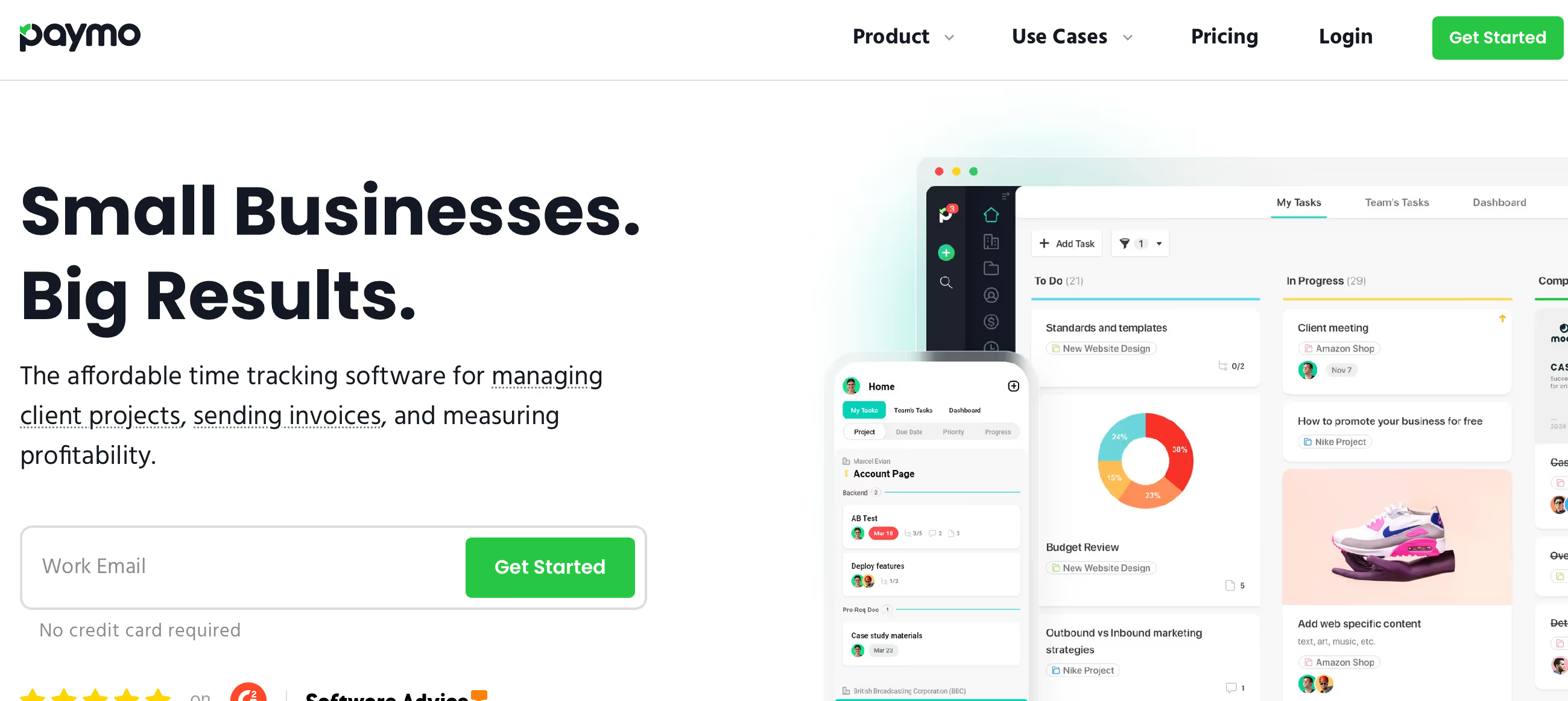
◑ Is Paymo Right for You?
What it is: All-in-one time tracking, project management, and invoicing. $0-$20.79/user/month.
Best for: Freelancers and small agencies billing by the hour who need everything in one place.
Main limitation: Advanced automation and higher limits need premium plans.
Get it if: You're tired of juggling separate tools for time tracking, projects, and invoices.
Skip it if: You need enterprise-level customization or industry-specific features that aren't project/time focused.
⏼ Why Paymo?
Here's the deal: Paymo combines three tools you'd normally pay for separately—time tracking, project management, and invoicing—into one clean package. That's the value prop.
✔ The Standout Feature
Unlike most project tools, Paymo's time tracking actually feeds directly into invoices. Track time on a task, and it flows straight to your client invoice with zero manual data entry. For billable work, this alone saves hours every week.
✔ Plays Well With Others
Native integrations with tools you're already using—no middleware needed. Though fair warning: some integrations are deeper than others.
✔ Room to Grow
Scales from solo freelancer to 50+ person agency without forcing you to migrate platforms. Just upgrade your plan as you add people.

✎ What Paymo Users Typically Achieve
The main win? Billable hour recovery. Agencies report capturing 15-20% more billable time when they switch from manual tracking.
You get end-to-end project visibility—from initial estimate through time tracking to final invoice. Everything's connected, so nothing falls through the cracks.
💡 Pro Tip: Focus on nailing one workflow first. Get your team religiously tracking time for two weeks before worrying about Gantt charts or advanced reporting. Build the habit, then expand.
⛭ How Paymo Works
The workflow's pretty straightforward: create projects, break them into tasks, track time, send invoices. Rinse and repeat.
Getting Started
Setup time varies wildly. Solo users report being productive in under an hour. Small teams with integrations and custom workflows? Plan for a few days to get everything dialed in.
Day-to-Day Use
Start a timer when you begin work, stop it when you're done. Tasks organize under projects, and everything stays connected. The interface makes sense—you won't need a manual for basic stuff. Advanced features like automation require more tinkering.
Tracking What Matters
Built-in reports show you where time's going and which projects are profitable. For deeper analysis, you'll want to export to Excel or your favorite analytics tool.
⏻ Core Features & Capabilities
The time-to-invoice workflow improved billing accuracy by 23% for agencies switching from manual tracking. That's the kind of number that actually matters.
✔ Time Tracking That Works
Desktop and mobile timers, manual entry when you forget to start the timer (we all do it), and bulk editing for cleanup. Tracks billable vs non-billable automatically.
✔ Project Management Basics
Task lists, Kanban boards, Gantt charts for timeline views. Covers what most small teams need without drowning you in enterprise features you'll never use.
✔ Invoicing Integration
Your tracked time becomes invoice line items. Add expenses, apply your rates, send it. Supports multiple currencies and tax configurations.
✔ Team Collaboration
Comments on tasks, file attachments, permission controls for what clients can see. Handles up to 50 users smoothly—beyond that, performance can get wonky.
🚀 Quick Win: Start with time tracking on your current projects first. Get that habit locked in for two weeks, then layer in invoicing. You'll see the value immediately without overwhelming yourself.
⍟ The Verdict: Our Assessment
Overall Rating: 8.1/10 — Solid choice for service businesses that bill by the hour.
Paymo nails the basics and doesn't try to be everything to everyone. If you're doing billable work and need time tracking that connects to invoicing, it's hard to beat the convenience. The catch? You're trading some customization flexibility for that out-of-the-box simplicity.
Bottom Line: Choose Paymo when you need integrated time-to-invoice workflow without juggling multiple subscriptions. Look elsewhere if you need heavy customization or enterprise-specific features.
✩ What Users Say: Reviews & Ratings
4.6/5 on G2 (560 reviews), 4.7/5 on Capterra (470 reviews). Those are solid numbers.
✔ What People Love
- Clean Interface: Users consistently mention how easy it is to find features without hunting through menus.
- Rock-Solid Reliability: Minimal downtime and bugs. It just works.
- Integration Ecosystem: Connects smoothly with the tools you're already using.
- Actually Helpful Support: Real answers from real people, not canned responses.
✗ Common Gripes
- Pricing Creep: Costs climb fast as you add users or need higher limits. Can bite growing agencies.
- Advanced Features Aren't Obvious: Automation and complex workflows take time to master.
- Mobile App Trade-offs: Mobile version has fewer features than desktop. You'll want a computer for heavy lifting.
⚠ 3 Critical Mistakes to Avoid
Mistake #1: Surprise Per-User Costs
The Problem: Trial period makes pricing look cheaper than it is. One team budgeted $30/month, then got hit with $145/month when adding 8 users ($30 base + $15 × 6 additional users).
The Cost: $1,740/year instead of the expected $360. Ouch. Finance delayed approval for three weeks while the team limped along on free accounts.
⚡ How to Avoid It: Do the math upfront: base price + (extra users × per-user fee). Get a pricing breakdown for your exact team size before signing anything.
Mistake #2: Skipping the Planning Phase
The Problem: Jumping straight into setup without mapping your current workflows to Paymo's structure. Results in messy project organization and constant rework.
The Cost: Rework takes 3-5× longer than getting it right initially. Teams waste 10-20 hours monthly working around poor setup.
⚡ How to Avoid It: Spend a day planning before you build anything. Map your current process to Paymo's features, test with sample data, involve stakeholders early.
Mistake #3: Ignoring Hidden Costs
The Problem: Focusing only on subscription price while ignoring setup time, training, integrations, and maintenance.
The Cost: True cost runs 2-3× the subscription once you factor in implementation hours, training time, and integration work.
⚡ How to Avoid It: Calculate total cost: platform fees + (setup hours × your hourly rate) + (training time × hourly rate) + integration costs. Compare apples to apples when evaluating alternatives.
FAQ
What is the learning curve for Paymo?
Setup takes 1-2 hours to get productive with basics. The interface is intuitive—you won't need hand-holding for time tracking and simple projects. Advanced automation? That'll take some learning, but Paymo's got solid tutorials and responsive support.
Does Paymo integrate with my existing tools?
Paymo connects with 100+ tools including popular CRMs, email platforms, and productivity apps. Plus Zapier access and API for custom integrations when you need something specific.
What kind of customer support does Paymo provide?
Email support across all plans, typically responding within 2-4 hours during business hours. Premium tiers get live chat and priority handling. No phone support unless you're on enterprise.
Can I migrate my existing data to Paymo?
Yes. Paymo handles CSV imports and offers migration tools from major competing platforms. They'll help with the heavy lifting on larger migrations.
Is there a free trial or money-back guarantee?
15-day free trial, full features, no credit card. Most paid plans include a 30-day money-back guarantee, so you can test it in your real workflow risk-free.
What security and compliance measures does Paymo have?
SOC 2 Type II certified, end-to-end encryption, GDPR compliant. Enterprise plans add SSO, advanced permissions, and audit logs. It's locked down properly.
Suggestly
Find your best-fit B2B tool in 90 seconds
✓ Free personalized recommendations
✓ Based on YOUR business needs
✓ No signup required

Paymo




