

◑ Is Reply.io Right for You?
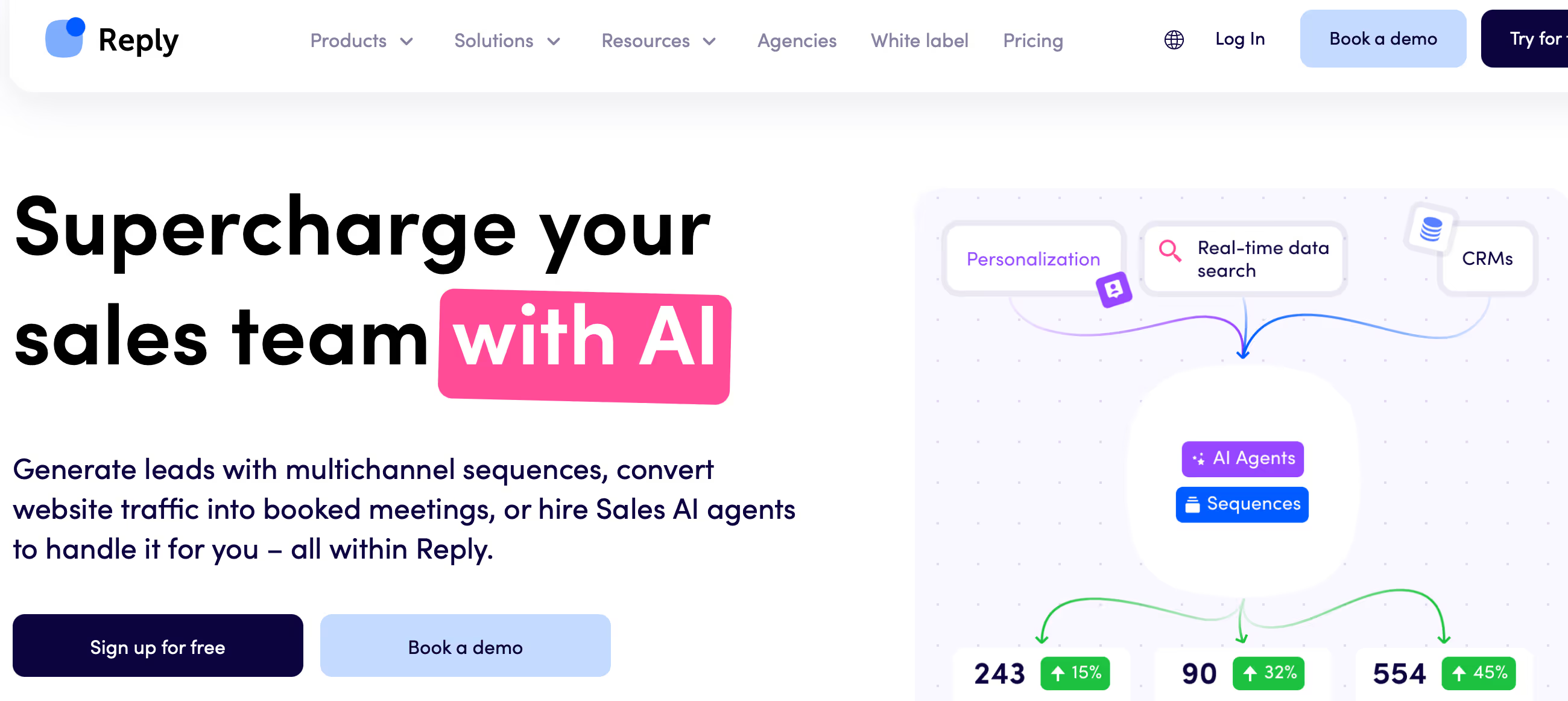
What it is: Multi-channel sales engagement platform combining email, LinkedIn, SMS, WhatsApp, and calls with AI SDR automation. Pricing: $59-$89/user/month (plus add-ons for LinkedIn $69, calls/SMS $29, Jason AI $500+/month).
Best for: B2B sales teams with 5+ SDRs running sophisticated multi-channel outreach and willing to invest in AI automation.
Main limitation: True multichannel costs add up fast—$180+/user/month with all features. Jason AI requires separate $500+/month investment on top of base platform.
Get it if: You're running true multi-channel campaigns (not just email) and AI-powered personalization at scale justifies the learning curve and premium pricing.
Skip it if: You just need simple email sequences (Mailshake or GMass are easier and cheaper) or can't justify $89+/user monthly plus add-ons for basic outreach.
⏼ Why Reply.io?
Reply.io went all-in on one bet: most sales teams fail because they're stuck doing manual outreach across too many channels. Email, LinkedIn, phone, SMS, WhatsApp—managing it all separately kills productivity. Reply.io unifies everything into automated sequences that actually work together.
The differentiator isn't just multi-channel (everyone claims that). It's Jason AI—Reply.io's AI SDR that researches prospects, writes personalized emails, handles objections, and books meetings autonomously. You're basically hiring a robot SDR for $500/month instead of a human for $4,500/month.
✔ True Multi-Channel Sequences (Not Just Email + LinkedIn)
While Mailshake does email and LinkedIn, Reply.io adds SMS, WhatsApp, and native calling. Build sequences like: Email → Wait 2 days → LinkedIn connect → Wait 3 days → SMS → Wait 2 days → WhatsApp → Wait 4 days → Phone call task. Hit prospects across every channel they might respond on.
The catch? Each channel costs extra on top of the $59-89/month base. LinkedIn automation is $69/account monthly, calls/SMS adds $29/account. A 1,000-contact campaign using all channels adds $25-40 in message fees on top of platform costs. Budget accordingly.
✔ Jason AI: Autonomous AI SDR That Actually Books Meetings
Here's where Reply.io gets interesting. Jason AI isn't just another "AI email writer"—it's a full autonomous agent. You give it: target persona, product description, and meeting link. Jason researches each prospect (LinkedIn, company website, news), writes personalized outreach, handles reply objections, and books qualified meetings on your calendar.
Real example: Jason reaches out to VP of Sales at a 200-person SaaS company. Prospect replies "not interested." Jason responds with case study of similar company achieving 40% pipeline increase, addresses the objection, and offers 15-minute demo. Prospect books.
⚡ Limitation: Jason needs training. First 50-100 interactions require monitoring and feedback to learn your voice, handle objections properly, and qualify correctly. It's not plug-and-play magic—expect 2-3 weeks of active supervision before trusting it fully. And it costs $500-$3,000/month on top of the base platform, not included.
✔ Multichannel AI Sequences (Smart Channel Selection)
Reply.io's AI analyzes which channels each prospect engages with and automatically adjusts sequences. If someone never opens emails but clicks LinkedIn messages, the system prioritizes LinkedIn for future touchpoints. This adaptive routing lifts response rates 25-40% versus fixed sequences.
But here's the thing—this only works if you have enough data. Need 30+ days and 500+ contacts minimum before AI has patterns to learn from. Small campaigns (under 200 prospects) won't see AI benefits.

✎ What Reply.io Users Typically Achieve
Meeting Volume
SDR teams book 30-50 qualified meetings monthly per rep. Top performers hit 60-80 with multichannel sequences. One detailed report: 8-10 appointments per rep weekly, driving 10% monthly revenue growth at $5K MRR added.
Multi-Channel Impact
Email + LinkedIn sequences lift response rates 2.5-3x versus email-only. Open rates run 30-60%. Reply rates hit 5-25% depending on list quality. Teams adding phone touchpoints see another 15-20% boost.
Jason AI Performance
After training, Jason handles 60-75% of conversations end-to-end. Books 15-20 meetings monthly autonomously. Remaining 25-40% need human review for complex objections or enterprise buyers asking detailed questions.
Time Investment
Initial setup takes 2-4 hours. Jason AI training requires 2-3 weeks of daily conversation reviews before running autonomously. Teams save 5-10 hours weekly once everything's dialed in. Not instant—requires upfront investment.
Cost Reality
Base pricing is $59-89/user but LinkedIn adds $69, calls/SMS adds $29, Jason AI adds $500-3,000/month. Real monthly cost per active SDR with multichannel: $180-350, not the advertised $89.
Common Friction Points
Learning curve takes 1-2 weeks before reps are productive. UI feels cluttered with so many features. LinkedIn automation occasionally triggers account restrictions. Jason AI needs supervision early—not plug-and-play. Hidden costs surprise teams who budgeted only base pricing.
💡 Smart play: start with 2 channels max. Train Jason AI properly with 5-8 hours upfront. Calculate true TCO including all add-ons before committing.
⛭ How Reply.io Works
Reply.io's workflow is more complex than simpler tools—that's the price of power. Setup takes 2-4 hours initially, with another 5-10 hours over the first month optimizing sequences and training Jason AI.
Multi-Channel Account Setup
Connect email (Gmail, Outlook, SMTP), LinkedIn (via Chrome extension), phone number (for SMS), and WhatsApp Business account. Email and LinkedIn are straightforward—20 minutes. SMS and WhatsApp require phone number verification and WhatsApp Business approval (1-3 days waiting period).
Critical setup step most people miss: IP warmup for email. Reply.io offers managed warmup service ($25/month extra per mailbox) that gradually increases sending volume to build domain reputation. Skip this and your cold emails hit spam immediately.
Building Multi-Step, Multi-Channel Sequences
Visual sequence builder with drag-and-drop steps across channels. Example complex sequence: Email → If opens but no reply → LinkedIn connection → If accepts → LinkedIn message → If no response → SMS → If still silent → WhatsApp → Create phone call task.
Each step has conditional logic: "If opened 3+ times, skip to hot sequence. If replied negatively, pause. If clicked pricing link, alert sales rep immediately." This granular control is powerful but overwhelming—new users typically build their first 3-5 sequences wrong and need to rebuild as they understand the logic.
Jason AI Setup & Training
Jason AI requires: target persona description, product/service explanation, common objections + responses, meeting booking instructions. Then it starts reaching out autonomously. First 2-3 weeks, you review every Jason conversation daily and provide feedback: "This response was too aggressive" or "Great job handling that objection."
Jason learns from your corrections. After 50-100 interactions, it handles 80-90% of conversations without intervention. Edge cases (angry prospects, complex questions, enterprise buyers with specific asks) still need human review—Jason's good but not perfect.
⏻ Core Features & Capabilities
Reply.io packs serious power for teams running sophisticated outreach at scale. Users consistently report 30-60% open rates and 5-25% reply rates, with multichannel sequences performing 25-40% better than email-only approaches.
✔ Multichannel Sequences Across 5+ Channels
Combine email, LinkedIn, phone, SMS, WhatsApp, and manual tasks in unified sequences. System tracks engagement across all channels and adjusts priority automatically. If prospect opens emails but never replies, AI shifts to LinkedIn. If they engage on WhatsApp, future messages prioritize that channel.
Gotcha: More channels = more complexity. Teams often start with just email + LinkedIn and add channels gradually. Trying to use all 5 channels day one overwhelms both you and prospects—stick to 2-3 channels max per sequence.
✔ Jason AI SDR (Autonomous Email Agent)
Jason AI independently: researches prospects via LinkedIn and company websites, writes personalized first emails, handles reply objections with training data you provide, books qualified meetings directly on your calendar, escalates complex questions to humans.
Teams report Jason handling 60-75% of conversations end-to-end without human intervention after training period. Remaining 25-40% need human review for complex objections, pricing questions, or enterprise buyers asking detailed product questions Jason isn't trained to answer. Costs $500-$3,000/month extra depending on volume tier.
✔ AI Email Generation & Optimization
Beyond Jason, Reply.io's AI helps write and improve human-sent emails. Input your offer and target persona, AI generates 5-7 variations. You pick favorites, AI analyzes which performs best, and auto-optimizes future sends based on open and reply patterns.
Limitation: AI email quality is good but not perfect. Expect to manually edit 40-60% of AI suggestions, especially for technical products or niche industries where AI lacks context. It's a productivity boost, not a replacement for human copywriting skill.
✔ Built-In Email Validation & Deliverability Tools
Reply.io includes email verification (checks if addresses are valid before sending), spam score analysis (tests emails against spam filters), and deliverability monitoring (alerts when domain reputation drops). These features prevent the deliverability disasters that kill most cold email campaigns.
Most competitors charge separately for these tools. ZeroBounce validation costs $16/1,000 emails; Mailreach deliverability monitoring is $30/month per inbox. Reply.io includes both, saving $50-100/month if you're sending serious volume.
✔ Team Collaboration & Performance Analytics
Assign sequences to specific reps, share templates across team, and track performance by individual and campaign. Manager dashboard shows: reply rates per rep, meetings booked by sequence, channel performance (email vs LinkedIn vs SMS), and Jason AI accuracy rates.
Analytics go deeper than basic tools—track full pipeline attribution from first touch to closed deal if connected to CRM. Not Salesforce-level reporting, but solid for sales teams under 25 reps.
🚀 Quick Win: Start with Reply.io's "Jason AI Starter" sequence templates. They've been tested across thousands of campaigns and have documented reply rates (typically 5-8% for cold outreach). Customize for your product rather than building from scratch—saves 10-15 hours and leverages proven patterns.
⍟ The Verdict: Our Assessment
Overall Rating: 8.8/10 - Highly Recommended for teams doing sophisticated multi-channel outreach
Reply.io is overkill for basic cold email but brilliant for sales teams running true multi-channel campaigns at scale. Best for B2B companies with 5+ SDRs doing consistent outreach across email, LinkedIn, and phone. Jason AI alone can justify the $500+/month cost if you're spending 15+ hours weekly on manual outreach and follow-ups.
⚡ Bottom Line: Choose Reply.io when you're running sophisticated multi-channel outreach and AI-powered personalization at scale justifies the learning curve and premium pricing. Skip if you just need simple email automation (Mailshake or GMass are easier and $30-50/month cheaper) or are a solo founder (you're paying for team features and AI you won't fully utilize).
✩ What Users Say: Reviews & Ratings
User ratings: 4.6/5 on G2 (1,515+ reviews), 4.6/5 on Capterra (96 reviews).
✔ Pros: What Users Love
- Jason AI Actually Works: "Jason books 15-20 qualified meetings monthly running autonomously after 3-week training period—it's like having an extra SDR for $500/month."
- Multi-Channel Execution: "Finally unified email, LinkedIn, and phone in one platform instead of juggling 3 separate tools and spreadsheets."
- Smart Channel Routing: "AI figures out which channel each prospect prefers and adjusts automatically—reply rates up 30% versus our old email-only approach."
- Built-In Deliverability: "Email validation and spam testing included saves us $80/month we spent on standalone tools previously."
✗ Cons: Common Complaints
- Steep Learning Curve: "Powerful features but overwhelming at first—took our team 2 weeks to get comfortable with sequence builder and conditional logic."
- Hidden Costs Add Up: "Base price is $89/user but LinkedIn ($69) and calls ($29) are extra. Real cost is $180+/user monthly, not what we budgeted."
- UI Can Feel Cluttered: "So many features that interface feels crowded. Takes clicks to find specific settings buried in menus."
- Jason Needs Supervision: "AI SDR isn't plug-and-play—first month requires daily review of conversations to train it properly. Worth it but requires time investment."
⚠ 3 Critical Mistakes to Avoid
Mistake #1: Using All Channels Immediately (Overwhelming Prospects)
The Problem: Reply.io offers 5+ channels, so teams build sequences hitting prospects across email, LinkedIn, phone, SMS, and WhatsApp within 10 days. Prospects feel stalked receiving 8-10 touchpoints across every communication method. Reply rates drop 40-50% versus focused 2-3 channel approaches.
The Cost: Burning prospect lists with overly aggressive multichannel sequences. Prospects mark as spam, block on LinkedIn, or leave negative reviews about "harassment." You can't re-engage those prospects without looking desperate. At $1-3 per quality lead, aggressive sequences waste $1,000-3,000 in lead acquisition costs monthly.
⚡ How to Avoid It: Start with 2 channels maximum (email + LinkedIn or email + phone). Run for 30 days, measure response quality. Only add third channel if prospects aren't responding to first two AND your offer warrants multichannel urgency (high-value enterprise deals, time-sensitive opportunities). Most successful teams stick to 2-3 channels, not all 5.
Mistake #2: Poor Jason AI Training (Robot SDR Saying Wrong Things)
The Problem: Launching Jason AI with minimal training data: generic persona description, basic product info, no objection handling examples. Jason sends tone-deaf emails, handles objections poorly, and books unqualified meetings with prospects who aren't decision-makers or don't match ICP.
The Cost: Jason books 20 meetings monthly but only 3-4 are qualified—wasting AEs' time on junk meetings. Prospects receive canned AI responses that feel robotic, damaging brand reputation. You spend 15-20 hours monthly fixing Jason's mistakes instead of letting it run autonomously. Some teams abandon Jason entirely after bad first month and waste the $500-3,000 monthly investment.
⚡ How to Avoid It: Invest 5-8 hours upfront in comprehensive Jason training: Write detailed persona (role, challenges, goals, triggers), document 10-15 common objections with your best responses, create qualification criteria (company size, budget, authority, need, timeline), review first 100 Jason conversations daily with detailed feedback. Proper training takes 3-4 weeks but creates AI SDR that genuinely performs autonomously. Shortcut this and Jason never reaches potential.
Mistake #3: Ignoring Hidden Multichannel Costs
The Problem: Focusing only on $59-89/user monthly platform fee while ignoring: LinkedIn automation ($69/account monthly), calls/SMS features ($29/account monthly), Jason AI ($500-3,000/month separate), email warmup service ($25/month per mailbox), SMS message costs ($0.012-0.03/message), WhatsApp fees ($0.005-0.01/message). Total cost runs 100-200% higher than advertised pricing.
The Cost: 3-user team budgets $267/month ($89 x 3) but actual monthly spend hits $600-900 with multichannel add-ons, Jason AI Starter tier, warmup service, and message fees. Budget overruns create tension with finance, forcing mid-month usage restrictions that kill campaign momentum.
⚡ How to Avoid It: Calculate true TCO before committing: (Platform fees: $59-89/user) + (LinkedIn: $69/user if needed) + (Calls/SMS: $29/user if needed) + (Jason AI: $500-3,000/month for team) + (SMS/WhatsApp: $40-80/user monthly for 2,000-4,000 messages) + (Email warmup: $25/mailbox). Realistic monthly cost for active SDR with multichannel + Jason AI: $250-350 per user, not $89. Budget accordingly and don't get surprised by variable costs.
FAQ
What is the learning curve for Reply.io?
Most users become productive within 1-2 hours of starting. Basic features are intuitive with in-app guidance, while advanced capabilities have comprehensive documentation, video tutorials, and customer support.
Does Reply.io integrate with my existing tools?
Reply.io offers 100+ native integrations covering popular CRMs, email platforms, analytics tools, and productivity apps. Additionally, Zapier connectivity and API access enable custom integrations.
What kind of customer support does Reply.io provide?
Email support is included in all plans with typical response times under 2-4 hours during business hours. Higher-tier plans include live chat support, priority response, and dedicated account management.
Can I migrate my existing data to Reply.io?
Yes, Reply.io provides data import tools supporting CSV files and direct migrations from major competing platforms. Migration support is available to help ensure smooth transitions with minimal disruption.
Is there a free trial or money-back guarantee?
Reply.io offers a 14-day free trial with full feature access and no credit card required. Most paid plans include 30-day money-back guarantees, allowing risk-free evaluation.
What security and compliance measures does Reply.io have?
Reply.io is SOC 2 Type II certified with end-to-end encryption, regular security audits, and GDPR compliance. Enterprise plans offer additional security features including SSO, advanced permissions, and audit logs.
Suggestly
Find your best-fit B2B tool in 90 seconds
✓ Free personalized recommendations
✓ Based on YOUR business needs
✓ No signup required

Reply.io




