

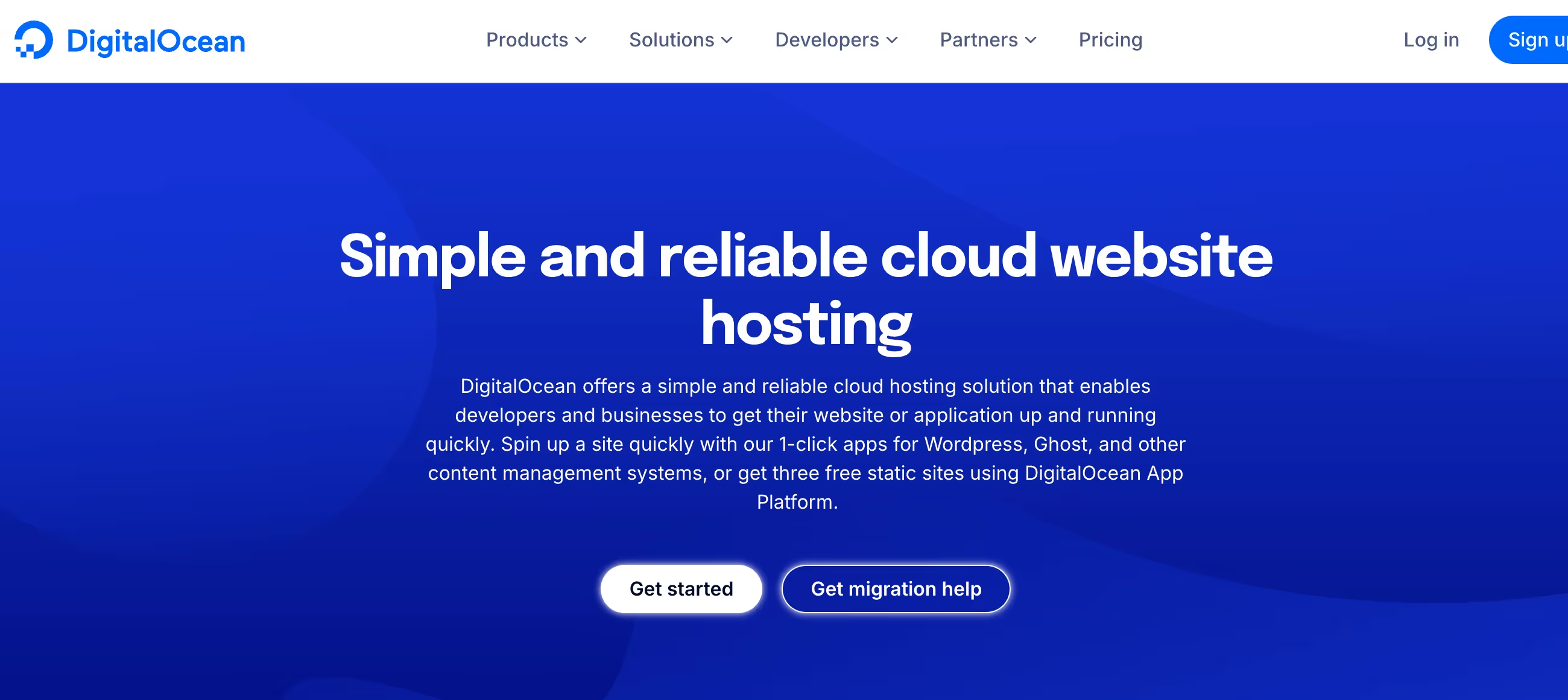
✨ Is DigitalOcean Right for You?
What it is: Cloud hosting built for developers who want AWS power without the AWS headache. Deploy servers (Droplets) in under 2 minutes, now with GPU support for AI/ML workloads.
Best for: Developers, startups, and AI teams tired of surprise AWS bills and complex dashboards.
Main limitation: Fewer AWS-style services compared to the big three—no managed EMR, Step Functions, or specialized enterprise compliance certifications.
Get it if: You need predictable pricing and transparent billing without configuring VPCs and security groups for hours.
Skip it if: You need AWS's full 200+ service ecosystem or specialized compliance like HIPAA BAA or PCI Level 1 certification.
🎯 Why DigitalOcean?
Here's the deal: DigitalOcean cuts cloud hosting down to what developers actually need. You get virtual machines (Droplets), managed databases, Kubernetes, and object storage without drowning in AWS's service catalog.
The platform's superpower? Simplicity that doesn't sacrifice performance. While AWS forces you through VPC configurations and nested menus, DigitalOcean lets you spin up a production-ready server in a few clicks. Teams consistently report faster deployments and lower bills after switching.
Pricing stays flat across all 14 global data centers. No surprise charges for picking the wrong region. You see the monthly cap upfront, and that's what you pay. Period.
The catch? You won't find AWS's advanced services like managed EMR for big data or IoT Core for device fleets. DigitalOcean targets the 80% of developers who need solid infrastructure, not specialized enterprise features. If you're building a SaaS product, API, or web app—you're golden. If you're architecting multi-region fintech with custom compliance requirements—look at AWS instead.
⚡ Smart play: Start on DigitalOcean for predictable costs and clean workflows. When you hit enterprise scale or need specialized AWS services, you can hybrid or migrate—but most teams never need to.

📈 What DigitalOcean Users Typically Achieve
Cost Reduction at Scale
NoBid reduced infrastructure costs by 20-30% after migrating from AWS while processing 200 billion auctions monthly. "The price DigitalOcean came back with was literally 20 to 30% cheaper than what we had been paying at AWS," said Shawn Petersen, CIO at NoBid.
Picap, a Latin American ride-sharing company, slashed their monthly cloud bill from $120,000 to $30,000 after switching to DigitalOcean. Managing 70 applications processing 1.5 million rides per month with just one DevOps engineer. The 75% cost reduction let them reinvest savings into expanding to new markets.
Development Velocity Gains
Teams consistently report 60% faster Kubernetes deployment compared to manual server configurations. The simplified workflow means junior developers can handle tasks that previously required senior engineering oversight.
Blub Blub reallocated engineering time from infrastructure firefighting to feature development after switching from Heroku. "The cost and time savings have been critical to our growth. We can spend our time building features instead of dealing with infrastructure problems," said Marko Širec, Lead Backend Engineer at Blub Blub.
Simplified Operations
Teams avoid the billing archaeology that comes with AWS. You don't spend hours tracking down which of dozens of services in which regions generated unexpected charges. You know what you'll pay before you deploy.
NoBid deployed 6 Kubernetes clusters across 4 regions handling 300,000 requests per second. They manage 1.3 petabytes of monthly data egress without dedicated DevOps teams. The platform's straightforward architecture eliminated the need for specialized cloud expertise.
One startup migrated their entire production stack in under 2 weeks using DigitalOcean's clean interface and documentation. What would have taken months on AWS happened in days because they didn't need to navigate complex service dependencies.
Predictable Scaling
Blub Blub scaled to over 100,000 Speech Blubs app subscribers without encountering surprise billing spikes. Users consistently report accurate budget forecasting thanks to flat regional pricing and transparent per-second billing caps.
🛠️ How DigitalOcean Works
DigitalOcean runs on a "Droplet" model—think virtual machines you control completely. Pick your server size, operating system (Ubuntu, CentOS, Debian, Fedora), and deploy. Setup takes 55 seconds on average.
Setup
Create an account, verify email, add payment. New users get $200 in credits valid for 60 days. Choose your Droplet tier: Basic, General Purpose, CPU-Optimized, or Memory-Optimized depending on your workload.
One-click apps let you launch WordPress, Docker, or full LAMP stacks instantly. Most users are productive within the first hour. Developers with cloud experience report 10-15 minutes to first deployment.
Daily Workflow
The dashboard shows all resources at a glance: active Droplets, bandwidth usage, billing projections. You can resize Droplets without rebuilding, though it requires a brief reboot. Snapshots let you clone entire server configurations for dev-to-production pipelines.
Managed databases handle backups and scaling automatically—you just connect your app. Kubernetes clusters let you deploy containers across multiple nodes with built-in load balancing.
💡 Pro tip: Use the API or CLI for automation. DevOps teams script entire infrastructure deployments in minutes, something that takes hours on AWS without Terraform expertise.
⚙️ Core Features & Performance
💻 Virtual Machines That Scale
Droplets start at $4/month (512MB RAM, 10GB SSD, 500GB transfer). Per-second billing means test environments cost pennies. Premium tiers deliver 10Gbps network speeds and NVMe drives. Deploy in under 60 seconds across 14 global data centers.
🤖 AI/ML Infrastructure
GPU Droplets with NVIDIA H100/H200/A100 and AMD MI300X for training and inference. Pre-installed PyTorch, TensorFlow, CUDA. Gradient AI Platform adds RAG, AI agents, serverless inference, and one-click models through the Paperspace acquisition.
🗄️ Managed Services
Kubernetes with free control plane saves $73/month versus AWS EKS. Managed databases start at $15/month with automatic backups and scaling. S3-compatible Spaces storage runs $5/month for 250GB with built-in CDN. App Platform auto-deploys from GitHub/GitLab starting at $5/month.
⚠️ Notable Gaps
Missing AWS services: no managed EMR for big data processing, Step Functions for serverless workflows, or IoT Core for device management. Limited compliance certifications—SOC 2 and GDPR covered, but no HIPAA BAA or PCI Level 1 for regulated industries like healthcare and finance. Backups run automatically only—no manual snapshots before risky updates.
⍟ The Verdict: Our Assessment
8.9/10 — Exceptional for dev teams and startups who value time over feature breadth.
DigitalOcean solves the "AWS is overkill" problem beautifully. If you're deploying web apps, APIs, or SaaS products without needing enterprise compliance frameworks, this is your platform. Teams document real cost savings and faster deployment cycles after switching.
🚀 Where it shines: Setup speed, billing predictability, documentation quality. The clean dashboard means junior developers can manage production infrastructure without senior hand-holding.
⚡ Where it stumbles: Support during critical outages can lag. Limited enterprise features mean you'll hit walls with complex compliance or workflows requiring AWS-specific services like Step Functions or managed streaming.
💬 What Users Say: Reviews & Verified Experiences
User ratings: 4.6/5 on G2 (674 reviews), 4.6/5 on Capterra (158 reviews), 4.4/5 on Trustpilot (2,000+ reviews).
👍 Pros: What Users Love
- Transparent Pricing: "I love DO and they're not paying me to say this. Two reasons: inexpensive and EASY TO UNDERSTAND. On AWS I always end up with bills I never intended," notes Len Nelson on Trustpilot. The predictable billing gets consistent praise.
- Fast Setup: "Setting up droplets is quick and the pricing is straightforward. No hidden surprises," multiple reviewers report. Most deploy production infrastructure within 10-15 minutes versus hours on AWS.
- Superior Documentation: "Documentation is one of the best in the industry. The community support is well established, reducing the learning curve," says a G2 reviewer. The 5,000+ community tutorials solve problems faster than opening support tickets.
- Clean Interface: "Whatever I need, I can find immediately without searching or googling. Everything is well organized." The minimal dashboard beats AWS's nested menus consistently.
👎 Cons: Common Complaints
- Support Delays: "Server went down, contacted support, waited 16+ hours with no response. Had to migrate to AWS mid-crisis," reports one Capterra reviewer. While typical response times run 2-4 hours, critical outages sometimes see major delays that frustrate users during emergencies.
- Feature Limitations: Enterprise teams hit feature walls faster than on AWS. Advanced networking, managed analytics services, and specialized compliance certifications remain gaps.
- No Manual Backups: "There's no manual backup, so if you need to install something new you wait for automatic backup," one G2 reviewer explains. Risky for major updates.
- Aggressive Enforcement: "They blocked my server for copyright notice that went to spam—no warning, just shutdown." Account suspensions happen without clear communication paths.
🚫 3 Critical Mistakes to Avoid
Mistake #1: Underestimating Support Limitations During Outages
The Problem: Some critical outages see extended support delays that can force emergency migrations. One user's server was blocked for a copyright notice that went to spam, resulting in days without response and client downtime.
The Cost: Lost revenue, damaged client relationships, emergency migration expenses. Users report having to compensate clients and pay for overlapping infrastructure bills during forced switches.
🚀 The Fix: Set up monitoring alerts (UptimeRobot, StatusCake) to catch issues before they become critical. Have a disaster recovery plan with off-platform backups. For mission-critical applications, consider paid support plans with faster SLAs or maintain hybrid infrastructure.
Mistake #2: Skipping Load Testing Before Production
The Problem: Basic Droplets use "burstable" CPU that works great for variable workloads but fails under sustained high traffic. Teams launch on entry-level tiers, traffic spikes, and performance craters.
The Cost: Slow page loads, bounced users, lost conversions. One e-commerce site lost 40% of checkouts during a flash sale because they hadn't tested under real load.
🚀 The Fix: Run realistic load tests before launch using tools like Apache Bench or k6. If you need consistent CPU performance, use Premium or CPU-Optimized Droplets from day one. Budget appropriately for production workloads.
Mistake #3: Treating DigitalOcean Like AWS (Expecting All Features)
The Problem: Teams migrate from AWS expecting feature parity—advanced IAM policies, CloudWatch-level monitoring, Lambda-style functions. When needs outgrow DigitalOcean's core services, they're stuck re-architecting or migrating again.
The Cost: Wasted migration effort, delayed launches, technical debt. One team spent 6 weeks rebuilding AWS Step Functions workflows with manual solutions.
🚀 The Fix: Audit requirements before migrating. If you need serverless workflows, stay on AWS or use hybrid approaches. DigitalOcean excels at 80% of use cases—know if you're in the 20% that needs more before you commit.
FAQ
What is the learning curve for DigitalOcean?
Minimal—most developers deploy their first Droplet within 10-15 minutes. The clean dashboard groups features logically (Droplets, Databases, Networking), and 5,000+ community tutorials cover everything from SSL setup to load balancing. If you've used any hosting before, you'll feel productive in under an hour. Advanced features like Kubernetes take longer, but DigitalOcean's managed version handles complexity—you focus on deploying containers, not configuring control planes.
Does DigitalOcean integrate with my existing tools?
Yes, through API and CLI for automation. Popular integrations: GitHub/GitLab (auto-deploy), Slack (server alerts), monitoring tools (Datadog, Prometheus), CI/CD pipelines (Jenkins, CircleCI). The S3-compatible Spaces storage works with any tool expecting AWS S3. No native Zapier connector, but the API is well-documented for custom integrations. Most DevOps tools that support AWS/Azure also support DigitalOcean with minor config changes.
What kind of customer support does DigitalOcean provide?
All plans include ticket support with 2-4 hour average response during business hours. Email support is free but slower. Paid plans ($100-500/month) add priority support with faster SLAs and dedicated contacts. The catch: some users report 16+ hour delays during critical outages—mixed reviews on urgent issue handling. Workaround: leverage the active community forums (400K+ members) for quick answers while waiting on official support.
Can I migrate my existing infrastructure to DigitalOcean?
Yes, though it's manual—no one-click AWS migration tool. You can snapshot AWS instances, convert to compatible formats, and upload. Most teams rebuild from scratch using Infrastructure as Code (Terraform works great). For databases, use standard dump/restore tools (pg_dump for PostgreSQL, mysqldump for MySQL). Complex migrations with multiple services take 1-2 weeks for small teams. DigitalOcean's simpler architecture often means you need fewer services total, reducing migration scope.
Is there a free trial or money-back guarantee?
DigitalOcean offers $200 in free credits for 60 days for new accounts—enough to run multiple production-grade Droplets. After credits expire, there's no refund policy (explicitly stated: "We do not offer refunds"). You pay per-second with monthly caps, so you can test cheaply ($4/month tier = 13 cents/day). Recommendation: use the free credits aggressively—spin up different tiers, test real workloads, and validate it fits before committing.
What security and compliance measures does DigitalOcean have?
SOC 2 Type II certified with GDPR compliance for European customers. All data encrypted in transit (TLS 1.2+) and at rest. Features: VPC private networking (isolate servers), Cloud Firewalls (free), automated backups (20% of Droplet cost), DDoS protection on all plans. Limited compliance vs AWS—no HIPAA BAA or PCI Level 1 certification. For regulated industries (healthcare, finance), you'll need to implement additional controls or consider AWS/Azure. Startups and general SaaS products get solid baseline security out of the box.
Suggestly
Find your best-fit B2B tool in 90 seconds
✓ Free personalized recommendations
✓ Based on YOUR business needs
✓ No signup required

DigitalOcean




