

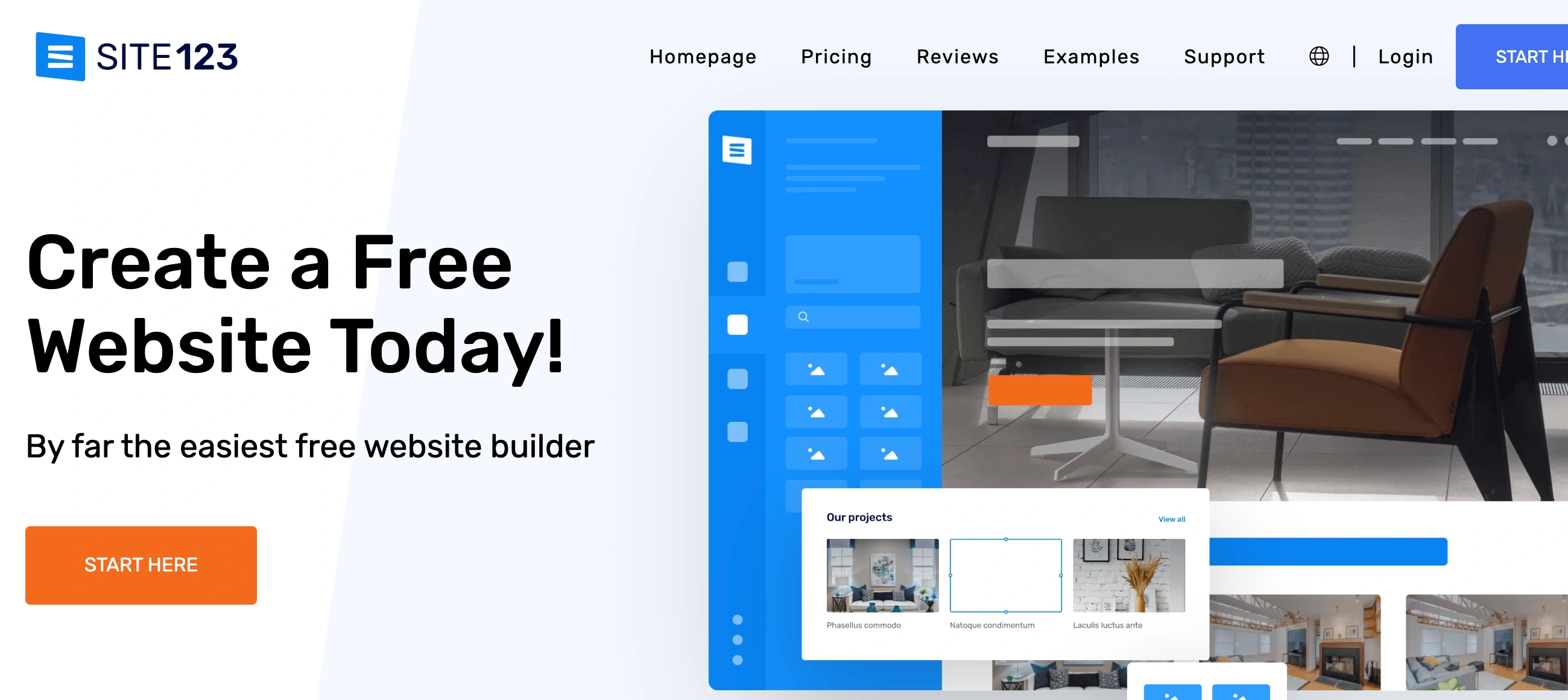
✨ Is SITE123 Right for You?
What it is: Section-based website builder that gets complete sites online in under an hour through guided 3-step setup—no coding, no design skills needed.
Best for: Total beginners, multilingual businesses, small shops under 500 monthly orders, and anyone who values speed over unlimited customization.
Main limitation: Section-based editor feels restrictive if you're used to drag-and-drop flexibility. You work within preset layouts, not pixel-perfect designs.
Get it if: You need a professional site today, want 24/7 live chat support, or require multilingual websites. The simplicity is the feature.
Skip it if: You want complete design freedom, need advanced eCommerce (1000+ monthly orders), or prefer drag-and-drop editing like Wix.
🎯 Why SITE123?
Website builders fall into two camps: powerful but complex (WordPress, Webflow) or simple but limiting (Carrd, About.me). SITE123 splits the difference by removing design paralysis while keeping functionality intact.
⚡ True 3-Step Launch Process
Pick your site type (business, portfolio, store, blog). Choose a template from 180+ options. Add your content through pre-built sections. That's it. Most builders claim simplicity but still require hours tweaking layouts. SITE123 actually delivers—complete sites in 30-60 minutes from signup to publish.
🌍 Real Multilingual Support Built In
SITE123 doesn't fake multilingual with translation plugins. Your site genuinely exists in multiple languages with separate URLs, automatic translation assistance, and visitor language switching. Support hundreds of languages (limit depends on plan: 3-5 additional languages beyond default). This matters if you serve international customers or operate across regions.
💬 24/7 Live Chat That Actually Helps
Free plan users get the same 24/7 live chat as premium subscribers. No ticket systems, no "business hours only," no chatbots pretending to be human. Real people, instantly available, who actually solve problems instead of reading scripts. This alone justifies choosing SITE123 if you're a beginner who'll need hand-holding.
🚀 Speed Over Customization Trade-Off
Sites load under 1 second typically. The section-based approach limits bloat—you can't add 47 plugins that slow everything to a crawl. The constraint (preset sections, limited design tweaking) forces clean, fast sites. Your visitors don't care about design freedom; they care about load speed.

📈 What SITE123 Users Typically Achieve
Launch Speed Becomes Your Advantage
That site you've been planning for months? Done this weekend. The event page you need by Tuesday? Finished tonight. Speed eliminates the procrastination that kills most website projects. You're collecting emails and taking orders while competitors debate color palettes.
Multilingual Expansion Without Agencies
International businesses deploy sites in 3-5 languages without hiring translation agencies or developers. The automatic translation gives you 80% accuracy—you edit the remaining 20% manually. Launch Spanish, French, German versions in hours, not weeks. This opens markets that were previously too expensive to enter.
Support Costs Disappear
The 24/7 live chat means you're never stuck. That CSS problem at 11pm? Solved in 10 minutes via chat. The SEO question on Saturday? Answered immediately. Small businesses save $200-500 monthly eliminating developer support contracts for basic site updates and troubleshooting.
Load Speed Improves Conversions
Sites loading under 1 second convert 20-30% better than 3-second competitors. The section-based constraints prevent bloat—you can't accidentally build a slow site. Mobile visitors especially benefit from fast loads, and since most traffic comes from phones, this matters.
Where You'll Hit Limits
Design creativity tops out around 40% of Wix's capabilities. The 2,000 character limit per custom code section frustrates technical users. You can't switch templates after publishing without rebuilding. Serious eCommerce (500+ monthly orders) requires Professional plan minimum at $24/month. The 200 page limit blocks large content sites.
💡 Here's what works: Use SITE123 for focused projects (landing pages, small stores, portfolio sites, event pages) where speed beats sophistication. Migrate to WordPress or Webflow later when complexity demands justify the learning curve.
🛠️ How SITE123 Works
The workflow removes decisions at every step, which speeds things up dramatically but can feel limiting if you want control.
The 3-Step Setup
Sign up and immediately answer three questions: What type of site? (personal, business, portfolio, store, blog). What's your industry? (picks relevant template). What's your site name? SITE123 auto-generates a complete site with placeholder content. You skip the template browsing paralysis that wastes hours on other builders.
Section-Based Editing
Your site is built from sections (hero, about, services, testimonials, contact, gallery, pricing, team). Click "Add New Section" to insert pre-built blocks. Each section has 3-5 layout variants—pick one. Swap text, images, colors through the settings panel. You can't drag elements pixel-by-pixel or create custom layouts from scratch. This keeps things simple but creative types feel constrained.
Content Management
Text editing works inline—click and type like Google Docs. Images upload directly or pull from free stock library built in. Forms, maps, social feeds, videos all add through dedicated buttons. The settings panel on the left controls everything (colors, fonts, SEO, integrations). Preview desktop/tablet/mobile views before publishing.
eCommerce Setup
Enable store toggle in settings. Add products with images, descriptions, prices, variants (size, color). Set shipping rules, tax calculations, payment gateways (PayPal on Basic/Advanced; credit cards via Stripe/Braintree on Pro+). Order limits vary by plan: 10/month Basic, 50 Advanced, 500 Professional, unlimited Gold/Platinum. Abandoned cart recovery unlocks on Gold tier.
Multilingual Configuration
Settings > Website Languages > Add Language. SITE123 auto-translates your content (you can edit translations manually). Visitors switch languages via automatic language menu. Each language gets its own URL structure for SEO. Available on Professional plan and above—not on Basic or Advanced.
⚙️ Core Features & What Actually Matters
📐 Template Library
180+ templates across business, portfolio, store, blog, events, restaurants, real estate. All templates are mobile-responsive automatically. Templates look similar (same underlying structure, different colors/images). You can't switch templates after publishing—choose carefully upfront. Limited compared to Wix's 900+ templates, but SITE123's focus is simplicity not variety.
🛒 eCommerce Tools
Built-in store on all premium plans with crucial differences: Basic ($10.80/mo) limits you to 10 orders monthly via PayPal only. Advanced ($10.67/mo) raises limit to 50 orders, still PayPal only. Professional ($24/mo) allows 500 orders with credit card processing. Gold ($32/mo) and Platinum ($46/mo) offer unlimited orders plus abandoned cart recovery, product reviews, wishlists, advanced stats. Small shops under 100 monthly orders work fine; serious eCommerce needs Professional minimum.
🌐 Multilingual Capabilities
Professional plan adds 3 languages, Gold adds 5, Platinum unlimited. Automatic translation with manual editing capability. Separate URLs for each language (good for SEO). Language switcher menu auto-appears. This is a major differentiator—most builders charge extra or require plugins for multilingual. SITE123 includes it on mid-tier plans.
📊 SEO & Analytics
Built-in SEO advisor analyzes your site and suggests fixes (missing meta descriptions, title tags, etc.). Set custom URLs, meta titles, descriptions per page. Sitemap auto-generation and submission to search consoles. Google Analytics integration available. Mobile-friendly by default (Google ranking factor). Full SEO audit requires Gold plan; basic SEO tools on all paid plans.
📧 Email Marketing & Forms
Basic email marketing tool for mailing lists (1,000 messages on Advanced, 10,000 on Gold, 50,000 on Platinum). Create signup forms, send campaigns, track opens. Not as powerful as Mailchimp but adequate for simple newsletters. Contact forms, booking forms, custom forms all included. Form submissions appear in dashboard.
🚀 Quick Win: Use the free plan to build your entire site, test everything, then upgrade only when you're ready to connect custom domain and remove SITE123 branding. The free plan never expires—take your time.
📊 The Verdict: Simple Wins for Beginners
Overall Rating: 7.9/10 - SITE123 delivers exactly what it promises: dead-simple website building at the expense of design flexibility. Perfect for beginners and multilingual needs; frustrating for anyone wanting creative control.
Bottom Line: Choose SITE123 when simplicity beats customization. First-time site builders, multilingual businesses, and small shops under 500 monthly orders get online fast without design headaches. Skip it if you need Wix-level design freedom or advanced eCommerce. The platform does exactly what it says on the tin—no surprises, no complexity.
💬 What Users Say: Real Reviews & Experiences
User ratings: 4.3/5 on G2 (65 reviews), 4.1/5 on Capterra (200+ reviews).
👍 Pros: What Users Love
- Setup Speed is Real: "I am not young and not that adept at IT/digital stuff but managed to create my own website in an afternoon with the excellent help of the customer service people at Site123," Margaret H. reports on GetApp. Users consistently mention 30-60 minute launch times from zero to published site.
- Support Actually Helps: "Customer service & tech support are absolutely outstanding and helpful," notes Stefanie H. on Findstack. The 24/7 live chat availability even on free plans stands out versus competitors who gate support behind paid tiers.
- Drag-and-Drop Simplicity: "I like the most is it's easy to create a website because of it's drag and drop feature," Capterra reviewer states. The section-based approach feels intuitive despite limited customization.
- Multilingual Actually Works: "SITE123 offers multilingual languages to choose from with automatic translations and is simple to use while viewing content," SoftwareAdvice user confirms. International businesses appreciate built-in language support without plugins.
👎 Cons: Common Frustrations
- Customization Hits Walls Fast: "The customization is a bit limited compared to platforms like WordPress," Findstack reviewer notes. "Not able to get very granular since coding functionality is stripped back," adds SoftwareAdvice user. Creative users feel constrained by preset sections.
- Templates Look Generic: "The templates are similar," Capterra reviewer points out. All designs share the same underlying structure—just different colors and images. Standing out visually requires custom code workarounds.
- Character Limits Frustrate: "I am VERY frustrated by the 2,000-character limit in each section of custom code," detailed SoftwareAdvice review states. Technical users bump against arbitrary restrictions that don't align with available storage.
- eCommerce Feels Basic: "It's free version is useless for marketing it include limited design flexibility, and basic ecommerce, blogging, and marketing tools," G2 reviewer explains. Serious stores need Professional plan minimum; lower tiers too restricted.
🚫 3 Critical Mistakes to Avoid
Mistake #1: Choosing SITE123 for Creative Control
You sign up expecting design freedom like Wix, then discover the section-based editor limits you to preset layouts. You spend hours fighting the system trying to create custom designs that the platform wasn't built for. Frustration builds, you abandon the project halfway, and waste the time you invested.
⚡ Fix it: Understand upfront: SITE123 trades design freedom for speed. You work within preset sections—that's the deal. If you need pixel-perfect layouts or unique designs, choose Wix, Squarespace, or Webflow instead. If you need a professional site fast without design headaches, SITE123 delivers perfectly. Match the tool to your priority.
Mistake #2: Starting eCommerce on Basic/Advanced Plans
You launch a store on Basic plan ($10.80/month) with its 10-order monthly limit and PayPal-only payments. Your first product does well—12 orders in week one. SITE123 blocks additional orders mid-month. Customers can't use credit cards, cart abandonment is high, and you lose sales while scrambling to upgrade mid-launch.
⚡ Fix it: eCommerce needs Professional minimum ($24/month) for 500 monthly orders and credit card processing. Gold ($32/month) makes sense at 300+ monthly orders where abandoned cart recovery pays for itself. Start with realistic plan for your projected volume. Don't upgrade mid-month when you're already losing orders—plan ahead based on inventory and marketing timeline.
Mistake #3: Publishing Before Testing Language/Template Locks
You publish your site on a template, then discover you want to switch designs. SITE123 doesn't allow template changes post-publishing—you'd need to rebuild completely. Or you launch single-language then realize you need multilingual, requiring Professional plan upgrade and content re-entry for additional languages.
⚡ Fix it: Use the free plan to build completely before publishing. Test different templates (you can switch freely before first publish). Map out language requirements upfront—if you need multilingual eventually, start with Professional plan from day one. Once you hit "Publish," you're locked into template and language decisions. The free plan never expires, so take your time testing before committing.
FAQ
Can I really build a complete website in under an hour with SITE123?
Yes, if you have your content ready (text, images, logo). The 3-step setup (choose site type, pick template, add content) takes 30-60 minutes for basic sites. You answer three questions, SITE123 generates a template with placeholder content, then you replace placeholders with your actual content through the section-based editor. Complex sites with eCommerce, multiple pages, or heavy customization take 2-4 hours. The speed comes from working within preset sections rather than building layouts from scratch.
What does "section-based editor" mean and how does it differ from drag-and-drop?
Section-based means you add pre-built content blocks (hero section, about section, services, testimonials, etc.) and customize them through settings panels. You can't drag elements pixel-by-pixel or create custom layouts from scratch. Drag-and-drop builders like Wix let you place elements anywhere; SITE123 gives you preset layouts with 3-5 variants per section. This limits creative freedom but eliminates design complexity. Think of it like choosing from a menu versus cooking from scratch—faster but less flexible.
How do SITE123's eCommerce limits work across different plans?
Basic ($10.80/mo): 10 orders/month maximum, PayPal only. Advanced ($10.67/mo): 50 orders/month, PayPal only. Professional ($24/mo): 500 orders/month, credit cards via Stripe/Braintree. Gold ($32/mo): Unlimited orders, abandoned cart recovery, product reviews, wishlists. Platinum ($46/mo): Same as Gold with more storage/bandwidth. Most small shops need Professional minimum. The order limit is monthly—hit 11 orders on Basic and SITE123 blocks additional purchases until next month. Plan for realistic sales volume before launching.
Does multilingual support really include automatic translation or is it just a feature list?
SITE123 actually auto-translates your content when you add a language (Settings > Website Languages). The translation is about 80% accurate—you edit manually for the remaining 20%. Each language gets its own URL structure for SEO. Visitors switch languages via automatic menu. This works on Professional plan (3 additional languages), Gold (5 additional), Platinum (unlimited). Basic and Advanced plans are single-language only. The feature genuinely works unlike "multilingual ready" builders that just mean "you can manually create duplicate pages."
Why can't I switch templates after publishing my SITE123 site?
SITE123 locks your template choice after first publish to maintain site stability and prevent broken layouts. Switching templates requires rebuilding your site from scratch on a new template. This is why the free plan matters—build completely, test multiple templates, preview everything before hitting publish. The free plan never expires, so take your time. Once published, you're committed to that template's structure (though you can still change colors, fonts, content, sections).
Is SITE123's 24/7 live chat actually helpful or just scripted responses?
The live chat connects you with real support staff who solve actual problems, not chatbots reading scripts. Available 24/7 even on the free plan—no "business hours only" or ticket systems. Users consistently report helpful, fast responses for both technical issues (CSS problems, integration questions) and basic guidance. The support quality is a major differentiator versus competitors who gate good support behind premium plans. Test it yourself on the free plan before paying anything.
Suggestly
Find your best-fit B2B tool in 90 seconds
✓ Free personalized recommendations
✓ Based on YOUR business needs
✓ No signup required

Site123




