

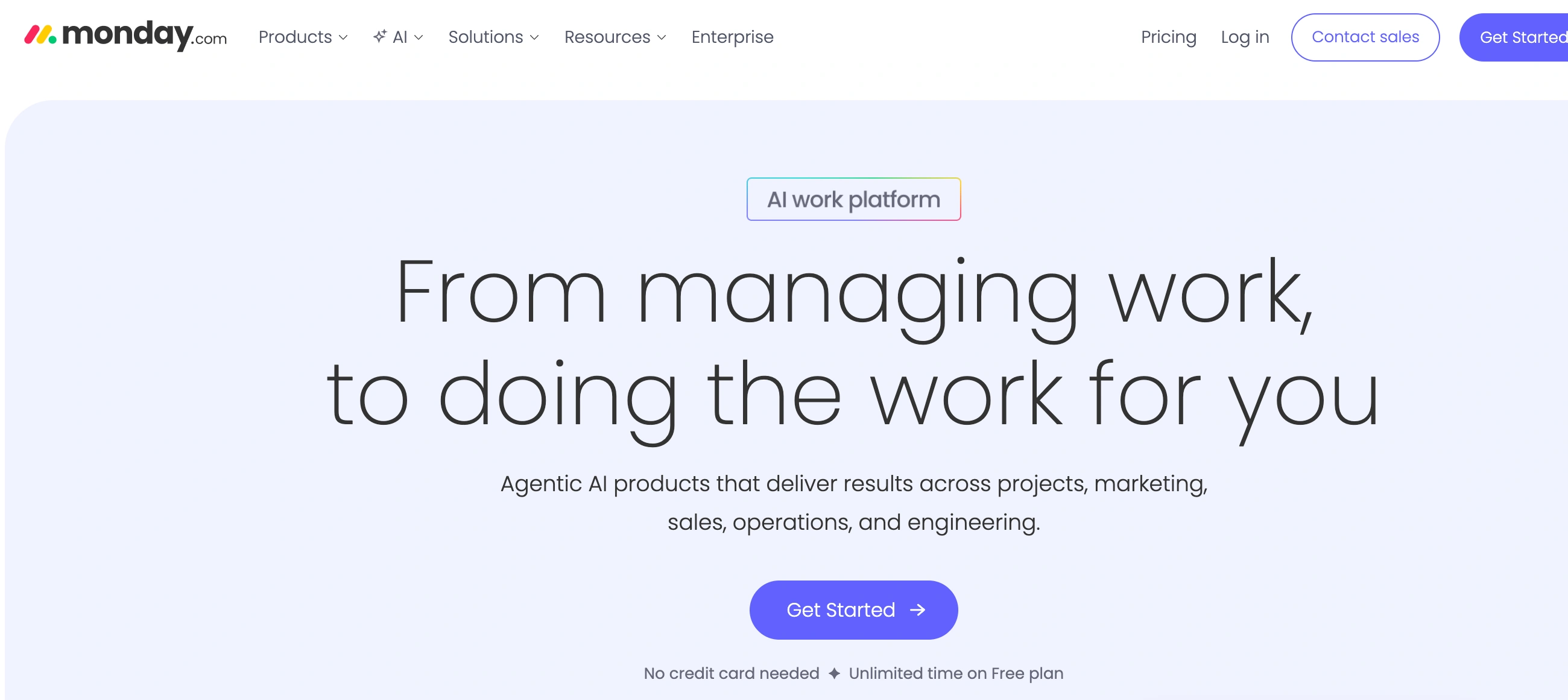
✨ Is Monday.com Right for You?
What it is: Visual work operating system that replaces spreadsheets, emails, and scattered tools with customizable boards for running projects, workflows, and CRM.
Best for: Marketing teams of 10-100 people, operations managers coordinating cross-functional work, and agencies juggling multiple client projects simultaneously.
Main limitation: Bucket pricing forces you to buy seats in blocks of 5 (so 7 people costs you for 10), steep learning curve takes 2-4 weeks to master beyond basics, and boards get cluttered fast with 50+ active items.
Get it if: You're drowning in 20+ spreadsheets and email threads, need visual project tracking everyone will actually use, and can dedicate time to proper setup and training.
Skip it if: You're a team of 2-5 people (pricing hurts small teams), need deep financial planning tools (it's basic), or want something you can master in an afternoon (this takes weeks).
🎯 Why Monday.com?
Your team is managing projects across 15 different spreadsheets, Slack threads are where tasks go to die, and nobody knows what's actually getting done this week. Monday.com consolidates that chaos into visual boards where work is tracked in one place, status updates happen automatically, and accountability becomes visible instead of assumed.
📊 Visual Boards Replace Spreadsheet Hell
Officeworks eliminated 635+ spreadsheets with 100+ tabs each by moving to Monday.com's board system. Each board works like a supercharged spreadsheet where columns aren't just data fields—they're status trackers, date pickers, people assigners, file attachments, and dependency managers. Drag cards between columns to update status. Change a due date and dependent tasks shift automatically. The visual clarity means team members actually check the board instead of asking "what's the status?" in Slack for the tenth time.
⚡ Automation Saves 40,000+ Actions Monthly
One Monday.com customer automated away 40,000 manual actions monthly. When a deal hits "Proposal Sent," the system auto-creates a 3-day follow-up task, notifies the sales manager, and moves the card to the appropriate column. When a marketing campaign launches, it triggers notifications across design, copy, and analytics teams. The automation builder uses simple "when this happens, do that" logic—no coding required. Standard tier gets you 250 automations monthly, Pro tier unlocks 25,000.
🔗 Everything Connects (Almost Too Well)
Monday.com integrates with 200+ tools including Slack, Zoom, Google Drive, Salesforce, Jira, and Mailchimp. Connect your email and conversations appear in deal records. Sync with Slack and updates post automatically. Link to Zoom and meeting recordings attach to project cards. One G2 reviewer complained: "There is also a TON of integrations, which can be confusing." That's the double-edged sword—powerful connectivity that requires thoughtful setup or you create integration spaghetti.
🏢 40% Cross-Team Collaboration Improvement
One global marketing department saw 40% better cross-team collaboration after implementing Monday.com. Teams in Saudi Arabia could suddenly see campaigns their Istanbul and Casablanca colleagues were running, leading to more idea-sharing and inspiration. The transparency breaks down silos because everyone works in the same visual workspace instead of maintaining separate systems per department.

📈 What Monday.com Users Typically Achieve
Your Spreadsheet Nightmare Ends Week One
Those 635+ spreadsheets with 100+ tabs each that Officeworks was managing? Gone. Replaced with organized boards where everyone sees the same data, updates happen in real time, and version control nightmares disappear. You'll import your main project spreadsheet on day one and never look back—assuming you invest the time to build proper boards instead of just copying spreadsheet structure.
Cross-Team Collaboration Jumps 40%
One global marketing department measured 40% improvement in cross-team collaboration after implementing Monday.com. Teams in different countries suddenly see each other's campaigns, share ideas, and coordinate launches without constant check-in meetings. The visibility breaks down the "what's that team working on?" mystery that kills efficiency in growing companies.
Meeting Time Drops 20-30%
Users consistently report fewer status meetings because the board answers "what's the current state?" at a glance. One G2 reviewer: "In group projects, I avoid lots of unwanted meetings and check-ins because my colleagues can see everything happening in real time." Your weekly 90-minute status meeting becomes a 30-minute decision-making session because everyone arrives already informed.
Automation Saves 40,000+ Monthly Actions
For teams that invest in proper automation setup, the time savings compound fast. Notifications fire automatically, recurring tasks create themselves, approval workflows run without manual triggers, and status updates cascade to dependent items. One customer documented saving 40,000+ manual actions monthly—that translates to roughly 100 hours of grunt work eliminated.
The Reality Check
These wins assume you clear two major hurdles: (1) investing 2-4 weeks in proper setup and team training, not just signing up and expecting magic, and (2) having 10+ team members so the bucket pricing doesn't kill your budget. Teams of 3-7 people often find the pricing waste outweighs the productivity gains. And if your team struggles with software adoption generally, Monday.com's learning curve will frustrate them—it's not the "5 minutes to productivity" tool the marketing suggests.
🛠️ How Monday.com Works
Think of it as building blocks for work. You create boards (projects), add items (tasks), customize columns (data you track), and connect everything with automations and integrations.
Setup: Faster Than You'd Expect
Start with a template or blank board. Add columns for the data you need—status, owner, due date, priority, budget, files, whatever matters. Invite team members. Set permissions (who can edit vs view). Import existing data from spreadsheets. Connect integrations to Slack, Google Calendar, your CRM. Most teams have basic boards running within a few hours. The catch? You've built something functional but not optimized—that takes weeks of iteration as you discover what actually works for your team's workflow.
Daily Operations: Where It Shines and Struggles
Your board becomes the single source of truth. Team members update statuses, upload files, @mention colleagues in comments, mark tasks complete. Automations handle the repetitive stuff—status change notifications, recurring task creation, approval workflows. Dashboards pull data from multiple boards to show high-level progress. The visual timeline view shows everything Gantt-chart style. It works beautifully for straightforward projects. It gets messy when you have 50+ active items on one board—the interface feels cluttered, items become hard to find, and users report the "too much happening" overwhelm.
Views: 10+ Ways to Slice Your Data
Free tier gets you 2 views (Table and Kanban). Basic adds unlimited boards but still limited views. Standard unlocks Timeline, Calendar, and Map views. Pro gives you all views including Chart and Gantt. Each view shows the same data differently—Kanban for pipeline stages, Timeline for project schedules, Calendar for deadline planning, Chart for data visualization. The flexibility helps different team types (visual thinkers vs spreadsheet people) all work comfortably in the same system.
Learning Curve Reality
Basic task tracking? You'll get it day one. Building complex automations, mastering all 10+ views, setting up multi-board dashboards, configuring proper permissions? Expect 2-4 weeks before your team uses the platform effectively beyond basic task lists. Multiple Capterra reviewers mention the steep learning curve, especially for team members who aren't tech-savvy. One reviewer: "For some technically savvy, this wouldn't be an issue, but you have to have a dedicated point person researching modules, practicing new workflows, and implementing company-wide resources."
⚙️ Core Features & What Actually Matters
🎨 Customizable Boards (The Foundation)
Every board is a blank canvas. Add columns for any data type—status dropdowns, date pickers, number fields, people assignments, file uploads, links, formulas, dependencies, timelines. Build your CRM sales pipeline, marketing campaign tracker, product roadmap, or HR onboarding checklist all from the same flexible structure. The catch? This flexibility means you can build inefficiently—overcomplicated boards that confuse your team instead of helping them.
🤖 Automation Builder (250-250K Actions/Month)
Standard tier gets 250 automation actions monthly, Pro gets 25,000, Enterprise gets 250,000. Actions count per trigger—one automation firing = one action consumed. Build automations like "when status changes to Complete, notify manager and archive item after 7 days." The builder shows you exactly how many automations you're using. Heavy automation users on Standard tier hit the 250-action limit fast, forcing an upgrade or manual work.
📊 Dashboards (Data from 1-50 Boards)
Free tier dashboards pull from 1 board. Basic allows 1 board per dashboard. Standard pulls from 5 boards, Pro from 10 boards, Enterprise from 50 boards. Dashboards show charts, graphs, numbers widgets summarizing your data. Use them for executive overviews, team performance tracking, or resource allocation visibility. The limitation by tier forces you to upgrade if you need cross-project visibility.
👥 Permissions & Privacy
Basic tier gives you limited permissions. Pro unlocks private boards and granular access controls. This matters for client work, sensitive HR data, or financial planning. Without Pro, everything is visible to everyone on your workspace. For agencies managing multiple clients or companies with confidential projects, Pro becomes mandatory purely for privacy needs.
⏱️ Time Tracking (Pro Tier+)
Pro tier adds native time tracking columns. Team members clock in/out on tasks, and Monday.com calculates time spent. It's simple time tracking—not a replacement for dedicated tools like Harvest or Toggl. No timesheet approvals, no payroll integration, no complex billing rules. Works fine for internal project hour estimates but lacks depth for client billing or detailed time analysis.
📊 The Verdict: Our Assessment
8.5/10 - Monday.com delivers powerful visual project management with excellent customization and automation. It stumbles on bucket pricing that punishes small teams, cluttered interfaces at scale, and a steeper learning curve than advertised.
The bottom line: Monday.com works brilliantly for 15-100 person teams who can dedicate 2-4 weeks to proper setup and training. It fails for small teams of 3-7 people (forced to pay for 5-10 seats), users wanting instant productivity (learning curve is real), and teams that need deep financial planning or complex calculations (it's designed for visual project tracking, not advanced analytics).
💬 What Users Say: Reviews & Verified Experiences
User ratings: 4.7/5 on G2 (14,060+ reviews), 4.6/5 on Capterra (5,601+ reviews), 3.1/5 on Trustpilot (3,353+ reviews). The Trustpilot gap reveals billing and customer service frustrations not visible in incentivized G2/Capterra reviews.
👍 Pros: What Users Love
- Visual Clarity Drives Adoption: "Monday.com is super organized! It's easy to have multiple projects going at once. Their automation features make items hard to forget. There's also different pages that allow you to take notes free hand too," says one Capterra reviewer. Teams report 80-90% daily usage because the visual boards feel intuitive versus overwhelming spreadsheet tabs.
- Automation Genuinely Saves Time: "What I like most about monday.com is how it automates over 80% of manual business processes including project and task management in one place," notes a Capterra user. One customer saved 40,000+ manual actions monthly through workflow automation.
- Collaboration Actually Happens: "The best part of using Monday.com is the way it reduces the need for constant check-ins on large scale projects because the whole team can see updates on all aspects of a project in real time," reports a G2 reviewer. Teams consistently mention fewer status meetings and less Slack chaos.
- Customization Without Coding: "I like the dashboard feature where you can bring data from different boards and compare campaign performance. Having a visual representation of the data is very helpful," says one Capterra user. Non-technical team members build complex workflows without IT help.
👎 Cons: Common Complaints
- Bucket Pricing Hurts Small Teams: "There is also a TON of integrations, which can be confusing. I also don't like how we have to add seats/licenses in blocks vs per person," complains one G2 reviewer. Teams of 4 pay for 5 seats, teams of 7 pay for 10 seats—the waste adds up fast for growing startups.
- Interface Gets Cluttered: "Monday com interface is very much cluttered and there is too many active boards and sometimes it gets difficult to find an item during a busy period or when you're under pressure to get something done," warns a Capterra reviewer. Once you have 50+ active items or 20+ boards, navigation becomes painful.
- Steep Learning Curve Understated: "For some technically savvy, this wouldn't be an issue, but you have to have a dedicated point person researching modules, practicing new workflows, and implementing company-wide resources," explains one Capterra user. Multiple reviews mention 2-4 weeks before teams use advanced features effectively.
- Customer Service Horror Stories: One Reddit user detailed spending $20,000 on setup (cheapest quote was $14,000), a 6-month implementation that was supposed to take 2 months, and concluded "avoid this software at all costs." TrustPilot reviewers frequently complain: "The customer service could not be worse" and cite billing issues with zero resolution for weeks.
🚫 3 Critical Mistakes to Avoid
Mistake #1: Underestimating Bucket Pricing Impact
One 7-person startup budgeted $63/month for Monday.com Basic ($9/user). They discovered they had to buy 10 seats minimum (3-seat minimum, then increments of 5), making the actual cost $90/month. When they grew to 12 people, they needed 15 seats = $135/month. By 18 people, they were paying for 20 seats = $180/month, wasting $18/month on unused seats. Over a year, that's $216 in pure waste—and that's just Basic tier. Switching to Standard at $12/user meant 20 seats × $12 = $240/month when they only had 18 people.
⚠️ Fix it: Before trial, calculate your real cost using bucket math: Round your team up to the next increment of 5, multiply by your chosen tier price. Factor in growth—if you'll hit 16 people in 6 months, you're paying for 20 seats soon. Compare that real number against alternatives like ClickUp ($7/user with exact seat counts) or Asana ($10.99/user with exact seats). For teams under 10 people, Monday.com's bucket pricing often makes cheaper-per-seat competitors actually cheaper total. Don't sign annual contracts unless you're certain your team size will stay in the same bucket (10, 15, 20, etc.) for 12 months.
Mistake #2: Launching Without Proper Training Investment
One operations team rolled out Monday.com company-wide with a 60-minute "here's how to use it" training session. Three months later, only 40% of team members used it daily. Most reverted to email and spreadsheets. The boards became ghost towns because people didn't understand automations, ignored notifications, and found the interface overwhelming. The $3,600 annual spend delivered zero ROI because adoption failed.
⚠️ Fix it: Plan for 2-4 weeks of structured onboarding, not a single training session. Week 1: Core team (2-3 power users) builds your first board, tests automations, and documents your workflow. Week 2: Pilot with one team or project, refining the setup based on real usage. Week 3: Expand to second team with lessons learned applied. Week 4: Company-wide rollout with recorded tutorials, written guides, and designated "Monday.com champions" who help colleagues. Schedule weekly office hours for questions. Track adoption metrics—who's logging in, updating boards, completing tasks. If adoption lags, identify friction points and address them before expanding further. Budget $2,000-5,000 for professional onboarding if your team exceeds 20 people or has complex workflows—it's worth it versus failed adoption.
Mistake #3: Building Overcomplicated Boards That Confuse Your Team
One marketing agency built a master campaign board with 45 custom columns tracking every conceivable data point—budget allocated, budget spent, budget variance, 5 different status fields, 8 different date fields, priority scores, risk assessments, stakeholder lists, approval chains, and more. Team members took one look, felt overwhelmed, and ignored it. The board became a ghost town maintained by one person while everyone else coordinated via Slack and email.
⚠️ Fix it: Start with 6-8 essential columns maximum: Item name, Owner, Status, Due date, Priority, Files, and Notes covers 80% of project tracking needs. Launch that. Use it for 2 weeks. Then add ONE new column if needed. Test for a week. Add another if genuinely necessary. Most teams find 10-12 columns is the sweet spot—enough to be useful, not so many that the board feels like a spreadsheet from hell. If someone says "I can't find anything," you've overcomplicated it. Better to have multiple simple boards (one per project type) than one complex board trying to do everything. Resist the urge to track every possible data point just because Monday.com lets you.
FAQ
What is the learning curve for Monday.com?
Most users become productive within 1-2 hours of starting. Basic features are intuitive with in-app guidance, while advanced capabilities have comprehensive documentation, video tutorials, and customer support.
Does Monday.com integrate with my existing tools?
Monday.com offers 100+ native integrations covering popular CRMs, email platforms, analytics tools, and productivity apps. Additionally, Zapier connectivity and API access enable custom integrations.
What kind of customer support does Monday.com provide?
Email support is included in all plans with typical response times under 2-4 hours during business hours. Higher-tier plans include live chat support, priority response, and dedicated account management.
Can I migrate my existing data to Monday.com?
Yes, Monday.com provides data import tools supporting CSV files and direct migrations from major competing platforms. Migration support is available to help ensure smooth transitions with minimal disruption.
Is there a free trial or money-back guarantee?
Monday.com offers a 14-day free trial with full feature access and no credit card required. Most paid plans include 30-day money-back guarantees, allowing risk-free evaluation.
What security and compliance measures does Monday.com have?
Monday.com is SOC 2 Type II certified with end-to-end encryption, regular security audits, and GDPR compliance. Enterprise plans offer additional security features including SSO, advanced permissions, and audit logs.
Suggestly
Find your best-fit B2B tool in 90 seconds
✓ Free personalized recommendations
✓ Based on YOUR business needs
✓ No signup required

Monday.com




