

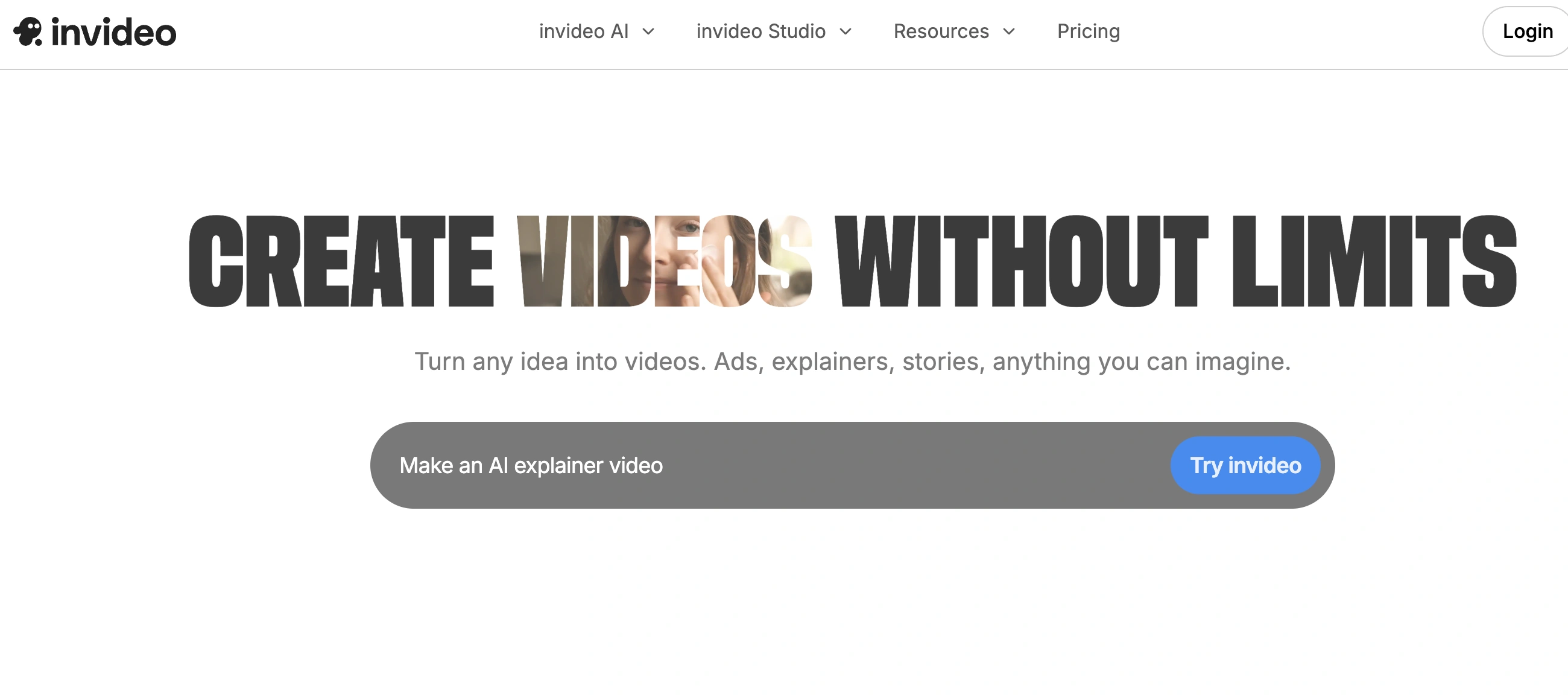
✨ Is InVideo Right for You?
What it is: AI-powered video creation platform with 6,000+ templates, text-to-video conversion, and stock media library for making social media content, ads, and marketing videos.
Best for: Content creators making basic social media videos, small businesses needing quick promotional content, and YouTubers wanting template-based editing without advanced skills.
Main limitation: AI generates generic, often unusable content requiring 5-10 attempts to get acceptable results, credits burn fast with each attempt, and chronic performance issues include 5-10 minute loading times and 20-30 minute export delays for simple videos.
Get it if: You need template-based video creation for basic social content, you're comfortable with AI that assembles stock footage rather than true generation, or budget constraints make the $20/month entry point attractive despite limitations.
Skip it if: You need professional-quality videos with creative control, you require reliable performance for deadline-driven projects, or AI quality matters more than template quantity (the AI produces formulaic content that requires extensive manual fixes).
🎯 Why InVideo?
Creating videos traditionally means wrestling with complex editing software, spending hours searching for footage, and learning technical skills most people don't have time to master. InVideo promises to simplify this with AI automation and ready-made templates, though reality doesn't always match the marketing.
💰 Low Entry Price for Basic Features
Starting at $20/month for watermark-free exports and unlimited videos makes InVideo accessible for budget-conscious creators. You get 50 minutes of AI generation monthly, 80 premium iStock assets, and 100GB storage at that price point. Compared to hiring video editors at $50-100/hour or paying for professional tools plus stock footage subscriptions, the consolidation saves money if you can work within the limitations.
🌍 6,000+ Templates Speed Up Basic Content
The template library covers social media posts, ads, presentations, and promotional content across different industries. For creators making repetitive content types—daily Instagram stories, product showcases, simple explainers—templates eliminate starting from scratch. The drag-and-drop editor lets non-technical users customize templates without timeline editing skills, though creative control remains limited.
💵 Text-to-Video Converts Scripts Automatically
Feed the AI a script or article and it assembles footage, adds voiceovers, and creates a complete video automatically. This text-to-video workflow appeals to bloggers repurposing written content or marketers who need quick video versions of text posts. The catch is AI output quality disappoints frequently—it assembles stock footage based on keywords rather than understanding context, producing generic results that need significant manual fixes.
⚡ Voice Cloning Personalizes Narration
Upload a 30-second voice sample and InVideo creates an AI clone for narration. This lets you produce videos with consistent "your voice" narration without recording each time. The feature works reasonably well for straightforward scripts, though pronunciation errors with technical terms and unnatural pacing require manual corrections more often than users expect.

📈 What InVideo Users Typically Achieve
Template-Based Content Gets Produced Faster
For creators making repetitive social media content—daily Instagram stories, product showcases, simple announcements—templates eliminate starting from scratch each time. What took an hour in traditional editors shrinks to 15-20 minutes using pre-built templates and drag-and-drop customization. YouTubers producing regular content with similar formats save hours weekly by reusing customized templates rather than rebuilding layouts repeatedly.
Stock Footage Subscription Costs Disappear
The integrated iStock, Storyblocks, and Shutterstock libraries eliminate separate stock subscriptions costing $30-100 monthly. For small businesses and creators previously paying for multiple services, consolidating to InVideo's $20-60/month pricing with included stock assets saves $200-800 annually. The catch is monthly stock asset allocations (80-320 depending on plan) limit high-volume users.
Voice Cloning Maintains Consistency
Creators producing regular narrated content use voice cloning to maintain "your voice" across videos without recording each time. This consistency strengthens personal branding while eliminating recording setup time. Educational content creators and YouTubers with established voice branding particularly benefit, though pronunciation errors and unnatural pacing still require occasional fixes.
Basic Social Videos Work Adequately
For straightforward social content—promotional clips, announcement videos, simple explainers under 60 seconds—the template approach produces acceptable results when you stick within template limitations. Small businesses needing quick Instagram stories or Facebook posts find InVideo handles these basic needs without professional editing skills.
Where You'll Hit Friction
Your AI-generated videos require extensive manual fixes because the AI produces generic, formulaic content that doesn't match your brief. Credits burn through your monthly allocation in days rather than lasting the month because getting acceptable results takes 5-10 attempts. Performance delays cause missed deadlines when dashboard takes 10 minutes to load or exports drag 30 minutes. Your refund requests get denied even when AI generates completely unusable content, trapping you in paid plans without recourse. Creative projects requiring unique brand expression hit template walls that prevent distinctive output.
🛠️ How InVideo Works
Think template-based video assembly rather than professional editing. The workflow focuses on selecting templates, feeding AI prompts, and tweaking automated outputs rather than building videos from scratch.
Setup
Start by choosing between InVideo Studio (traditional template editor) or InVideo AI (text-to-video automation). For AI workflow, feed it a text prompt describing your desired video—topic, style, length, and tone. The AI generates a complete video draft with footage, voiceover, music, and text overlays. For template workflow, browse 6,000+ templates filtered by category (social media, ads, presentations), select one, and customize elements through drag-and-drop interface.
Customization
AI videos get edited through text commands rather than timeline editing—tell the AI what to change and it updates the video. Replace clips, adjust voiceover, swap music, or rewrite text by describing changes conversationally. Template videos use drag-and-drop for swapping media, adjusting timing, adding effects, and customizing colors. The learning curve stays manageable for beginners, though performance lags frustrate workflow—users report 5-10 minute dashboard loading times during peak hours.
Generation
AI consumes minutes from your monthly allocation with each generation attempt. The problem is getting acceptable results typically takes 5-10 attempts because AI selects irrelevant footage, produces generic scripts, and misunderstands context. Each failed attempt still burns credits, making the "50 minutes/month" on Plus plan actually deliver far fewer usable videos. Export times drag significantly—60-second videos that should render in minutes take 20-30 minutes, killing productivity for deadline-driven work.
Iteration
Review AI outputs carefully—the initial draft rarely matches expectations. Users consistently report needing extensive manual fixes for subtitle errors, mismatched footage, awkward pacing, and formulaic content that lacks brand personality. Voice cloning includes subtle clicking sounds and pronunciation issues requiring correction. The iteration process consumes substantial time, negating the "automated creation" promise.
Integration
Export videos in formats optimized for YouTube, Instagram, TikTok, LinkedIn, and Facebook. The multi-platform export saves manual resizing work. Team functionality allows collaboration, though version control could improve. No direct integrations with other tools—videos export to download, then you upload to social platforms manually.
⚙️ Core Features & Performance
🎭 AI Text-to-Video Generation
Feed InVideo a script or prompt and it automatically generates a complete video with footage, voiceover, music, and text. This sounds revolutionary until you use it regularly. The AI primarily assembles stock footage based on keywords rather than truly understanding your content. Users report needing 5-10 generation attempts to get acceptable results, with each attempt consuming precious monthly minutes. The output feels formulaic—generic b-roll matched to keywords without the personalized storytelling that makes videos engaging.
🗣️ Template Library and Stock Assets
The 6,000+ templates genuinely cover diverse use cases from Instagram stories to business presentations. Template quality varies wildly—some look professional, others feel dated. The integrated stock library from iStock, Storyblocks, and Shutterstock provides millions of clips and images, eliminating the need for separate stock subscriptions. For basic social content using templates, this combination works decently and speeds up production compared to starting from zero.
🎨 Voice Cloning and AI Voices
Upload a 30-second voice sample and InVideo creates an AI clone for narration. The cloned voice sounds reasonably natural for straightforward scripts, letting you produce consistent narration without recording each video. The problems emerge with technical terms (frequent mispronunciations), unnatural pacing that doesn't match emphasis patterns, and subtle clicking sounds that require audio cleanup. Standard AI voices offer better consistency but lack personality.
🔗 Drag-and-Drop Editor Interface
The template editor uses intuitive drag-and-drop for customizing elements—swap clips, adjust text, modify colors, and add effects without timeline editing complexity. This simplicity appeals to non-technical users who find professional editors overwhelming. The limitation is restricted creative control—template structure locks you into predefined layouts that limit unique brand expression. Advanced users hit creative walls quickly.
⚠️ Performance Problems Kill Productivity
Chronic technical issues frustrate users consistently. Dashboard loading takes 5-10 minutes during peak hours. Video rendering drags 2-3x longer than advertised—60-second videos that should export in minutes take 20-30 minutes. These delays make deadline-driven projects stressful and kill the time-saving promise. Users working on tight schedules report missing deadlines because exports failed or took hours unexpectedly.
⚠️ Credit System Burns Budget Fast
Monthly AI minute allocations sound generous until reality hits. Each generation attempt consumes minutes regardless of output quality. Getting one usable video typically requires 5-10 attempts, meaning "50 minutes/month" on Plus plan actually delivers maybe 5-10 finished videos rather than the 50 the number suggests. Credits expire monthly without rollover. Users consistently report burning through allocations mid-month, then facing expensive upgrade costs or waiting until renewal.
⚠️ Refund Policies Frustrate Unsatisfied Users
Multiple users report frustrating refund experiences. Create even one video (including unusable ones) and you're ineligible for refunds according to their policy. Support responds with "this is new technology, sometimes it misfires" without offering credit refunds or solutions. One user burned ~$100 in credits on a completely unusable AI generation and received neither cash refund nor credit replacement despite the output being objectively worthless.
📊 The Verdict: Our Assessment
8.4/10 - InVideo delivers decent value for basic template-based social content at budget prices. Best for non-technical creators making simple videos, weaker on AI quality, performance reliability, and creative control.
⚠️ Trade-offs: AI generates generic content requiring extensive fixes. Performance issues cause 5-10 minute loading times and 20-30 minute exports. Credit system burns budget fast with multiple attempts. Poor refund policies trap dissatisfied users.
⚠️ Skip if: You need professional-quality videos with creative control, deadline reliability matters (performance issues cause missed deadlines), or AI quality is priority over template quantity.
💬 What Users Say: Reviews & Verified Experiences
User ratings: 4.6/5 on G2 (mixed quality reviews with incentivized submissions), 3.6/5 on Trustpilot (harsh criticism of service quality).
👍 Pros: What Users Love
- Templates Speed Up Basic Content: "I literally threw in my script and it created the ENTIRE video, include V/O, graphics, music, sound effects, AI content and stock content and it was just spot on! Reasonably priced compared to some of the competition," G2 reviewer reports. The template library genuinely helps creators produce simple social content quickly when AI cooperates.
- Fast Video Creation for Simple Projects: "It used to take me up to an hour to make a good-quality video, but now I can make one in a matter of minutes," news writer notes. For straightforward template customization without AI complications, the platform delivers speed improvements over traditional editing.
- Intuitive Interface for Beginners: "This platform has a user-friendly interface and numerous unique video, image, and music options to choose from while creating and editing videos," verified user shares. Non-technical creators appreciate the drag-and-drop simplicity without timeline editing complexity.
- Voice Cloning Works Decently: "I uploaded a 30-second snippet of my own voice, and the AI created a digital clone that was almost realistic," reviewer reports. The voice cloning feature provides consistent narration for creators producing regular content, despite occasional pronunciation issues.
👎 Cons: Common Complaints
- AI Generates Unusable Content: "Avoid Invideo at all costs. They provide low quality unusable videos. I typed in a script for a short 10-second video with subtitles. The subtitle wording was inaccurate and illegible," Capterra reviewer warns. Multiple users report AI outputs so poor they're completely unusable even after multiple attempts.
- Credits Burn Fast Without Usable Results: "I asked it to generate an intro scene and uploaded original video to edit together. The AI completely ignored 8 clips that I uploaded and its generated clip was completely unusable. The credits used amounted to ~$100!" Trustpilot user reports. Each failed attempt still consumes expensive credits, with no refunds for worthless outputs.
- Performance Issues Kill Deadlines: "Users frequently experience slow loading times that can extend several minutes. A 60-second video that should export in minutes can take 20-30 minutes, making deadline-driven projects stressful," review analysis shows. Chronic loading and rendering delays frustrate professionals working on schedules.
- Terrible Refund Policies and Support: "I immediately wrote to support for a refund and after about 5 exchanges of 'This is a new technology sometimes it will misfire' I was neither able to get a refund of cash or AI credits. One of the worst dealings I've had with any online service," user reports. Support refuses refunds even for completely unusable outputs, trapping dissatisfied customers.
🚫 3 Critical Mistakes to Avoid
Mistake #1: Trusting AI Quality Without Testing First
A content creator subscribed to the Max plan ($60/month) expecting AI to handle their YouTube video production. They fed the AI detailed scripts for educational content, assuming the "AI generation" would produce polished videos. Reality hit hard—every video required 7-12 generation attempts to get remotely usable footage, the AI consistently selected irrelevant stock clips, and voice narration included frequent pronunciation errors. They burned through 200 monthly minutes in two weeks producing just 15 videos instead of the 50+ the allocation suggested.
⚠️ Fix it: Test extensively on the free plan before paying. Create 5-10 videos matching your actual content needs—don't just make sample videos in easy categories. If AI quality disappoints on free tier, it won't magically improve on paid plans. Calculate realistic usable video output by dividing monthly minutes by actual attempts needed (typically 5-10x), not advertised time. Budget for credits burning 5-10x faster than suggested allocations. If your content requires 50+ videos monthly, InVideo's credit system makes this economically unviable—look for true unlimited generation tools instead.
Mistake #2: Relying on InVideo for Deadline-Critical Projects
A marketing agency used InVideo for client social media campaigns with tight weekly deadlines. During their busiest week, the platform took 8 minutes to load their dashboard, then 40 minutes to export a simple 90-second video. They missed their Friday client delivery deadline because three exports failed unexpectedly. The client relationship suffered, and they scrambled to find backup tools mid-project while still paying for InVideo's monthly subscription.
⚠️ Fix it: Never make InVideo your only video tool for deadline-driven work. Build 2-3 day buffer into project timelines to account for performance delays and export failures. Test export times during YOUR typical working hours (peak times see worst performance) before committing to client deadlines. Keep backup editing tools available—when InVideo's performance fails, you need alternatives ready. For mission-critical projects, use professional tools with reliable performance even if they cost more. InVideo works better for content you can create ahead without pressure, not same-day turnaround needs.
Mistake #3: Assuming Refunds Will Save You From Bad Purchases
A small business owner subscribed to InVideo's annual plan at $240 (20% discount vs monthly) without thorough testing. One week in, they realized AI quality was terrible for their industry (healthcare tech content). The AI couldn't handle their technical terminology, consistently generated inappropriate stock footage for medical topics, and their compliance team rejected outputs for accuracy concerns. They requested a refund, citing the platform didn't work for their needs. Support denied the refund because they'd "created videos" during testing—even though those videos were completely unusable. They were stuck paying $240 for a year of software that didn't meet their needs.
⚠️ Fix it: Start with monthly billing regardless of the 20% savings on annual plans. Test for full 30 days in YOUR specific use case before considering annual commitment. Read refund policies carefully—InVideo denies refunds if you've created ANY videos, even unusable ones. Document all quality issues and support interactions if you might need refunds. Accept that refund policies protect InVideo, not customers—plan accordingly by testing exhaustively before paying. For business-critical needs, factor in the subscription cost as potentially unrecoverable if the tool doesn't work as advertised.
FAQ
What is the learning curve for invideo?
InVideo's learning curve is minimal for basic template customization—beginners typically produce their first video within 30 minutes of signing up. The drag-and-drop interface makes swapping elements, adjusting text, and changing colors intuitive without training. Where complexity emerges is understanding how the AI generation actually works and managing its limitations. Users report needing 5-10 generation attempts to get acceptable AI outputs, and this trial-and-error process takes time to master. You'll learn quickly that AI quality varies dramatically based on prompt specificity, content type, and random factors you can't control. Budget 2-3 weeks of regular use to understand what InVideo does well versus where it consistently disappoints, so you can route appropriate projects to the platform.
Does invideo integrate with my existing tools?
InVideo exports videos directly to your device in formats optimized for different platforms (YouTube, Instagram, TikTok, Facebook, LinkedIn). You then manually upload these videos to social platforms—there are no direct integrations that publish automatically. Team collaboration features allow multiple users to work on projects within InVideo, though version control is basic. The platform doesn't integrate with other editing tools, project management systems, or automation workflows. Everything happens within InVideo's interface, then you export files for use elsewhere. This standalone approach means you're managing uploads and publishing manually across platforms rather than having automated distribution.</p>
What kind of customer support does invideo provide?
InVideo's customer support receives mixed to negative reviews. Response times vary dramatically—some users report helpful interactions, while many describe waiting days for responses or receiving generic "new technology sometimes misfires" explanations that don't solve problems. The critical issue is refund support—multiple users report being denied refunds even when AI generates completely unusable content. Support's position is that creating ANY video, even worthless outputs, disqualifies refunds. Live chat exists but effectiveness varies by which agent responds. For technical problems, expect slow resolution times that can hurt deadline-driven projects. Higher-tier plans don't appear to receive significantly better support priority despite paying more. Factor in that if things go wrong, support might not help you recover costs or solve problems quickly.
Can I migrate my existing data to invideo?
Yes, InVideo offers a free plan with genuine functionality, not just a useless teaser. Free users get 10 minutes weekly of AI generation, 4 exports weekly (with InVideo watermark), access to 2.5M+ standard media assets, and 10GB storage. This lets you test the platform meaningfully before paying, though watermarked exports limit professional use. The free plan's weekly limits reset, so you can produce some content ongoing without paying—just not at volumes needed for serious creators. It's worth maxing out the free tier completely before upgrading to understand what you're actually getting. Test AI quality, performance speeds, and whether templates work for your content type using free allocation before committing money.
Is there a free trial or money-back guarantee?
InVideo pricing spans free to $60/month depending on features. Plus plan ($20-28/month annual billing) provides 50 minutes monthly AI generation, 80 iStock assets, 100GB storage, unlimited watermark-free exports, and 2 voice clones. Max plan ($48-60/month annual) increases to 200 minutes AI generation, 320 iStock assets, 400GB storage, and 5 voice clones. Generative and Team plans offer higher limits and multi-user support. Annual billing saves 20% but locks you into commitments that can't be refunded if quality disappoints. The critical factor is credits burn much faster than allocations suggest—getting one usable AI video typically requires 5-10 generation attempts, meaning "50 minutes/month" actually delivers maybe 5-10 finished videos rather than 50. Budget actual costs assuming 5-10x the attempts suggested by minute allocations.
What security and compliance measures does invideo have?
InVideo makes sense for specific use cases but not others. It works best for non-technical creators making basic social media content using templates, small businesses needing simple promotional videos without creative uniqueness requirements, and budget-conscious users who can work within significant limitations. The $20-60/month pricing with included stock assets saves money versus hiring editors or buying separate tools. Skip InVideo if you need professional-quality videos with creative control, deadline reliability matters (performance issues cause missed deadlines consistently), or AI quality is priority over template quantity. The AI generates generic, formulaic content that requires extensive manual fixes—if your brand requires distinctive creative expression, InVideo's limitations will frustrate you constantly. Consider it a basic tool for basic needs, not a professional solution for complex requirements.
Suggestly
Find your best-fit B2B tool in 90 seconds
✓ Free personalized recommendations
✓ Based on YOUR business needs
✓ No signup required

invideo




