

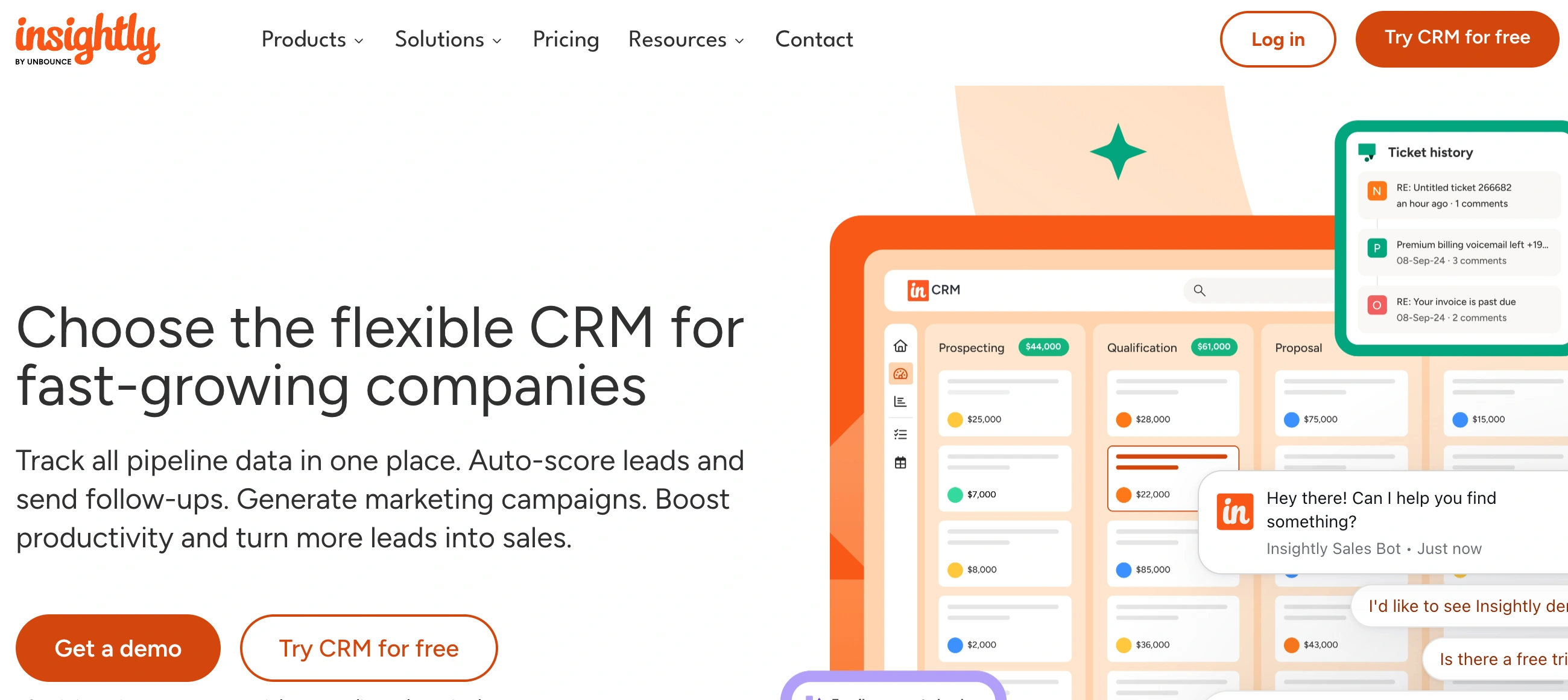
✨ Is Insightly Right for You?
What it is: A CRM that doubles as project management software, letting you turn closed deals into tracked projects without switching tools. Think contact management meets task lists and timelines.
Best for: Professional services firms, agencies, and B2B teams that need to track the entire customer journey from first contact through project delivery. Works especially well if you're managing 20+ active projects at once.
Main limitation: The entry plan at $29/user/month doesn't include workflow automation—you'll need the $49 Professional plan for that. Also, reporting gets rigid when you want complex custom analytics.
Get it if: You're tired of juggling separate tools for CRM and project management, and you want everything connected so your sales data flows straight into delivery workflows.
Skip it if: You just need basic contact management with no project tracking, or you're on a tight budget and competitors like Zoho or Pipedrive offer automation at lower price points.
🎯 Why Insightly?
Most CRMs stop at "deal won." Then you're scrambling with spreadsheets, separate project tools, and Slack chaos to actually deliver. Insightly connects the dots—one click converts your closed opportunity into a project with all the context already there.
🔗 CRM That Actually Talks to Project Management
When you close a deal in Insightly, you can instantly convert it into a project. The customer details, contract value, communications history—everything flows over. No re-entering data, no "wait, what did they ask for again?" Your delivery team sees the full picture without hunting through old emails.
📊 See Your Entire Business in One Dashboard
Sales pipeline on the left, active projects on the right. You can track which deals are closing this month AND whether your team's actually delivering on time. For agencies and professional services, this visibility prevents the classic problem of selling faster than you can deliver.
⚙️ AppConnect Handles the Integration Mess
Their built-in AppConnect platform connects to 500+ apps without needing developers. QuickBooks syncs for invoicing, Gmail pulls in every email thread, Slack gets notifications when deal stages change. It's not perfect—some integrations need the $49 plan—but it beats paying Zapier subscriptions or building custom APIs.
💰 Pricing That Sneaks Up on You
Starting at $29/user/month sounds reasonable until you realize workflow automation, advanced permissions, and AppConnect all require the Professional plan at $49. For a team of 10, that's $490/month just to get features that HubSpot or Zoho include at lower tiers.

📈 Success Story: Sport Court Las Vegas Grows 242%
Miles Reynolds needed to stop juggling separate tools for CRM and marketing. His sales team used one system, marketing used another, and projects lived in spreadsheets. Nothing connected.
After implementing Insightly CRM plus their Marketing add-on, everything lived in one place. Leads from marketing campaigns automatically became opportunities. Closed deals converted to projects. His team stopped losing information in the handoffs.
Results: 242% business growth, unified sales and marketing workflows, and projects that actually stay on schedule because the delivery team sees the full customer context from day one.
Other Insightly customers hit similar wins: Sullivan & Stanley doubled revenue, a solar company tripled sales without adding headcount, Hurst Review cut costs by 20% by switching, IMS reduced proposal prep from 2 days to 15 minutes, and Noble BioMaterials slashed project timelines by 50%.
💡 Pro Tip: Don't try to use every feature on day one. Start with basic contact management and one pipeline. Get your team comfortable, then add projects, then automation. Trying to configure everything upfront just delays adoption.
⚙️ How Insightly Works
You can be up and running in about an hour for basic contact management. But actually configuring it to match your sales process, importing clean data, and setting up integrations? That's more like 6-15 hours depending on how much you're migrating from your old system.
Getting Started: The First Day
Sign up, import contacts via CSV, and you're tracking leads same-day. The interface is clean enough that most teams figure out the basics without training. Creating opportunities, logging activities, viewing your pipeline—all straightforward. The trouble starts when you want custom fields or automation.
Daily Workflow: Where It Clicks
Your team logs calls, emails automatically attach to contact records (if you set up Gmail integration), and you can see which deals are stuck. When something closes, convert it to a project and assign tasks to your delivery team. Everything stays linked, so six months later you can still pull up exactly what you promised that client.
The Custom Setup Reality
Want custom pipelines for different product lines? Need validation rules so reps can't skip required fields? Planning to automate lead assignment based on territory? All doable, but it takes time to configure. Budget a few days for this stuff, and know that the more complex you go, the more you'll lean on their support docs.
🛠️ Core Features & Capabilities
Insightly packs in contact management, opportunity tracking, project timelines, email integration, and mobile apps. The depth varies wildly by pricing tier, so here's what actually matters for day-to-day use.
✅ Contact & Lead Management
Store unlimited contacts even on the base plan. Link contacts to organizations, track relationships between decision-makers, and see every email, call, and meeting in one timeline. The relationship mapping is genuinely useful when navigating complex B2B deals with multiple stakeholders.
✅ Sales Pipeline & Opportunities
Customize your pipeline stages, set probability percentages, forecast revenue. Drag-and-drop kanban view makes it easy to move deals along. The catch? Advanced forecasting and custom dashboards require the Enterprise plan at $99/user/month.
✅ Project Management Built-In
This is Insightly's standout feature. Create project templates, assign tasks with due dates, track milestones, and attach files. Gantt charts show your timeline at a glance. For agencies delivering client work, having projects linked directly to the CRM deal prevents the usual handoff chaos between sales and delivery.
✅ Email Integration & Communication
Gmail and Outlook integration sync emails automatically. Each contact and project gets a unique email address—BCC it and those emails log automatically. Saves time but can feel clunky compared to HubSpot's native email tracking.
✅ Workflow Automation (Professional Plan Only)
Automate task creation, lead assignment, email notifications when deal stages change. But this entire feature set is locked behind the $49 Professional plan. At the $29 Plus level, you're doing everything manually.
🚀 Quick Win: Set up one project template for your most common deliverable. Clone it every time you close a deal, and you'll save 30 minutes per project on setup alone.
⭐ The Verdict: Our Assessment
Overall Rating: 7.8/10 - Solid choice if CRM-to-project handoff is your pain point, but pricing and feature gating hurt the value proposition.
Insightly solves a real problem: the messy gap between closing deals and delivering projects. For professional services, agencies, and B2B companies doing complex implementations, that connection is worth it. But you'll pay for it—both in monthly costs and setup time.
Bottom Line: Choose Insightly when you're managing both sales and project delivery in one system. Skip it if you just need CRM basics—you'll find better value elsewhere.
💬 What Users Say: Reviews & Verified Experiences
User ratings: 4.2/5 on G2 (880+ reviews), 4.2/5 on Capterra (670+ reviews), 3.5/5 on Trustpilot (110+ reviews).
👍 Pros: What Users Love
- CRM-Project Connection Works: "By centralizing customer data, communication history, and project details in one platform, Insightly eliminates the need for multiple disjointed systems," notes a Managing Solicitor in Legal Services. Multiple teams specifically mention converting opportunities to projects as the killer feature.
- Setup Is Actually Quick: "Insightly's design is intuitive and easy to understand how to set up. I recall starting to use it on the first day, right after an initial walkthrough," says a long-time user. Most people are productive within a few hours.
- Customization Without Developers: "We can build functionalities that suites us without spending thousands of dollars with developers," according to a Verified User. The ability to customize fields, pipelines, and reports without technical help resonates across reviews.
- Project Tracking That Makes Sense: "My business wouldn't run without it. I have too much to keep track of and it now stays all in one place," from a Construction Owner. Teams with 20+ concurrent projects especially value the organization.
👎 Cons: Common Complaints
- Pricing Jumps Hurt: "The individual plus plan had very limited features and benefits. The Team plan was a lot more expensive," notes one reviewer. The gap from $29 to $49 per user adds up fast for growing teams.
- Reporting Feels Rigid: "The reporting and analytics tools to be less advanced compared to other CRM platforms, making it challenging to create highly customized or in-depth reports," from a Sales Manager in Education. When you need complex analytics, you're exporting to Excel.
- User Management Gets Messy: "The lack of user management and access customisation means it is too easy to let poor spiral out of control and ruin your data," warns a Head of Growth. Permission controls aren't granular enough for larger teams.
- Support Delays Add Up: "After a decade on Insightly and $649/month in fees, we still can't pull the most basic revenue KPIs," complains one Trustpilot reviewer. "Worse, '<24-hour' support consistently turns into days—or even weeks—before anyone replies."
⚠️ 3 Critical Mistakes to Avoid
Mistake #1: Rushing Data Migration
The Problem: You export 10,000 contacts from your old CRM, import them into Insightly, and 23% of records have missing data because custom fields didn't map. Tags vanished. Notes got truncated. Now your sales team is working with incomplete information.
The Cost: One company reported 35 hours of manual cleanup at $30/hour = $1,050 in labor. Worse, they contacted three qualified leads with wrong information during the chaos, losing an $18,000 deal because they got the client's company history completely wrong.
⚡ How to Avoid It: Export your current CRM to CSV first. Map every custom field manually before importing anything. Test with 100 sample records, fix what breaks, then do the full migration. Budget 2-3 weeks for this, not the weekend.
Mistake #2: Buying Based on Current Team Size
The Problem: You've got 8 people now, so the Plus plan at $29/user looks perfect. Six months later you're at 15 users and desperately need automation. Upgrading to Professional means an extra $3,600/year you didn't budget.
The Cost: Either you delay hiring because software costs are exploding, or you stick with manual workflows that waste 10-15 hours per week across your team. At loaded costs, that's $8,000-$12,000 in lost productivity annually.
⚡ How to Avoid It: Project your team size 12 months out and price accordingly. If there's any chance you'll need automation, start with Professional from day one. The $20/user difference is cheaper than upgrading mid-year and retraining everyone.
Mistake #3: Skipping Integration Setup
The Problem: You sign up, import contacts, and start tracking deals. But you never connect Gmail, never link QuickBooks, never set up the Slack notifications. Three months in, your team is manually copying data between systems because "we'll set that up later."
The Cost: Rework takes 3-5x longer than doing it right initially. Plus, you lose the early adoption momentum when people see Insightly as "just another tool to check" instead of their central hub.
⚡ How to Avoid It: Block out your first week specifically for setup. Connect every integration you'll need—email, calendar, accounting, whatever. Test the workflows with real data. Get it right before rolling it out to the full team.
FAQ
How long does it take to learn Insightly?
Basic features like contact management and pipeline tracking? 1-2 hours. Most people are logging activities same-day. Advanced stuff like custom automation and complex reporting takes a few days of tinkering.
Does Insightly integrate with my tools?
It connects to 500+ apps through AppConnect (Gmail, Outlook, QuickBooks, Slack, Mailchimp, etc.). Native integrations work well. Custom connections via API are possible but require the Professional plan minimum.
What support does Insightly offer?
Email support on all plans, usually 2-4 hour response times. Professional plan adds chat support. Enterprise gets phone support and dedicated account management. Some Trustpilot reviews mention slow responses during busy periods.
Can I move my data from another CRM?
Yes, via CSV import or direct migrations from major platforms. Just know that custom fields often need manual mapping, and some data may need cleanup. Budget time for this—it's not instant.
Is there a free trial?
14-day free trial with full feature access, no credit card required. Plus there's a limited free version for up to 2 users with 2,500 records if you want to test long-term.
How secure is my data in Insightly?
SOC 2 Type II certified, end-to-end encryption, GDPR compliant. Enterprise plan adds SSO, advanced permissions, and audit logs. Standard security for a modern B2B platform.
Suggestly
Find your best-fit B2B tool in 90 seconds
✓ Free personalized recommendations
✓ Based on YOUR business needs
✓ No signup required

Insightly




