

✨ Is Hostinger Right for You?
What it is: Budget web hosting with LiteSpeed performance and AI-powered tools.
Best for: Small businesses launching WordPress sites, agencies managing multiple client projects, and bloggers who can commit to 48-month terms to lock in savings.
Main limitation: Renewal pricing increases, no phone support exists, and shared hosting struggles under high concurrent traffic loads despite good everyday performance.
Get it if: You're comfortable with chat-only support, can commit to multi-year terms, and run sites with moderate traffic that don't process payments directly.
Skip it if: You need phone support for your team or require PCI compliance for e-commerce.
🎯 Why Hostinger?
Most budget hosts promise the moon and deliver slow servers with outsourced support. Hostinger flips that—you get genuinely fast LiteSpeed infrastructure and a modern control panel that makes cPanel feel ancient. The catch is renewal pricing that can shock you if you're not planning ahead.
💨 Speed That Actually Delivers
Independent testing shows 443ms average time-to-first-byte and 0.607-second full page loads—second fastest among 15 providers tested. That's real LiteSpeed technology with NVMe storage across all plans making your WordPress site loads fast without expensive optimization plugins.
💰 The Pricing Math Everyone Needs to See
Business plan runs $143.52 for four years at promo rates. Same plan at renewal? $815.52—a $672 difference. Lock in 48 months and you're golden. Go monthly and you're paying $12.99 plus a $4.99 setup fee, killing the value proposition entirely.
🤖 AI Tools That Actually Work
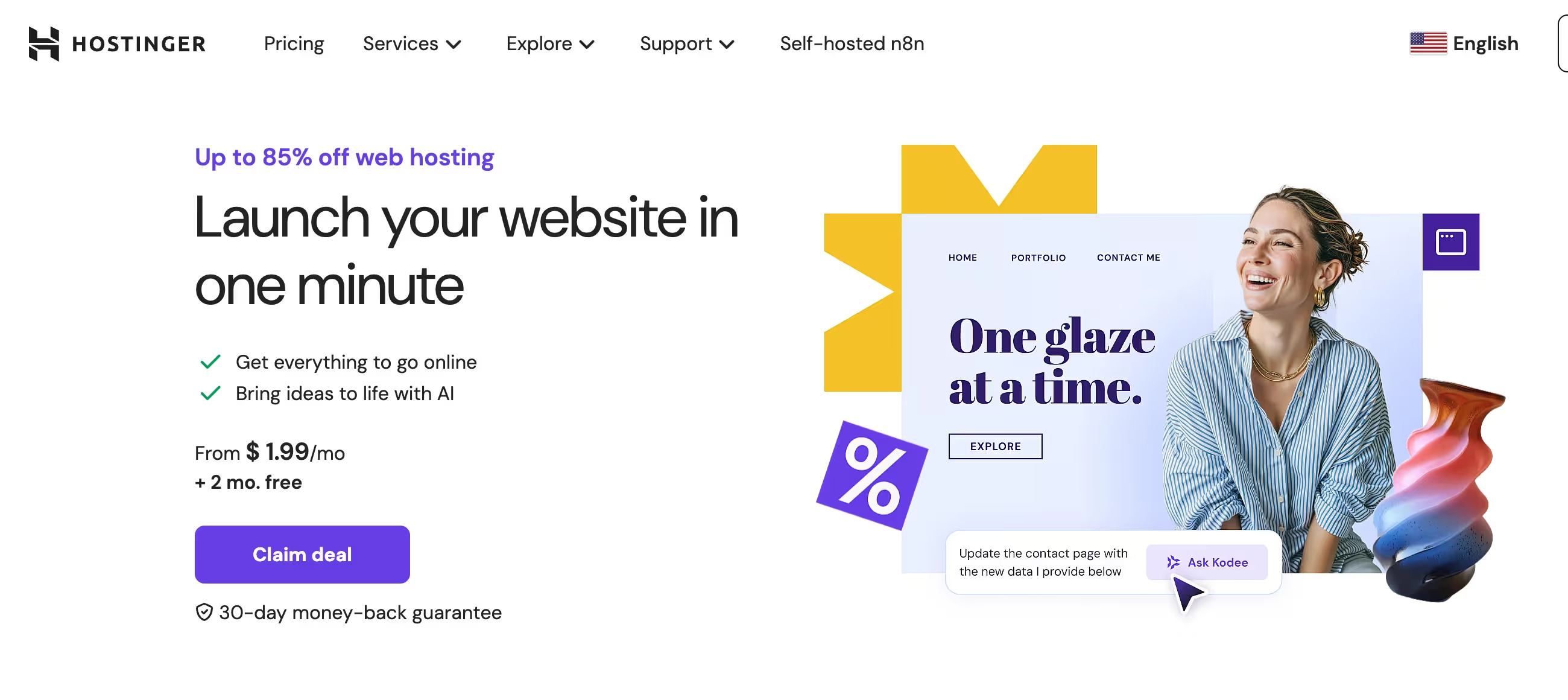
The AI Website Builder creates complete sites in under 60 seconds. Kodee manages your WordPress through chat—publishes posts, configures WooCommerce, handles caching. This isn't vaporware; it's shipped and functional since September 2025.
🌍 Global Reach for Growing Businesses
Ten data centers spanning Europe, Americas, and Asia-Pacific mean your London visitors and Singapore customers both get sub-500ms response times. Most budget hosts stick you in one US location and call it global.

📈 What You Can Actually Expect
Your Sites Load Fast Without Extra Work
That LiteSpeed infrastructure — your WordPress sites hit sub-500ms response times without paying for premium CDN services or optimization consultants. Object caching on higher plans handles dynamic content efficiently, which means your database-heavy pages feel snappy even during busy periods.
The Savings Work If You Plan Right
Four years at promotional pricing means you're running 50 WordPress sites for pennies per month. Just set a calendar reminder for year 3 to evaluate whether renewal rates make sense or if migration to another host works better for your situation.
Support Quality Varies by Complexity
Simple questions about email setup or SSL installation? The AI chat handles it in minutes. Complex issues involving DNS configurations, migration problems, or account access? You're waiting to reach humans who can actually help. Plan accordingly during launches when downtime costs real money.
AI Tools Accelerate Basic Tasks
That website you've been putting off because design feels overwhelming? The AI builder creates something functional in under a minute. Kodee managing WordPress through chat means you're publishing blog posts without touching the dashboard, which saves real time for non-technical users who find WordPress intimidating.
Resource Limits Hit Real Sites
Your plugin-heavy WordPress site might hit those inode limits before storage fills up. The email sending cap kills newsletter plans fast. Database size restrictions matter for content-heavy installations. These aren't theoretical—users report encountering them regularly on sites that grow beyond simple blogs.
💡 Here's what actually works: lock in multi-year terms for maximum savings, use the AI tools for client sites that need speed over customization, and maintain realistic expectations about support channels during high-stakes launches.
🛠️ How Hostinger Works
Think modern web app, not clunky 2010s hosting portal. Sign up, pick your data center location based on your audience, and you're managing sites through hPanel within minutes. WordPress installs with one click, pre-configured with LiteSpeed Cache. The AI builder asks three questions and generates a complete site—or import your existing content through free migration that handles 85% of WordPress moves in under 5 minutes.
hPanel replaces cPanel with a mobile-optimized interface that's genuinely easier for non-technical users. Email accounts, SSL certificates, and domain management sit in obvious places. The tradeoff is less granular control over server configurations—you're trading power user features for simplicity. Start on Premium for 3 sites, move to Business when you need daily backups and staging, jump to VPS when traffic demands dedicated resources. WordPress multisite works across all tiers, and migration between plans takes minutes.
Support flows through AI chat first, answering basic questions in under a minute. Non-standard issues require escalation to humans through the same interface. Wait times run 5-15 minutes typically, though some users report up to 90 minutes during peak periods. No phone option exists—Hostinger claims it slows things down.
⚙️ Core Features & Performance
⚡ LiteSpeed Infrastructure
Every plan runs LiteSpeed Web Server with built-in caching that outperforms Apache significantly, which translates to faster page loads without paying for premium CDN subscriptions. NVMe SSD storage across all tiers means your data reads happen in milliseconds rather than the slower traditional SSDs some budget hosts still use. HTTP/3 support is standard, giving you the latest protocol advantages. Object caching on Business+ plans can reduce response times by up to 3x for dynamic WordPress content—this means your WooCommerce product pages load as fast as static pages.
🔒 Security Without Upsells
Unlimited free SSL certificates, Monarx anti-malware with automatic removal, DDoS protection, and Cloudflare-protected nameservers come standard—no hidden security fees unlike competitors charging extra for SSL. Daily backups require Business plan, while Premium users get weekly backups with 6-week retention. The difference matters when your site breaks and you need yesterday's version, not last week's.
📧 Email Hosting Reality
Free email for 12 months, then you're paying renewal rates or migrating to Google Workspace. The 100 emails per day limit via PHP mail catches newsletter senders off guard—this isn't a bulk email service. For serious email marketing, you're using dedicated services anyway. This handles team communication and transactional emails fine.
🎨 Website Building Options
AI Website Builder creates sites from three questions, while the drag-and-drop editor gives you manual control when you need it. WordPress one-click install includes automatic core/theme/plugin updates that keep your site secure without you remembering to check. The builder works for simple sites but lacks advanced e-commerce features—WooCommerce on WordPress is the real path for online stores with any complexity.
📊 Resource Limits That Matter
Premium gets 1 CPU core, 2GB RAM, 400,000 inodes. Business doubles CPU to 2 cores, adds 3GB RAM, 600,000 inodes. The inode limits cause 'cannot create files' errors before storage fills up—particularly problematic for plugin-heavy WordPress sites where each plugin file counts toward your limit. Database size caps at 3GB on Premium/Business, which sounds generous until you're running a content-heavy blog with thousands of posts and comments. These aren't theoretical constraints; users report hitting them regularly on mature installations.
⚠️ What's Missing: Phone support, PCI compliance certification, dedicated server options beyond VPS, and rollover of unused resources between months.
📊 The Verdict: Our Assessment
8.3/10 - Hostinger delivers exceptional value at promotional prices with genuinely fast performance. Renewal pricing and support limitations require careful planning, but the core hosting quality punches well above its weight class.
Bottom Line: Choose Hostinger when budget constraints meet genuine performance needs and you can commit to multi-year terms. Look elsewhere if phone support, PCI compliance, or transparent renewal pricing are dealbreakers.
💬 What Users Say: Reviews & Verified Experiences
User ratings: 4.7/5 on Trustpilot (57,944 reviews), 4.4/5 on G2 (768 reviews), 4.6/5 on Capterra (200+ reviews).
👍 Pros: What Users Love
- Interface Design Actually Works: One G2 reviewer wrote that hPanel feels smooth and clean, making management easy without confusion. Multiple users praise the ability to add client accounts directly from the main dashboard—one called it absolutely priceless for agency work.
- Support Shines When You Reach Humans: December 2025 Trustpilot reviewer Ann-Marie Larkin said if she could give ten stars, she would. Her yoga therapy site migration involving Cloudflare complexity was handled brilliantly by support.
- Speed Delivers as Advertised: Users consistently mention fast loading times that meet expectations. The LiteSpeed infrastructure performs well for WordPress sites without requiring expensive optimization services.
- Migration Process Smooths Transitions: The free unlimited migrations complete quickly for most WordPress sites, with automation handling the majority in under 5 minutes.
👎 Cons: Common Complaints
- Billing Surprises Create Frustration: One G2 user noted hidden or unclear charges that surface later. A Trustpilot reviewer complained about a CA$28 ICANN fee never mentioned upfront. The renewal rate jumps catch people off guard despite being disclosed.
- AI Support Hits Walls Fast: One Trustpilot review stated there's no customer support, only the useless AI chatbot that couldn't solve mailbox access issues. A Capterra user noted support relies almost entirely on AI, and reaching real people is extremely difficult.
- Account Suspensions Lack Clear Process: A Sitejabber user reported their hosting account was abruptly suspended for alleged phishing activities they firmly contest. Responses were vague and non-specific, and they claimed domain transfer codes were withheld.
- The AI Support Confusion: One Capterra reviewer perfectly captured it—the live chat was so good they thought for two days they were talking to a human who even complimented them. Once they realized responses weren't accurate and asked if they were talking to a bot, they got passed to a human who fixed the issue in 5 minutes.
🚫 3 Critical Mistakes to Avoid
Mistake #1: Ignoring Renewal Math
One small business owner grabbed the Premium plan thinking they'd reassess yearly. Year one renewal quote hit them at a 452% increase. For their three sites, annual costs jumped from $23.88 to $131.88. They hadn't budgeted the difference and scrambled to find migration options mid-project.
⚠️ Fix it: Calculate total cost over 4-5 years including renewals before committing. Either lock in multiple years upfront or plan migration before renewal hits. Many users set calendar reminders for month 42 to evaluate alternatives while still on promotional rates.
Mistake #2: Monthly Billing on Budget Plans
An agency testing Hostinger chose monthly billing to avoid commitment. Within three months they'd paid more than a full year would cost on annual promotional pricing. They eliminated Hostinger's entire value proposition by going month-to-month, turning budget hosting into premium-priced hosting.
⚠️ Fix it: Use the 30-day money-back guarantee to test on annual billing, not monthly rates. If you're genuinely uncertain, buy one year at promotional pricing and migrate elsewhere if it doesn't work. Monthly billing destroys the value equation completely.
Mistake #3: Assuming Phone Support Exists
A marketing team launched their client's e-commerce site Friday evening. Site went down Saturday morning during a flash sale. They needed immediate help and searched for Hostinger's phone number for 20 minutes before realizing none exists. Live chat wait hit 90 minutes. The client lost thousands in sales while they waited.
⚠️ Fix it: Schedule launches for weekday business hours when chat support responds fastest. For mission-critical sites requiring immediate phone support, choose SiteGround or Bluehost instead—they cost more but offer 24/7 phone access. Test Hostinger's chat support during your trial period to gauge actual response times for your typical issues.
FAQ
How much does Hostinger actually cost after promotional pricing ends?
Business plan promotional pricing is $2.99/month for 48-month terms—$143.52 total upfront. At renewal, the same plan jumps to $16.99/month. That's a 468% increase over four years. Premium goes from $1.99 to $10.99 monthly, and Cloud Startup rises from $6.99 to $25.99. Domain registration is free the first year, then renews around $15-20 annually. Free email hosting expires after 12 months. The math works when you commit upfront—lock in savings or plan migration before renewal.
Does Hostinger support WordPress properly or is it just basic shared hosting?
Hostinger provides genuine WordPress optimization beyond basic shared hosting. One-click installation includes pre-configured LiteSpeed Cache for immediate performance boost. Object caching on Business+ plans can reduce response times up to 3x for dynamic content. WordPress multisite works on all tiers. Automatic core, theme, and plugin updates keep sites secure. Staging environments let you test changes before deploying. Malware scanning runs automatically with Monarx integration. Resource limits matter though—Premium plan's specs struggle with plugin-heavy sites or traffic spikes, while Business plan handles most small-to-medium WordPress installations comfortably.
What kind of support does Hostinger actually provide?
Chat-only support through AI initially, then escalation to human agents when needed. No phone support exists—Hostinger's position is telephone support slows resolution down. Response times average 5-15 minutes for most issues, though some users report waits up to 90 minutes during peak periods. The AI assistant Kodee handles basic questions within minutes. Complex technical issues require human agents. When users reach humans, satisfaction runs high—specific agent names appear repeatedly in positive reviews. The knowledge base contains 680+ help articles and 500+ video tutorials. For businesses requiring immediate phone support during critical incidents, this limitation is a dealbreaker.
How does Hostinger compare to Bluehost and SiteGround?
Hostinger beats Bluehost on price, storage, and websites per plan. Bluehost wins on phone support and WordPress.org official recommendation. Choose Hostinger for budget multi-site hosting, Bluehost if phone support is essential. Against SiteGround, Hostinger's renewal pricing dramatically undercuts SiteGround while offering more storage. SiteGround wins on support reputation, daily backups across all plans, and PCI compliance for e-commerce. SiteGround also provides staging environments on all tiers versus Business+ only. Choose Hostinger for cost-conscious sites, SiteGround for stores processing payments directly.
Can I migrate my existing website to Hostinger for free?
Yes, unlimited free WordPress migrations are included. The automated plugin handles most sites in under 5 minutes—enter credentials, click migrate, and the tool handles database transfer, file copying, and DNS updates. Complex sites with custom configurations typically complete within 24-48 hours through manual support. Critical limitations: closed-code platforms like Wix, Squarespace, and Shopify cannot be migrated automatically—you must rebuild manually. E-commerce sites need careful attention to product databases and payment gateway configurations. Test your migrated site using the staging URL before updating DNS to avoid downtime.
What are the real resource limits that will affect my website?
Premium plan provides 1 CPU core, 2GB RAM, 20GB storage, 400,000 inodes, and 100 emails per day. Business plan doubles most specs to 2 cores, 3GB RAM, 50GB storage, 600,000 inodes. The inode limit causes 'cannot create files' errors before storage fills—each WordPress plugin, image, and cache file counts toward this limit. Database size limits at 3GB on Premium/Business. The email sending cap catches newsletter senders off guard—you need third-party services for marketing. A typical WordPress blog with 10-15 plugins runs fine on Business plan, while heavy e-commerce sites need Cloud Startup minimum.
Suggestly
Find your best-fit B2B tool in 90 seconds
✓ Free personalized recommendations
✓ Based on YOUR business needs
✓ No signup required

Hostinger Hosting




