

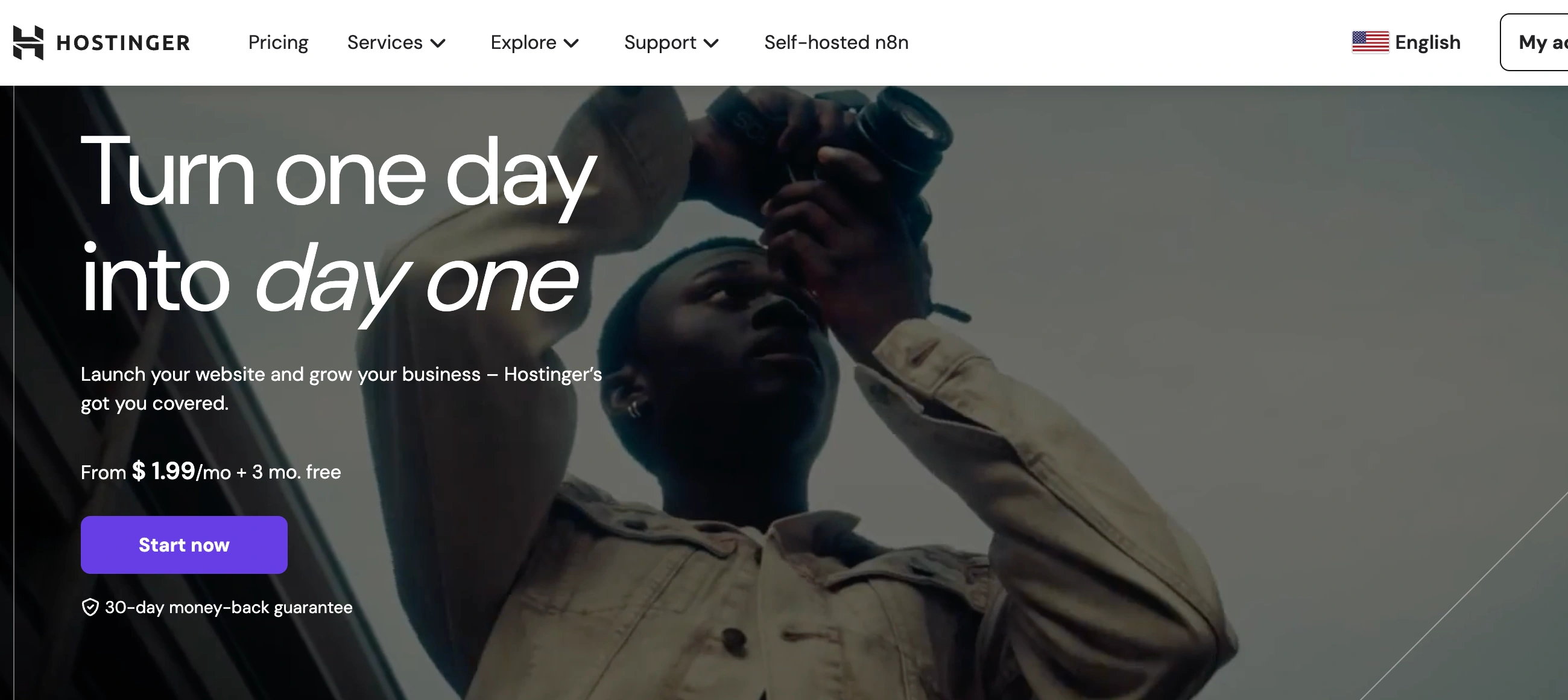
✨ Is Hostinger Website Builder Right for You?
What it is: An AI-powered website builder with drag-and-drop editing and hosting included. Build sites in minutes without code.
Best for: Beginners launching their first website, small businesses wanting affordable all-in-one solutions, solopreneurs selling simple products, and anyone who values speed over advanced customization.
Main limitation: Limited design flexibility compared to Wix or Squarespace. AI credit system forces extra purchases for advanced features. Basic image editing frustrates designers wanting control.
Get it if: You want the fastest, cheapest path to a live website, need AI to handle writing and design, plan to sell straightforward products, or want hosting bundled without technical setup.
Skip it if: You need pixel-perfect design control, complex ecommerce features, advanced customization, or plan to migrate later (export options are limited).
🎯 Why Hostinger Website Builder?
Website builders promise "easy," but most hit you with $20-30/month fees, separate hosting costs, and still require design skills. Hostinger flips this: $1.99/month gets you builder plus hosting. Your site lives at your custom domain, not yoursite.weebly.com.
⚡ AI Builds Your Site in 60 Seconds
Answer three questions about your business, and the AI generates a complete website—pages, content, images, everything. Not a template you fill in. An actual functioning site ready to edit. Most builders make you start from scratch. This saves hours on day one.
💰 All-In Pricing That Actually Means All-In
$1.99-2.99/month includes hosting, SSL certificate, and domain name (first year free). Compare that to Wix at $16/month for similar features, or Squarespace at $23/month. Over three years, Hostinger costs $430 versus Wix at $576 or Squarespace at $828.
🚀 Launch Speed Nobody Matches
From signup to live website takes 15-30 minutes. AI generates content, templates provide structure, drag-and-drop handles customization. People launch entire online stores before lunch. Traditional website projects take weeks or months.
🤖 AI Tools Handle the Hard Parts
AI Writer generates blog posts and product descriptions. AI Image Generator creates visuals when you don't have photos. AI SEO Assistant optimizes pages for search. These tools replace hiring copywriters, designers, and SEO consultants for basic needs.

📈 What Hostinger Website Builder Users Typically Achieve
Launch Speed That Beats Everything
That website project you have been postponing for months? Done by end of day. Most people go from signup to published site in 2-4 hours, including content writing and image selection. The AI handles the heavy lifting—you just edit and refine. Compare that to weeks with traditional web designers or days learning complex builders.
Budget Relief Without Compromise
Over three years, Hostinger costs $430 total versus Wix at $576 or Squarespace at $828. That is $150-400 saved while still getting professional results. The savings stack when you factor in free hosting (worth $60-120/year separately) and free domain first year ($10-15 value).
Good-Enough Design Without Designers
You will not win design awards, but your site looks professional and loads fast. The 180+ templates cover most business types. AI-generated content gives you starting points instead of blank pages. Good enough beats perfect-but-never-launched every time.
Where You Will Hit Friction
Customization hits walls faster than premium builders. Advanced layouts require workarounds or are not possible. Image editing basics frustrate anyone used to robust tools. The AI credit system nickels-and-dimes you if you rely heavily on content generation.
💡 Here is what works: Use AI to generate your initial site, then manually edit everything. Buy one round of AI credits ($9-14) to get through content creation, then stick to manual editing. Choose templates carefully—switching later wastes time. For simple online stores (under 100 products), this works great. Growing businesses outgrow it within 12-24 months.
🛠️ How Hostinger Website Builder Works
Building a site feels more like filling out a form than learning software.
Initial Setup
Sign up, choose your plan, and the AI builder launches immediately. Describe your business in a sentence or two. The AI generates a complete site in 60 seconds—homepage, about page, contact form, everything. Pick from up to five AI-generated variations. Start editing or publish as-is.
Customization
The drag-and-drop editor works on a smart grid that keeps everything aligned. Click any element to edit text, swap images, or change colors. Add sections by clicking "+" and choosing from pre-built blocks—testimonials, pricing tables, galleries, contact forms. The 180+ templates cover most niches if you want to start over.
Adding Features
Ecommerce works on Business plans only ($2.99/month). Add products with photos, prices, variations. Stripe handles payments with no transaction fees from Hostinger. Integrations include Google Analytics, Facebook Pixel, Hotjar, and marketing tools. No plugins to install—everything connects through settings.
Publishing
Hit "Publish" and your site goes live at your custom domain. SSL activates automatically. Changes update instantly—no "deploy" step. Hostinger handles all server maintenance, backups, and security updates. You never touch hosting settings unless you want to.
⚙️ Core Features & Performance
🤖 AI Website Generator
Answer prompts about your business and get a complete site in under 60 seconds. The AI writes copy, selects layouts, and adds relevant images. You can generate up to five variations to compare. Quality varies—some outputs need heavy editing, others work with minor tweaks. This feature alone saves 2-4 hours versus starting from blank templates.
✍️ AI Content Tools
AI Writer generates blog posts, product descriptions, and page content. AI Image Generator creates custom visuals when you lack photos. AI SEO Assistant optimizes meta tags and suggests improvements. The catch: these run on credits. Starter allotment runs out fast, then you're buying more at $9-14 for 100 credits.
🛒 Ecommerce Functionality
Sell up to 500 products on Business plan ($2.99/month). Stripe integration handles payments with no Hostinger transaction fees. Basic inventory tracking, order management, and discount codes work fine. Missing: abandoned cart recovery, advanced shipping rules, multi-currency support. Good enough for simple stores, limiting for growing businesses.
📱 Mobile Responsiveness
Sites auto-adjust for mobile automatically. The mobile editor lets you tweak mobile-specific layouts. Load speeds average under 2 seconds on testing. Hostinger uses LiteSpeed servers and built-in caching—your site loads faster than most builder-made sites.
⚠️ What's Missing: No blog scheduling, limited image editing (crop and resize only), can't export site to move elsewhere, no A/B testing, basic analytics require Google Analytics integration.
📊 The Verdict: Our Assessment
8.0/10 - Hostinger Website Builder delivers exceptional value for beginners prioritizing speed and affordability. Strong on ease of use and AI automation, weaker on advanced features and design flexibility.
⚠️ Trade-offs: AI credit system forces extra purchases. Renewal pricing jumps 5-6x intro rates. Limited export options lock you into platform. Design flexibility cannot match premium builders.
⚠️ Skip if: You need enterprise ecommerce features, demand pixel-perfect design control, plan to migrate later, or want advanced marketing automation.
💬 What Users Say: Reviews & Verified Experiences
User ratings: 4.6/5 on Trustpilot (61,000+ reviews), 4.6/5 on G2 (420 reviews).
👍 Pros: What Users Love
- AI Builder Actually Works: "Hostinger's AI built a website for me in under 60 seconds. I just had to make a few tweaks—most of it was spot on," reports a verified user on Website Builder Expert review. The AI generation feature consistently gets praised for saving hours.
- Price Cannot Be Beat: "I have been using Hostinger for over a year now and the pricing is unbeatable for what you get. The service is outstanding," says a Capterra reviewer. At $1.99-2.99/month with hosting included, users repeatedly cite value as the top reason they choose Hostinger.
- Support Exceeds Expectations: "The customer support is excellent. You can chat with AI or real people who actually know what they are doing," notes a G2 reviewer. The 24/7 live chat gets high marks even though initial contact goes through AI bot Kodee.
- Fast and Easy to Use: "I knocked up a website for my brother and adjusted and tweaked it within 2 hours—unbelievable," shares a Trustpilot user. The drag-and-drop interface and smart grid make building straightforward even for complete beginners.
👎 Cons: Common Complaints
- AI Credits Run Out Fast: "The AI starts making mistakes halfway through the project and you lose credits every time you send a prompt. I ran through 70 credits before finishing," frustrated Trustpilot reviewer complains. The credit system forces unexpected purchases.
- Renewal Prices Shock People: "Premium plan starts at $1.99/month but renews at $10.99/month. That's a 5x increase," notes pricing review on Website Builder Expert. The intro pricing looks great until renewal hits, and users feel blindsided.
- Image Editing Too Basic: "The website builder can sometimes be tricky when doing anything advanced, and it lacks more complex image editing options," reports Capterra reviewer. Designers used to Photoshop-level control find the crop/resize-only options limiting.
- Limited Export Options: "The website builder generates pages which cannot be copied or modified easily with another tool," Capterra user warns. Moving your site elsewhere proves nearly impossible—you're locked into the platform.
🚫 3 Critical Mistakes to Avoid
Mistake #1: Not Budgeting for Renewal Prices
A solopreneur signed up for Premium at $1.99/month, budgeted $24/year, and built their business site. Year two, renewal hit at $10.99/month—$132/year. Budget suddenly quintupled without warning. When combined with AI credit purchases and premium features, annual cost reached $200 versus expected $50.
⚡ Fix it: Plan for renewal pricing from day one. Intro rate of $1.99/month becomes $10.99/month. Business plan at $2.99/month jumps to $16.99/month. Budget using renewal rates, not intro pricing. Consider longer commitments (48 months at $96) to lock in lower rates longer. The "deal" only works if you commit long-term.
Mistake #2: Burning Through AI Credits Too Fast
A consultant used AI Writer to generate all blog content. Initial credits vanished in two weeks. Bought 100 credits for $14. Those lasted another week. By month end, spent $42 on credits—doubling their $2.99/month subscription cost. Realized manual writing was cheaper than AI dependency.
⚡ Fix it: Use AI strategically, not as crutch. Generate initial drafts with AI, then edit heavily to reduce credit waste. For blog content, write manually or use free tools like ChatGPT instead of burning Hostinger credits. Budget $10-20/month for credits if you will use AI heavily, or plan to mostly write manually. The "free" AI tools are not actually free at scale.
Mistake #3: Choosing Hostinger for Complex Ecommerce
An online boutique launched with 200 products on Hostinger Business plan. Needed abandoned cart emails—not available. Wanted multi-currency for international sales—not supported. Required advanced shipping rules—too basic. Six months in, paid $2,500 to migrate everything to Shopify. The cheap start cost more than starting with the right platform.
⚡ Fix it: Hostinger works for simple stores (under 100 products, basic shipping, single currency, straightforward checkout). For anything more complex—multiple warehouses, international sales, subscription products, advanced inventory—start with Shopify or WooCommerce. The $2.99/month savings becomes irrelevant when migration costs $2,000-3,000 later. Match platform to growth plans, not just current needs.
FAQ
How much does Hostinger Website Builder actually cost after the intro price?
Intro pricing is $1.99/month for Premium or $2.99/month for Business (with 48-month commitment). These renew at $10.99/month and $16.99/month respectively—a 5-6x increase. Domain is free first year, then $9-15/year. AI credits run out fast; refills cost $9 for 50 credits or $14 for 100 credits. Realistic annual costs after year one: $130-200 for Premium with occasional AI usage, $200-300 for Business with regular AI usage. The intro deal only works if you commit to 48 months upfront ($96-144 total) to delay renewal shock.
Can I migrate my Hostinger site to another platform later?
Not easily. Hostinger does not offer proper export functionality. You cannot download your site as files to upload elsewhere. Your options: manually rebuild everything on new platform (time-consuming), hire migration service ($500-2,000), or stay with Hostinger. This lock-in is intentional—the cheap pricing hooks you, limited export keeps you. Before committing, decide if you are okay being on Hostinger long-term. For temporary projects or businesses likely to outgrow it, start with a more portable solution like WordPress.
Is Hostinger Website Builder good enough for selling products online?
For simple stores (under 100 products, basic shipping, single currency), yes. Business plan at $2.99/month includes ecommerce, Stripe payments with zero transaction fees from Hostinger, basic inventory and order management. Missing features: abandoned cart recovery, advanced shipping rules, multi-currency support, subscription products, complex product variations, wholesale pricing. If you need any of those, start with Shopify or WooCommerce. Hostinger works for testing product-market fit or running straightforward online stores. Growing businesses outgrow it within 12-24 months and migration then becomes expensive.
How do the AI tools actually work and how long do credits last?
AI Writer, Image Generator, and SEO Assistant run on credit system. You get initial credits based on plan (amounts vary), then they are gone forever—no monthly renewal. Credits deplete fast: one blog post uses 10-15 credits, one image uses 1-2 credits, SEO optimization uses 5-10 credits. Initial allotment lasts 1-3 weeks for active users. Refills cost $9 for 50 or $14 for 100. Heavy AI users burn through $20-40/month in credits. Better strategy: use AI for initial generation, then edit manually. Or use free tools like ChatGPT for content, reserve Hostinger credits for images and SEO.
What happens to my site if I cancel or do not renew?
Your site goes offline immediately. Hostinger offers 30-day money-back guarantee for new customers, but after that there is no grace period. Unlike some hosts that keep sites up for weeks post-expiration, Hostinger terminates access quickly. Your data might be available for backup download for 30-60 days but is not guaranteed. This aggressive policy protects their servers but leaves no room for payment issues. Set up auto-renewal if you cannot afford downtime. For business-critical sites, the lack of grace period is risky—one missed payment and your business is offline.
How does Hostinger compare to Wix or Squarespace for beginners?
Hostinger wins on price: $1.99/month versus Wix at $16/month or Squarespace at $23/month for similar features. AI website generation is faster than Wix ADI. Wix wins on design flexibility: 800+ templates versus Hostinger's 180, more customization options, better image editing, advanced animations. Squarespace wins on polish: most beautiful templates, best for portfolios and creative businesses. All three are beginner-friendly, but Hostinger's AI makes the fastest start. Choose Hostinger for budget-conscious quick launches. Choose Wix for maximum design control. Choose Squarespace for premium aesthetics. Long-term: Wix and Squarespace offer more room to grow before outgrowing the platform.
Suggestly
Find your best-fit B2B tool in 90 seconds
✓ Free personalized recommendations
✓ Based on YOUR business needs
✓ No signup required

Hostinger Web Builder




