

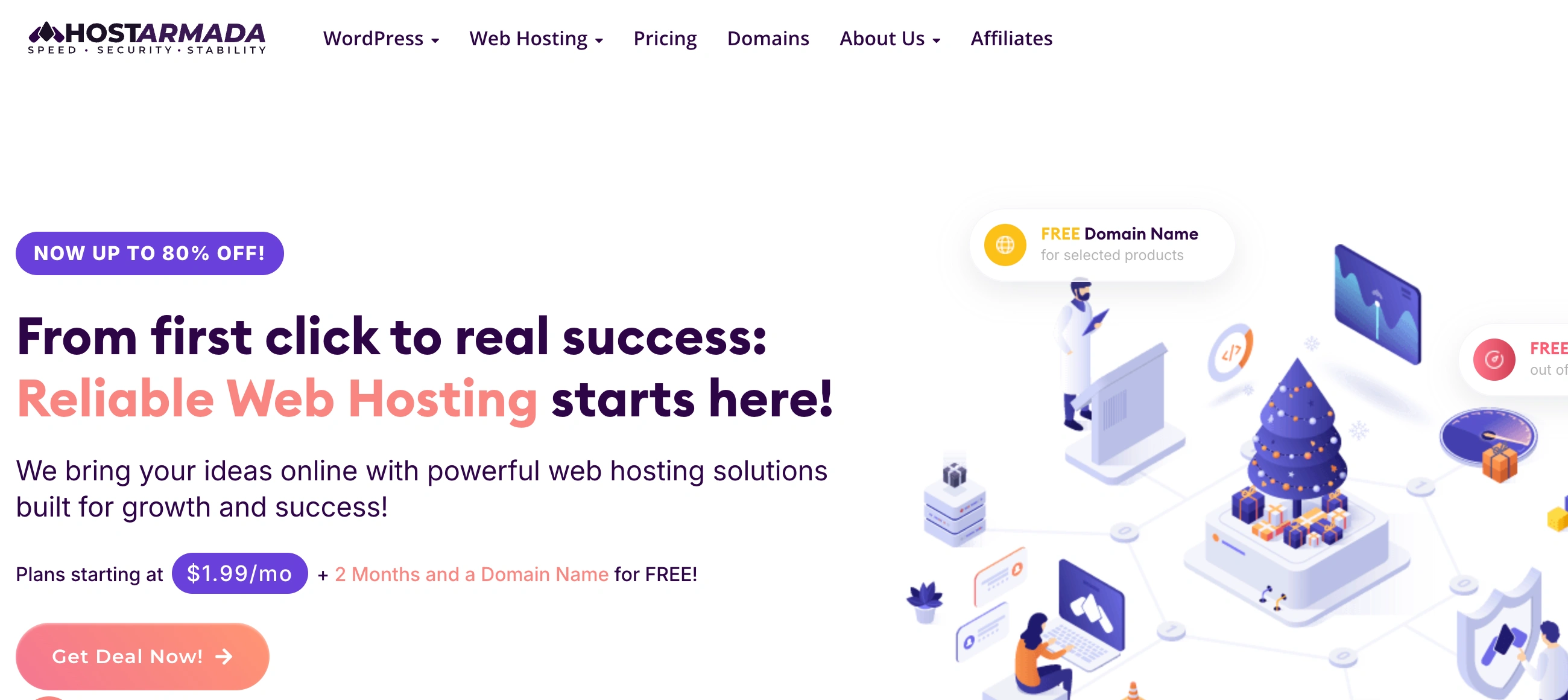
✨ Is HostArmada Right for You?
What it is: Cloud-based shared hosting built on NVMe storage and LiteSpeed servers, with daily backups and 24/7 support that actually helps. Think premium features at mid-tier pricing.
Best for: Small business websites, WordPress bloggers upgrading from basic shared hosting, WooCommerce stores with moderate traffic, and agencies managing multiple client sites through reseller accounts.
Main limitation: Promotional pricing ($1.99-3.95/month) jumps 3-5x at renewal ($9.95-19.75/month), and LiteSpeed's speed advantages only kick in on the top-tier Speed Reaper plan—not the entry level.
Get it if: You're tired of chatbot support and want real humans who solve problems, need 23 global data centers for international audiences, or want genuine cloud infrastructure without VPS complexity.
Skip it if: You need Windows hosting, month-to-month flexibility without annual commitments, or enterprise-scale resources beyond shared hosting limits.
🎯 Why HostArmada?
Most budget hosts cut corners on support, storage speed, or both. HostArmada's pulling off something rare: premium infrastructure with support that earns 10.0/10 ratings, without charging SiteGround prices.
🚀 The Speed Foundation Actually Matters
NVMe storage in RAID-10 configurations means your site loads faster than competitors using standard SSDs. One user switching from Bluehost saw page loads drop from 5 seconds to under 3. That's the kind of improvement that keeps visitors from bouncing.
🌍 23 Data Centers vs. The Industry's 3-5
Sydney, Mumbai, São Paulo, Frankfurt—HostArmada covers continents budget hosts ignore. If you've got Australian customers and you're hosting in Dallas, you're losing them at page load. Geographic proximity cuts latency by hundreds of milliseconds.
💬 Support That Makes Competitors Look Bad
Average ticket response: 18 minutes. Live chat connection: under 30 seconds. And here's the kicker—they actually solve problems instead of escalating them. Users mention specific agents by name in reviews. That doesn't happen with script-reading support teams.
💰 Pricing That Makes Sense (With Eyes Open)
Promotional rates require 3-year commitments, and renewal increases are real. But both prices show clearly on their site—no hunting for renewal costs. The 45-day money-back guarantee beats the industry's 30 days, giving you more runway to test.

📈 What You Can Actually Expect
Your Site Will Load Faster
That's not a maybe—it's consistently reported across migrations from budget hosts. The NVMe storage and geographic proximity combine for measurable improvements. Your bounce rate drops when pages load in 2-3 seconds instead of 5-6.
Support Becomes Your Secret Weapon
When something breaks at 2am, you'll get actual help instead of chatbot loops. The 18-minute average ticket response means problems get solved during your workday, not after three escalations and a week of back-and-forth.
Uptime Stops Being a Concern
The infrastructure just works. Daily backups mean even your own mistakes don't create disasters. One-click restoration saves hours compared to manual database rebuilds.
Where You'll Feel Constraints
Entry plans have real ceilings. If your site grows beyond moderate traffic, you'll need to upgrade or migrate to VPS. The Start Dock plan's single-website limit feels restrictive if you planned to run multiple projects. And that renewal pricing increase will sting when year three ends.
💡 Here's what works: Start with Web Warp if you'll run multiple sites. Choose your data center based on visitor geography, not random selection. Budget for renewal pricing from day one so the increase doesn't surprise you.
🛠️ How HostArmada Works
Think cPanel hosting without the bloat. Setup's straightforward, migrations are free, and daily operations don't require technical expertise.
Getting Started
Choose your data center during signup—this matters more than most people realize. Australian users specifically praise the Sydney server for cutting bounce rates. Free migration handles the heavy lifting if you're switching hosts. Most transfers complete within 24 hours without downtime.
Daily Management Through cPanel
Email accounts, databases, SSL certificates—everything routes through cPanel. It's industry-standard, which means familiar if you've hosted anywhere before. WordPress installs via Softaculous in under 2 minutes. Staging environments come free for testing updates before pushing live.
Backup Recovery (The Part That Saves You)
JetBackup runs daily copies retained for 7-21 days depending on your plan. When you accidentally delete something important—and you will—restoration takes one click. No support ticket required, no waiting.
Monitoring Behind the Scenes
Imunify360 scans for malware in real-time. The system catches threats before they become problems. If something triggers alerts, support reaches out proactively rather than waiting for you to discover issues.
⚙️ Core Features & Performance
🎭 Cloud Infrastructure That Backs Up The Marketing
Akamai Cloud Computing runs the backend using KVM virtualization. That's enterprise-grade infrastructure powering budget-tier pricing. The technical foundation explains why performance testing shows 100% uptime across multi-week monitoring periods and page loads consistently under 800ms.
🔒 Security Stack You'd Expect From Premium Hosts
Imunify360 handles malware scanning, WAF protection, and brute-force blocking. CloudLinux isolates accounts so neighbor sites can't impact yours. DDoS filtering absorbs attacks up to 17 Tbit/s. Free Sectigo SSL certificates auto-renew without intervention.
⚡ Performance Features (But Read The Fine Print)
Here's what matters: LiteSpeed web server, HTTP/3 support, and advanced caching only exist on Speed Reaper. Entry plans use NGINX—still fast, but lacking LiteSpeed's built-in advantages. If speed's your priority, you need the top tier.
📧 Email Hosting That Actually Works
Unlimited email accounts across all plans with spam filtering and autoresponders. Webmail interfaces include Roundcube and Horde. IMAP/POP3/SMTP work as expected. No forced migrations to third-party email providers like some hosts require.
💡 Pro Tip: Match your data center to your primary audience geography. The Sydney server gets specific praise from Australian users for reducing bounce rates—proximity matters more than most realize.
📊 The Verdict: Our Assessment
8.4/10 - HostArmada delivers premium hosting infrastructure and genuinely exceptional support at mid-market pricing. Strong for small-to-medium sites willing to commit to multi-year terms, weaker on renewal pricing transparency and entry-tier limitations.
⚠️ Trade-offs: Renewal pricing jumps significantly. LiteSpeed requires top-tier plan. Entry plan supports only one website. Shared hosting has real ceilings for high-traffic sites.
✅ Choose HostArmada when: Support quality matters, you need global data centers, and you're willing to commit to annual billing for reasonable pricing.
💬 What Users Say: Reviews & Verified Experiences
User ratings: 4.8/5 on Trustpilot (1,091 reviews), 10.0/10 on G2 for support quality (252 verified reviews), 5.0/5 on HostAdvice (1,063 reviews).
👍 Pros: What Users Love
- Support That Spoils You: Users don't just mention support—they gush about it. Thorsten Kulp says if he could give six stars, he would. Emma TheTeachie notes even low-priority tickets get responses within minutes. Named agents like Ivy P. and Vasil M. appear repeatedly in positive reviews.
- Real Speed Improvements: Users switching from Bluehost and similar hosts report page loads dropping from 5+ seconds to under 3. The NVMe storage difference is measurable, not marketing fluff.
- Uptime You Stop Thinking About: Bob Truman's been with them for 6 years without faulting service. Multiple users mention zero unexplained downtime after switching from problematic previous hosts.
- Geographic Reach That Matters: Australian users specifically praise Sydney servers for reducing bounce rates. International businesses appreciate having data center options competitors don't offer.
👎 Cons: Common Complaints
- Renewal Sticker Shock: Some users call it fake pricing when they discover the 3-5x renewal increase. The gap frustrates customers who didn't read terms carefully during signup.
- Entry Plan Limitations Hit Hard: Start Dock's one-website limit trips up users regularly. Resource constraints on lower tiers cause issues for growing sites.
- No Windows Hosting: Linux-only infrastructure eliminates a segment of potential customers with .NET requirements or Windows-specific needs.
🚫 3 Critical Mistakes to Avoid
Mistake #1: Choosing Start Dock for Multiple Sites
New users see the $1.99/month price and jump without reading the one-website restriction. They realize the limitation after signup when trying to add a second domain. Migration to Web Warp requires upgrade fees and coordination hassles.
⚡ Fix it: If you'll ever run more than one website—even a test site or landing page—start with Web Warp. The few extra dollars monthly save migration headaches later.
Mistake #2: Ignoring Data Center Selection
Users accept the default Dallas location without considering their audience geography. Australian visitors experience 800ms+ latency from US servers. Bounce rates stay high despite fast infrastructure because the server's on the wrong continent.
⚡ Fix it: Choose the data center closest to your primary visitor base. Sydney for Australian audiences, Singapore for Southeast Asia, Frankfurt for European traffic. Geographic proximity cuts latency by hundreds of milliseconds.
Mistake #3: Expecting LiteSpeed Speed on Entry Plans
Marketing emphasizes LiteSpeed everywhere, but only Speed Reaper includes it. Users on Start Dock or Web Warp get NGINX—still fast, but lacking LiteSpeed's caching advantages and HTTP/3 support. Performance expectations don't match reality.
⚡ Fix it: If speed's critical for your SEO or user experience strategy, budget for Speed Reaper from the start. The performance difference between NGINX and LiteSpeed matters for competitive niches.
FAQ
How long does HostArmada migration take?
Free migrations typically complete within 24 hours without downtime. Their team handles the technical work, transferring files, databases, and email accounts. You'll need to provide cPanel or FTP access to your current host.
What happens when my promotional pricing ends?
Promotional rates ($1.99-3.95/month) require 3-year commitments and renew at standard pricing ($9.95-19.75/month depending on plan). Both prices appear clearly during signup. Some long-term customers report receiving annual retention discounts, though these aren't guaranteed.
Can I upgrade between hosting plans easily?
Yes, plan upgrades happen through your client area and typically process within a few hours. HostArmada handles the technical migration. Downgrades require support tickets and may involve data transfer if your current usage exceeds lower-tier limits.
Does HostArmada support WordPress specifically?
All plans include one-click WordPress installation via Softaculous, free staging environments for testing updates, WP-CLI access for developers, and automatic WordPress updates if enabled. LiteSpeed Cache (top tier only) provides WordPress-specific performance optimization.
What are the actual resource limits on shared hosting?
Start Dock: 2 CPU cores, 2GB RAM, 15GB NVMe storage. Web Warp: 4 cores, 4GB RAM, 30GB storage. Speed Reaper: 6 cores, 6GB RAM, 40GB storage. All plans have 500K inode limits and acceptable-use bandwidth thresholds rather than truly unlimited resources.
Is HostArmada suitable for eCommerce sites?
Yes, for small-to-medium WooCommerce stores. Web Warp and Speed Reaper plans handle product catalogs well with included SSL certificates, daily backups, and PCI compliance infrastructure. High-traffic stores or seasonal spike businesses may need VPS for resource headroom.
Suggestly
Find your best-fit B2B tool in 90 seconds
✓ Free personalized recommendations
✓ Based on YOUR business needs
✓ No signup required

HostArmada




