

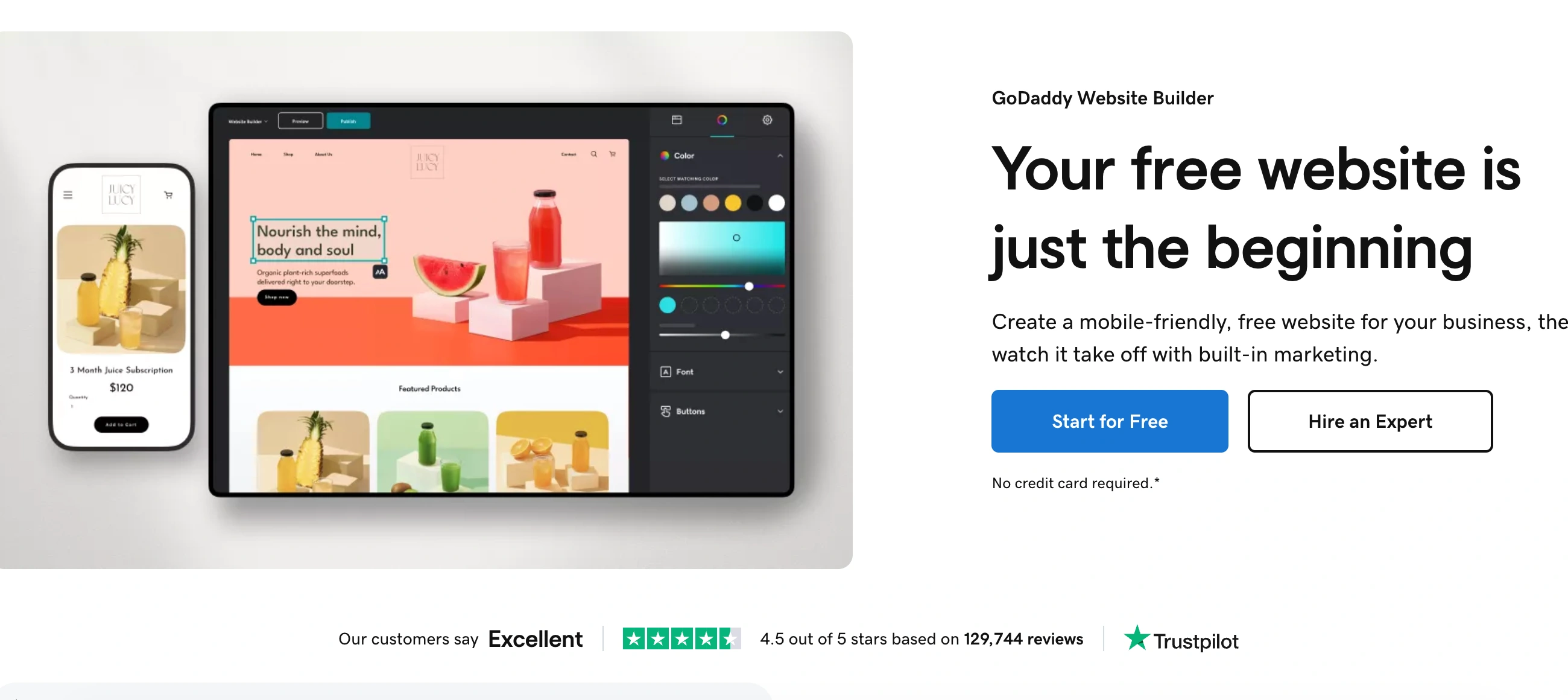
◑ Is GoDaddy Website Builder Right for You?
What it is: A beginner-friendly website builder focused on speed and simplicity, integrated with domain and hosting services. Creates professional-looking sites in under an hour through section-based editing.
Best for: Small businesses and solopreneurs who need a basic website live yesterday, value 24/7 phone support, and won't be frustrated by limited design control.
Main limitation: Section-based editing locks you into preset layouts with minimal customization. You can't add custom elements or make pixel-perfect adjustments—what the template looks like is basically what you get.
Get it if: You're launching a simple informational site, need real human phone support when stuck, or work in the GoDaddy ecosystem already (domain, hosting, email).
Skip it if: You want creative design control, need advanced ecommerce features, plan to build a complex site, or hate aggressive upselling and hidden renewal costs.
🎯 Why GoDaddy Website Builder?
Building a website shouldn't take weeks. GoDaddy's AI can generate a working site in under 30 seconds, and most people have something publishable within an hour. That speed matters when you're bleeding money every day your business doesn't have an online presence.
⚡ Setup Speed That Actually Delivers
GoDaddy's AI asks 3-4 questions about your business and generates a complete site with relevant sections, placeholder content, and a color scheme. From there, swap in your photos and text. For a basic service business site, you're genuinely done in 30-60 minutes.
📞 Real Phone Support 24/7
GoDaddy is one of the only website builders with actual phone support available around the clock. When you're stuck at 11 PM trying to connect your domain, that matters. Most competitors make you wait for email responses or navigate AI chatbots.
💰 The All-In-One Convenience Factor
If you already registered your domain through GoDaddy, keeping everything under one roof simplifies billing and technical setup. One login, one support number, one renewal date. The integration between domain, hosting, email, and website builder actually works smoothly.
🎯 Built for Non-Technical Owners
GoDaddy's sidebar editor never overwhelms you with options. The interface stays clean and straightforward. If you've avoided building a website because the technical stuff scares you, GoDaddy removes most of those barriers.

📈 What GoDaddy Website Builder Users Typically Achieve
You'll Have a Site Live Today
Most people finish their first site in 30-90 minutes. By the end of the day, your business has an online presence with contact forms working, basic SEO configured, and mobile optimization handled automatically. The speed advantage is real.
Phone Support Rescues You From Stuck Moments
That moment when your domain won't connect or your email setup breaks? You call immediately and talk to a human within minutes. For non-technical business owners, this alone justifies the platform. No more waiting 24-48 hours for email support responses.
Simple Sites Work Well
Service businesses (plumbers, consultants, photographers) get clean 5-10 page sites that load fast and look professional enough. If your goal is "have a decent website" rather than "have an award-winning website," GoDaddy delivers fine.
The Ecosystem Lock-In Provides Convenience
Managing domain, hosting, email, and website from one dashboard actually simplifies your life. One renewal date, one support number, one login. When it works, it's genuinely convenient.
Where Reality Bites
Year two pricing stings when your $10.99/month plan jumps to $16.99 plus domain renewal costs. The design limitations frustrate you about 3 months in when you want to make a simple layout change that the platform won't allow. You start seeing GoDaddy sites everywhere because customization options are so limited everyone's site looks similar.
💡 Here's what works: Use GoDaddy for your initial launch when speed matters most. Plan to migrate to Wix or Squarespace within 12-18 months once you understand your actual website needs. Lock in annual pricing to avoid monthly renewal hassles, but factor in the real year-two costs before committing.
🔧 How GoDaddy Website Builder Works
Think pre-designed sections you arrange and customize, not blank canvas design. The workflow resembles assembling furniture—the pieces are predetermined, but you choose which ones to use and what goes in them.
Getting Started
You start free and stay free until you're ready to publish. The AI website builder asks about your business type and generates a multi-page site in under a minute. Or skip the AI and pick from 22 pre-designed themes. Either way, you're editing your actual site within 5 minutes of signing up.
Building Your Pages
Click "Add Section" to choose from pre-designed blocks—hero images, text blocks, contact forms, product grids, testimonials. Each section has limited customization: swap images, change text, adjust colors, toggle elements on or off. You can't add individual elements or change fonts per section. The mobile version auto-generates, though you can't customize it separately on lower-tier plans.
Adding Functionality
Appointment booking, contact forms, social feeds, and basic ecommerce come built-in. For blogs, you leave the main editor and work in a separate blogging interface—slightly clunky, but functional. Email marketing and social media management tools are bundled with paid plans.
Publishing
Upgrade to a paid plan ($10.99+ monthly) to remove GoDaddy branding and publish with a custom domain. The domain itself costs extra—typically $11.99 first year, then $17.99 annually. Hit publish and your site goes live in seconds.
Ongoing Edits
Changes happen in real-time. Edit text, swap images, add sections—just save and it's live. No waiting for builds or deployments. The mobile app mirrors the desktop experience completely, letting you edit from anywhere.
💎 Core Features & Performance
🎨 Templates and Design Control
22 themes total versus 180+ on Squarespace or 800+ on Wix. The themes look modern enough—clean lines, plenty of white space, professional photography. But you're stuck in section-based editing. Want to move that text box 2 inches left? Can't do it. Want a bigger headline font? You'll increase all fonts site-wide. The constraints keep you from breaking your design, but they also kill creative expression.
📱 Mobile Optimization
Mobile versions auto-generate and look fine for basic sites. On lower-tier plans, you can't customize the mobile experience separately. Higher tiers let you toggle sections on/off for mobile, but that's about it. For most small business sites, the automatic mobile version works well enough.
🛒 Ecommerce Capabilities
The Commerce plan ($23.99/month) handles basic online selling—unlimited products, inventory tracking, discount codes, abandoned cart recovery. But GoDaddy forces you to use GoDaddy Payments (2.7% + $0.30 per transaction). You can't customize order confirmation emails. Tax setup requires manual entry for every jurisdiction. Serious ecommerce businesses will outgrow this fast.
📊 Marketing Tools Built In
Email marketing, social media scheduler, and a Canva-like graphic design tool come bundled with paid plans. The email builder is basic but functional—drag-and-drop templates, contact management, delivery tracking. Social media tools let you schedule posts to Facebook and Instagram. InSights compares your site traffic to similar businesses, though you can't see the underlying metrics.
🔍 SEO and Analytics
Basic SEO tools let you edit meta titles, descriptions, and alt text. SSL certificates come free. But advanced SEO features lag behind Wix and Squarespace. Google Analytics integration works, though GoDaddy's built-in analytics are pretty sparse.
🚀 Quick Win: Use GoDaddy's AI to generate your initial site structure, then manually refine the content. This gets you 80% of the way there in minutes while maintaining quality control on messaging.
⭐ The Verdict: Our Assessment
7.4/10 - GoDaddy delivers on its core promise: getting simple websites live fast with minimal technical skill required. Strong for speed and support, weak on customization and transparent pricing.
🎯 Bottom Line: Choose GoDaddy when launch speed and simplicity matter more than design perfection. It's the website equivalent of a reliable Toyota—it'll get you where you need to go without drama, but don't expect luxury features.
⚠️ Skip if: You need pixel-perfect design control, plan to run a serious ecommerce store, want transparent pricing without aggressive upselling, or care about having the most advanced features.
✩ What Users Say: Reviews & Verified Experiences
User ratings: 4.0/5 on G2 (690 reviews), 4.2/5 on Capterra (1,100 reviews), 4.5/5 on Trustpilot (132,000+ GoDaddy reviews).
✔ Pros: What Users Love
- Launch Speed Is Real: "Using GoDaddy's Website builder templates it take less than 5 min to launch your website," G2 reviewer reports. Multiple users confirm getting sites live within an hour, even without technical backgrounds.
- Phone Support Saves Headaches: "Their customer service is the BEST in the business, 24/7 fast customer service that is US based!" Capterra verified review. When you're stuck, talking to a real human immediately beats waiting for email responses.
- Perfect for Non-Technical Users: "The fact that my partner, who is not so tech savy managed to build 3 websites alone, using the Godaddy Website Builder is a great point," Capterra reviewer. The simplified interface genuinely works for beginners.
- All-In-One Convenience: "You don't have to worry about hosting problems, resource issues, SEO implementation, or Customer support because they have built the product itself," G2 review. Having domain, hosting, email, and website builder under one roof simplifies management.
✗ Cons: Common Complaints
- Customization Kills Creativity: "Because it is built for laymen, it is limited in what you can actually add to your website," G2 verified review. "I wish the website design program allowed more creativity from the user," Capterra reviewer. The section-based approach frustrates anyone wanting design control.
- Hidden Costs and Aggressive Upselling: "Upgrades are difficult to manage, and it is unclear what i actually get with my subscriptions," G2 verified review. "Continually prompted to set up services that are already set up," another G2 reviewer complains. Domain privacy costs extra $9.99/year, renewal prices jump significantly, and constant upsell popups annoy users.
- Ecommerce Limitations: "Working directly with google business I learned that GODADDY sites are not indexed like real template sites like Wordpress," Capterra review. Tax setup is manual, you can't customize order emails, and serious sellers quickly outgrow the platform.
- Renewal Price Shock: Introductory pricing at $10.99/month jumps to $16.99/month at renewal. Domains start at $0.01-$11.99 first year, then $17.99+ annually. The advertised prices mislead if you don't read the fine print.
⚠ 3 Critical Mistakes to Avoid
Mistake #1: Ignoring Renewal Price Increases
A restaurant owner signed up for the Basic plan at $10.99/month, assuming that price would continue. Year two renewal came at $16.99/month—a 55% increase. Add domain renewal jumping from $11.99 to $17.99, plus domain privacy at $9.99/year. The "affordable" $10.99/month became $27/month in year two.
🔧 Fix it: Calculate your true year-two costs before committing. Add at least $10-15/month to advertised prices for realistic budgeting. Lock in annual plans to get better rates, but know you're committing for the full term—GoDaddy doesn't refund unused portions.
Mistake #2: Choosing GoDaddy for Ecommerce
A jewelry maker launched her store on GoDaddy Commerce ($23.99/month) to save money versus Shopify. Three months in, she hit walls everywhere—couldn't customize confirmation emails, manual tax entry for every state, no product variant limit flexibility, forced to use GoDaddy Payments. She migrated to Shopify and lost weeks rebuilding her entire store.
🔧 Fix it: If you're serious about ecommerce, skip GoDaddy entirely. Start with Shopify, Wix, or Squarespace. GoDaddy's ecommerce features work for selling 5-10 products casually, not running an actual online store. Test the ecommerce features during the free trial before paying.
Mistake #3: Expecting Design Flexibility
A marketing consultant built her site on GoDaddy, then realized she couldn't adjust individual font sizes, move elements freely, or customize the mobile layout differently from desktop. She wanted her headline 20% larger—the font slider increased every font site-wide, breaking her design. Three months of frustration later, she rebuilt everything on Wix.
🔧 Fix it: Test drive the editor during the free trial. Try making specific design changes you'll want later—custom element positioning, font adjustments per section, mobile layout tweaks. If the section-based approach frustrates you in the trial, it'll infuriate you later. Choose Wix or Squarespace if you want real design control.
FAQ
How much does GoDaddy Website Builder really cost with all fees?
Basic starts at $10.99/month (renews $16.99), domain $11.99 first year then $17.99+, privacy $9.99/year. Realistic all-in: $25-30/month after year one.
Can I move my GoDaddy site to another platform later?
No—you'll rebuild from scratch. GoDaddy doesn't export site designs, only domains transfer.
Is GoDaddy good enough for selling products online?
For casual selling under 20 products, okay. For serious ecommerce, no—Shopify, Wix, or Squarespace deliver 10x better functionality at similar pricing.
How does GoDaddy compare to Wix and Squarespace?
GoDaddy wins on speed (under an hour) and 24/7 phone support. Wix wins on customization and features. Squarespace wins on design quality.
What's the learning curve for complete beginners?
Minimal—most publish within an hour. AI generates your site in under a minute, then you swap text and images.
Do I really need to pay for domain privacy?
Yes, unless you want your personal info publicly searchable. Budget $9.99/year as a required cost.
Suggestly
Find your best-fit B2B tool in 90 seconds
✓ Free personalized recommendations
✓ Based on YOUR business needs
✓ No signup required

GoDaddy Website Builder




