

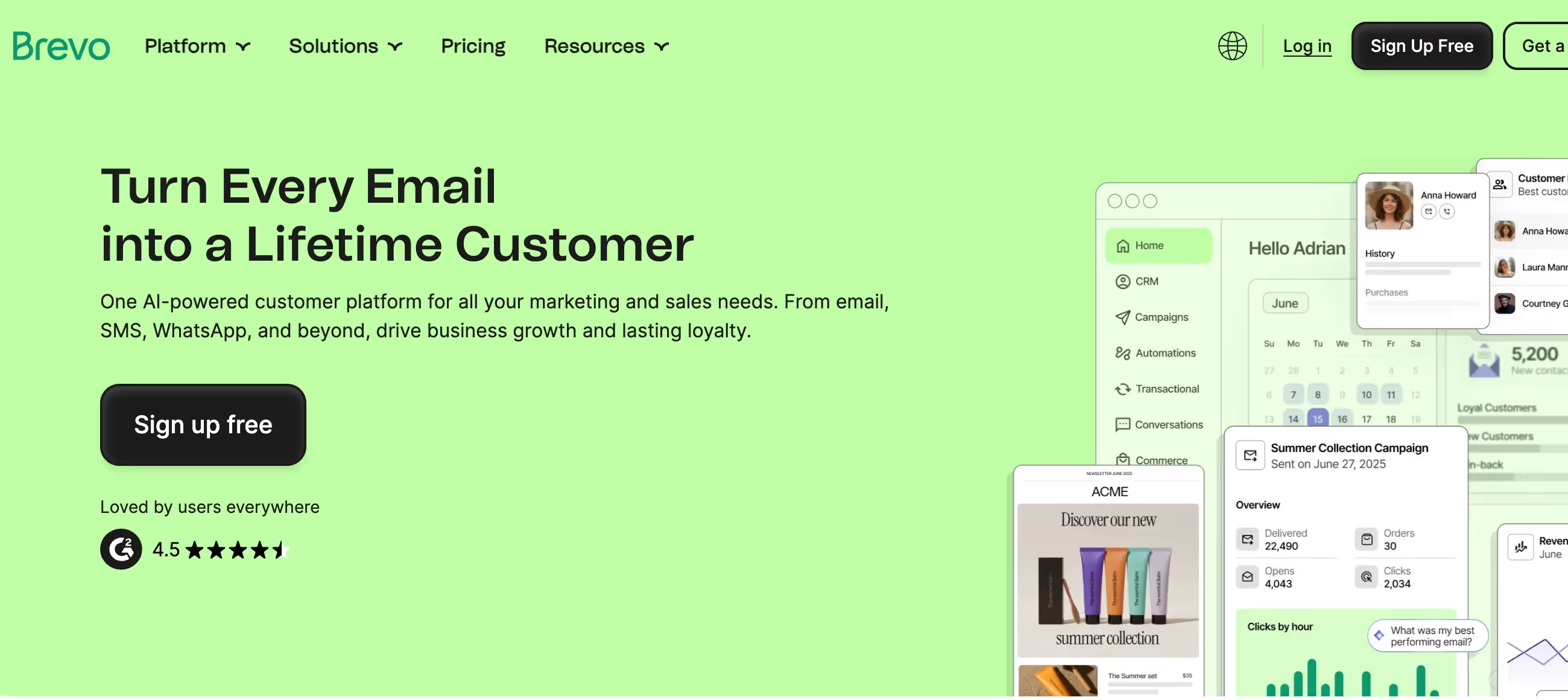
✨ Is Brevo Right for You?
What it is: All-in-one marketing platform combining email, SMS, WhatsApp, and transactional messaging with built-in CRM. Pricing based on emails sent, not contacts stored.
Best for: Small and medium businesses sending 5K-100K emails monthly, agencies managing multiple client campaigns, and companies needing multi-channel marketing without multiple tool subscriptions.
Main limitation: Free plan's 300 emails daily can stretch flash sales or launches across multiple days. Removing the Brevo logo costs extra $9/month on the Starter plan, and team collaboration requires Business tier ($18+/month).
Get it if: You want email marketing plus SMS and transactional emails in one platform, need unlimited contacts without per-contact pricing, or you're switching from Mailchimp to cut costs while keeping automation.
Skip it if: You need advanced team features on a budget, want highly customized email templates (only 48 pre-made), or require white-glove customer support for complex campaigns.
🎯 Why Brevo?
Brevo handles what usually takes 3-4 separate subscriptions. Your team gets marketing emails, transactional messages, SMS campaigns, and basic CRM—without stitching together Mailchimp, SendGrid, Twilio, and a contact manager.
💰 The Pricing Model Flips the Script
Pay for what you send, not what you store. Unlimited contacts on every plan means your 50K subscriber list costs the same whether you email weekly or monthly. This matters when Mailchimp charges by contact count—$100/month for 10K contacts versus Brevo's $18/month for 5K emails.
✉️ Transactional + Marketing = One Platform
Password resets, order confirmations, newsletters—all from one dashboard with unified analytics. Most businesses pay separately for this: $35-50/month for Mailchimp plus SendGrid. Brevo bundles it from the free tier up.
📱 Multi-Channel Without the Premium Markup
SMS and WhatsApp campaigns are pay-as-you-go add-ons, not separate platform fees. Send 1,000 texts to US contacts for $15.40. Compare that to standalone SMS platforms charging $50+ monthly minimums.
⚡ The Free Plan Actually Works
300 emails daily with automation for 2K contacts and full CRM access. Most "free tiers" are demo modes. This one handles real businesses until they outgrow the daily cap.

📈 What Brevo Users Typically Achieve
Your Marketing Budget Stretches Further
That $100-300/month Mailchimp bill? Cut to $18-65 with Brevo for equivalent send volume. Most businesses save 60-75% switching to pay-per-send pricing. The savings compound when you're storing large lists but sending sporadically.
Multi-Channel Becomes Realistic
Teams add SMS and WhatsApp campaigns without separate $50-150/month subscriptions. One nonprofit reports running email, SMS, and web push notifications—previously requiring three platforms and triple the work. Centralized reporting means you actually see cross-channel performance.
Automation Speeds Up Everything
Welcome sequences, cart abandonment, re-engagement—workflows that used to require developer help now build visually in 30-60 minutes. E-commerce stores report 15-25% revenue lift from automated cart recovery alone.
Transactional Emails Stop Being a Headache
Password resets, order confirmations, shipping updates—send from the same platform as newsletters with unified analytics. Most teams eliminate their SendGrid subscription ($25-80/month saved), plus they stop dealing with two separate dashboards.
Time Savings Add Up Fast
Campaign creation that took 2-4 hours in complex platforms? Done in 30-45 minutes with Brevo's editor. Agencies managing multiple clients report 40% time reduction switching from other ESPs. Less complexity means less training, fewer mistakes, faster execution.
🛠️ How Brevo Works
Think email marketing meets CRM, not enterprise sales platform. The workflow feels familiar if you've used Mailchimp but want more control.
🚀 Getting Started: 20 Minutes to First Campaign
Sign up with email or Google login. Brevo asks about team size and contact count, then suggests importing your list via CSV upload or direct integration with 100+ platforms including WordPress, Shopify, and WooCommerce. Domain authentication requires adding DNS records—clearer than most platforms but still requires tech access.
📧 Building Campaigns
The drag-and-drop editor uses 12 content blocks: text, images, buttons, product listings, dividers, and social links. You can save customized blocks for reuse and access 8,000+ stock photos built-in. The Brand Library stores your logos, colors, and fonts for consistent campaigns. Email creation takes 15-30 minutes for most newsletters.
🤖 Automation Workflows
Visual workflow builder with if/then logic, time delays, and behavioral triggers. Entry points include contact creation, website visits, email opens, and custom events via API. Free plan caps automation at 2,000 contacts; paid plans remove limits.
👥 CRM and Contact Management
Basic deal pipeline with customizable stages, company profiles, and contact notes. Not a full sales CRM like HubSpot—more like a marketing database with deal tracking. Segmentation uses AND/OR operators combining contact attributes, campaign engagement, and transactional data.
📲 SMS and WhatsApp
Buy credits that never expire. SMS pricing varies by country ($0.0154 per message to US/Canada). WhatsApp requires Professional tier and uses separate credit system with first 1K messages free monthly.
⚙️ Core Features & Performance
📨 Email Campaigns: Solid Foundation
A/B testing splits subject lines and content (Standard plan up). Send time optimization uses AI to predict best delivery windows (Business plan). Templates number 48—fewer than Mailchimp's 100+, but covering essentials. Dynamic content displays different sections based on contact attributes.
The catch: Only Business tier ($18+/month) includes A/B testing and landing pages. Starter plan removes daily caps but keeps features basic.
🔄 Marketing Automation: Better Than Expected
Workflow builder handles welcome sequences, cart abandonment, re-engagement campaigns, and behavioral triggers. Conditional logic paths work well for moderate complexity. JavaScript tracking monitors website behavior to trigger campaigns.
Where it falls short: Lead scoring exists but isn't as sophisticated as ActiveCampaign. No predictive analytics. Custom objects require Professional tier.
⚡ Transactional Emails: Genuinely Useful
RESTful API, SMTP relay, webhook support, and unlimited log retention across all plans including free. This eliminates the SendGrid subscription most businesses add to marketing platforms. Integration docs are comprehensive with SDKs for major languages.
📊 Reporting: Functional but Basic
Standard metrics: opens, clicks, bounces, unsubscribes. Heat maps show click locations (Standard plan up). Real-time campaign dashboard tracks performance as emails send. Revenue tracking links purchases to campaigns.
Missing depth: Limited cohort analysis, no advanced attribution modeling, basic funnel visualization compared to dedicated analytics platforms.
🔧 Integrations: Covers the Essentials
Native connections to WordPress, Shopify, WooCommerce, Salesforce, HubSpot, Zapier (2,000+ app integrations), Facebook Ads, Google Analytics. API access allows custom integrations for specific workflows.
👥 Team Collaboration: Expensive Add-On
Business plan includes 3 users. Additional team members cost $9/month each. Role-based permissions control access. This gets pricey for agencies managing multiple clients—solo entrepreneurs benefit most.
📊 The Verdict: Our Assessment
8.8/10 - Brevo delivers multi-channel marketing at SMB pricing with surprisingly few compromises. Strong for companies prioritizing value over white-glove support.
⚠️ Trade-offs: Team features require Business tier. Template library smaller than competitors. Some accounts report aggressive spam filtering suspensions.
✅ Best for: Budget-conscious SMBs sending consistent volume, agencies needing client multi-channel campaigns, e-commerce stores combining marketing and transactional emails.
⚠️ Skip if: You need extensive template variety, require multiple team seats on tight budget, or want premium customer success management.
💬 What Users Say: Reviews & Verified Experiences
User ratings: 4.5/5 on G2 (2,400+ reviews), 4.6/5 on Capterra (3,100+ reviews), 4.4/5 on Trustpilot (6,700+ reviews).
👍 Pros: What Users Love
- Value Blows Away Competitors: "I was paying $500/month with HubSpot. I'm currently paying $75/month with Brevo. Quick and easy to get up and running," reports verified Capterra user.
- Genuinely Easy to Use: "Interface is very intuitive, so you don't need to be an expert to create campaigns or automate processes," says G2 reviewer. Most users productive within 1-2 hours.
- Generous Free Tier: "300 emails daily with no contact limits—fair enough for starting out. I could test the platform without credit card," notes Trustpilot user.
- Multi-Channel in One Place: "Email, SMS, WhatsApp, CRM—centralizes everything without juggling five platforms. Saves time and reduces errors," shares G2 marketing manager.
- Automation Actually Works: "Set up workflows easily. Compared to complicated systems like HubSpot, Brevo's automation is straightforward to master," reports verified Capterra user.
👎 Cons: Common Complaints
- Account Suspensions Frustrate: "Blocked my account for no clear reason, didn't explain why. Just told me to go elsewhere," complains Trustpilot reviewer. Some users report aggressive spam filtering without appeal process.
- Deliverability Inconsistency: "Many emails end up in spam. Brevo suggests upgrading to dedicated IP ($251/year), but that's expensive for small volume," notes Capterra user.
- Team Features Cost Extra: "Can't add users without additional fees on Starter. Don't see the value—creates password-sharing frustration," reports G2 reviewer.
- Limited Templates: "48 templates isn't enough variety. Mailchimp offers 100+. Takes more time to customize," shares verified Capterra user.
- Support Response Times Vary: "Customer service responds late, sends copy-paste messages about high volume. Calls them 'glitches' without solving issues," complains Capterra reviewer.
🚫 3 Critical Mistakes to Avoid
Mistake #1: Launching Flash Sales on Free Plan's 300/Day Limit
Restaurant launches weekend promotion to 5K subscribers on Friday free tier. Daily cap stretches campaign across two days—half the list gets Saturday promotion on Sunday when it's over.
The Fix: Upgrade to Starter ($9/month minimum) before time-sensitive campaigns. Or segment your list: send to high-engagers immediately (under 300), then follow-up batch next day to remainder.
Mistake #2: Ignoring Domain Authentication
Company sends first campaign without setting up SPF/DKIM records. Deliverability tanks—40% land in spam. Support suggests dedicated IP ($251/year), but authentication would've solved it free.
The Fix: Complete domain setup during onboarding. Takes 15 minutes with DNS access. Brevo's setup wizard is clearer than most—follow it exactly. Check authentication status before sending volume.
Mistake #3: Assuming Starter Plan Removes Branding
Agency upgrades to Starter ($9/month) expecting professional emails. Brevo logo still appears in footer. Removing it costs extra $9/month—doubling the plan cost. Client sees competitor branding.
The Fix: Budget for "Remove Brevo logo" add-on ($9/month) from the start if client-facing. Or jump to Standard plan ($18/month) where logo removal is included. The $9 add-on math only works if you're right at the Starter volume sweet spot.
FAQ
What is the learning curve for Brevo?
Most users become productive within 1-2 hours. The drag-and-drop editor is intuitive enough for first campaigns to launch same day. Advanced automation and API integrations have comprehensive documentation, video tutorials, and active community forums for help.
Does Brevo integrate with my existing tools?
Brevo offers 100+ native integrations including WordPress, Shopify, WooCommerce, Salesforce, HubSpot, and major CRMs. Zapier connectivity enables 2,000+ additional apps. RESTful API and webhook support allow custom integrations for specific workflows.
What kind of customer support does Brevo provide?
All plans include 24/7 email support with typical response times under 24-48 hours. Business tier adds phone support. Higher tiers include priority response and dedicated account management. Knowledge base contains 200+ articles and video guides.
Can I migrate my existing data to Brevo?
Yes, Brevo provides CSV import tools and direct migrations from Mailchimp, SendGrid, and major ESPs. Migration guides walk through contact import, template recreation, and automation setup. Support team assists with larger migrations to ensure smooth transitions.
Is there a free trial or money-back guarantee?
Brevo offers a forever-free plan with 300 emails daily and unlimited contacts—no credit card required. You can test the platform indefinitely. Paid plans start at $9/month and can be cancelled anytime. No long-term contracts.
What security and compliance measures does Brevo have?
Brevo is GDPR compliant with European data hosting options. Security includes 2FA, role-based permissions, and SSL/TLS encryption. Automatic bounce management, unsubscribe handling, and spam complaint processing are built-in. Professional tier adds SAML SSO ($324/month add-on).
Suggestly
Find your best-fit B2B tool in 90 seconds
✓ Free personalized recommendations
✓ Based on YOUR business needs
✓ No signup required

Brevo




