

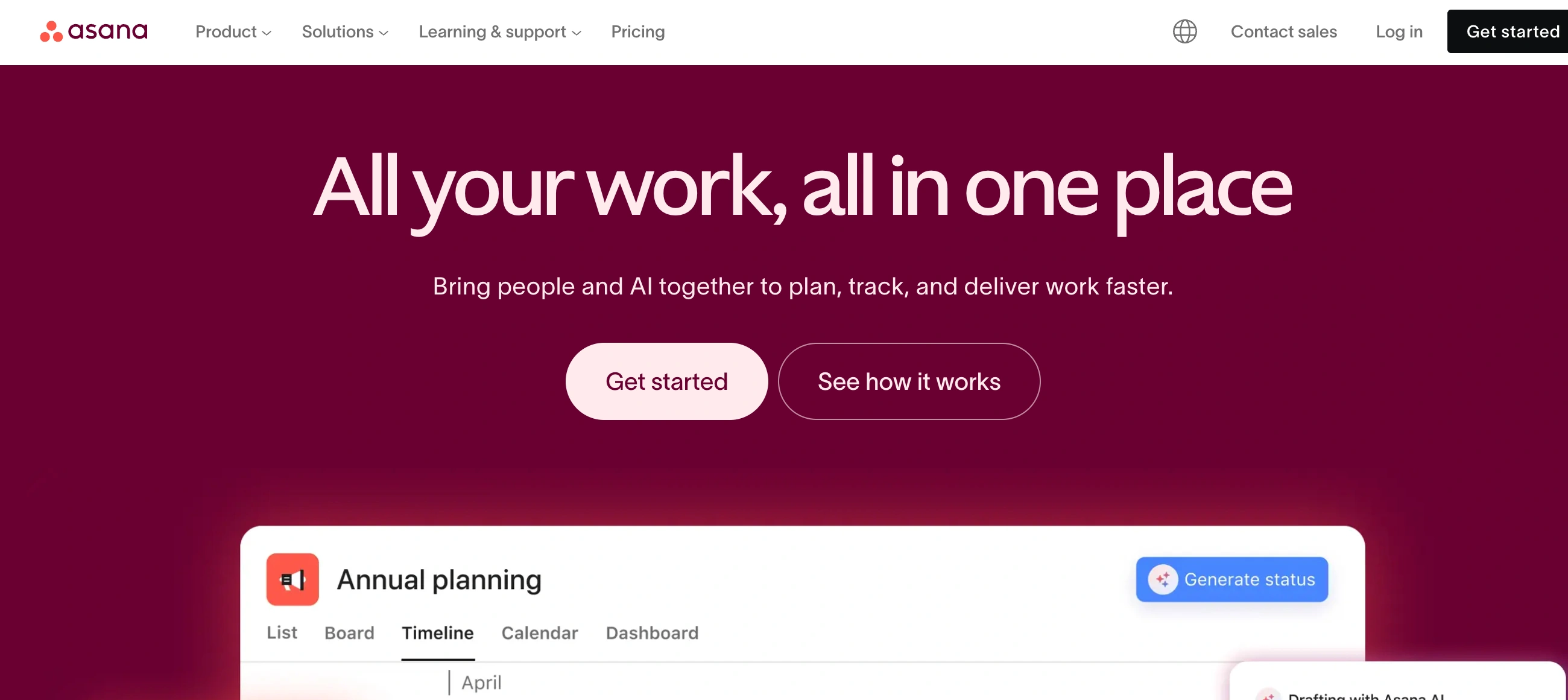
✨ Is Asana Right for You?
What it is: Project management platform built around tasks, timelines, and multiple views (list, board, calendar, Gantt). One task lives in multiple projects simultaneously.
Best for: Marketing teams 10-100 people, agencies managing client projects, cross-functional teams needing visual timeline tracking, and companies comfortable paying $11-25/user/month.
Main limitation: Tasks assign to only one person (not multiple owners), paid plans require minimum seat purchases (2-3 seats minimum), and Advanced features cost 127% more on monthly billing versus annual.
Get it if: You need Gantt timeline views, multiple project perspectives on the same data, or unlimited free guest access for clients and contractors without paying per seat.
Skip it if: You need multi-assignee tasks (use Monday.com), budget under $10/user/month (ClickUp wins), or you're a solo user (minimum 2-seat purchase on paid plans).
🎯 Why Asana?
Your team's work is scattered across 47 email threads, 12 Slack channels, 3 Google Docs, and someone's personal to-do list that nobody else can see. When the boss asks "where are we on the Q2 campaign?" everyone scrambles to piece together status from different sources. Asana centralizes that chaos into one visual workspace where everyone sees who's doing what, by when, and what's blocking progress—without another status meeting.
🎨 Multiple Views = Different Brains Work Differently
One G2 reviewer nails it: "Other software prioritizes ONE view, such as list view (like Monday.com), Kanban view (like Trello), or Gantt view. But Asana can seamlessly do ALL of them at the same time. And different people can use it or view it differently (because our brains don't all work the same!)." Your project manager loves Gantt timelines showing dependencies, your designer prefers Kanban boards dragging cards through stages, and your content lead wants a calendar view for publishing deadlines. Same task data, three different lenses—everyone gets their preferred working style without duplicate entry.
⚡ 133 Work Weeks Saved Annually Through Automation
Zoom's team saved 133 work weeks per year by standardizing processes and automating status updates in Asana. When tasks move from "In Progress" to "Review," automation assigns the reviewer, changes the due date, and notifies the team—no manual updates required. MATE telecom reduced meetings by 90% (from 11 weekly meetings down to 1) because everyone could see project status in real-time instead of gathering for updates. That's 40 hours monthly back for actual work instead of talking about work.
👥 Unlimited Free Guests Changes Agency Economics
One Capterra user: "It's super easy to add guest users to allow clients or others to collaborate without having to pay for a team seat, which makes collaborating with clients and contractors seamless." Agencies managing 20 clients don't pay for 20 extra seats—guests view and comment on specific projects without counting against your license. Compare to Monday.com's guest limits or ClickUp's restrictions, and this becomes a genuine cost differentiator for client-facing teams.
📈 3X More Clients Per Rep at Skai
Skai's client success team experienced triple-digit growth and handled it with Asana: "With Asana, our client success team can take on three times the number of clients per rep compared to other business units." When each client is a task with custom fields showing health score, renewal date, and feature requests, account managers see the full picture without spreadsheet hunting. Reporting rolls up automatically instead of manually compiling data before leadership meetings.

📈 What Asana Users Typically Achieve
Your Meeting Count Drops 80-90%
MATE telecom cut meetings from 11 weekly status calls down to 1 because everyone could see project progress in real-time. Those 10 eliminated meetings = 15 hours weekly returned to productive work instead of status updates. One G2 user: "Asana makes sure all of us are aware of the work that's happening across our team. Once you do the setup and training, it makes our work more efficient." When task status, blockers, and deadlines live in a shared workspace instead of scattered inboxes, you stop needing "sync up" meetings.
Work Weeks Saved Through Automation
Zoom saved 133 work weeks annually by standardizing processes in Asana and automating handoffs. When a task moves to "Ready for Review," automation assigns the reviewer, adjusts the due date, and sends Slack notifications—no manual updates required. Clear Channel saved 15 hours per creative request using Asana's AI Studio to route requests and automate approvals. Multiply 15 hours across 50 monthly requests and you're saving 750 hours monthly of administrative task shuffling.
Client Capacity Triples Without Headcount
Skai's client success team handled triple-digit growth without proportional hiring: "With Asana, our client success team can take on three times the number of clients per rep compared to other business units." When each client is a task with custom fields showing renewal date, health score, and open issues, account managers see full context without spreadsheet archaeology. We Are Era onboarded new clients 20% faster by standardizing intake workflows in Asana.
Productivity Jumps 40% With Visibility
MATE increased team productivity 40% and shortened marketing campaign timelines by two weeks because everyone could see dependencies and blockers upfront. When designers know content will be ready Tuesday instead of guessing, they schedule design time appropriately. When developers see design delays on the timeline, they shift to other priorities instead of waiting idly.
The Reality Check: It Takes a Champion
These wins require someone on your team to own Asana setup, train others, and maintain templates. One G2 reviewer warns: "Sometimes customizing workflows can be overwhelming, requiring significant time and effort to set up." Budget 2-4 hours weekly for an Asana champion to maintain templates, answer questions, and optimize workflows. Without this dedicated owner, teams build overcomplicated systems that get abandoned within 3 months.
🛠️ How Asana Works
You create tasks, organize them into projects, and view progress through multiple lenses. The magic is that one task can appear in several projects simultaneously without duplication.
Setup: Templates vs Custom Build
Asana offers 50+ templates for marketing campaigns, product launches, event planning, sprint tracking, and creative requests. Choose a template to start immediately with pre-configured sections, custom fields, and workflows. Or build custom: create a blank project, add tasks as list items, organize with sections, assign owners and due dates, then add custom fields for status, priority, budget tracking. Most teams use templates for 60-70% of projects, then customize heavily. Setup time: 1-2 hours for basic projects using templates, 1-2 days for complex multi-team workflows with custom fields and automations.
Daily Workflow: My Tasks + Projects
Start each day in "My Tasks" showing everything assigned to you across all projects, sorted by due date or priority. Mark tasks complete, add comments, attach files. Navigate to specific project views to see team progress—switch between list (spreadsheet-style rows), board (Kanban cards), timeline (Gantt dependencies), or calendar (deadline visualization). Update task status and due dates by dragging on timeline or board views. @mention teammates in comments to notify them. Asana syncs in real-time so remote teams see updates instantly.
Cross-Project Visibility: Where Asana Shines
Add one task to multiple projects without duplication. Example: "Design hero image" task lives in both the Marketing Campaign project and the Design Team's workload project. Update it once, both projects reflect changes. This eliminates the "which spreadsheet has the current status?" confusion. Portfolio view (Advanced plan) shows all projects grouped together with health indicators, timelines, and progress percentages—critical for managers overseeing 5-20 simultaneous initiatives.
Learning Curve Reality
Basic task creation and list views work day one. Timeline dependencies, custom fields, automation rules, and portfolio management require 2-4 weeks of steady use before teams feel comfortable. One Capterra user: "Sometimes customizing workflows, tasks and navigating the system can be overwhelming, requiring significant time and effort to set up and master the tasks set-up and the follow-up dates, but once someone spends time it gets easier to use." Expect to designate an Asana champion who learns deeply, then trains others.
⚙️ Core Features & What Actually Matters
📋 Tasks (The Foundation)
Create tasks with descriptions, due dates, assignees, subtasks, attachments, and comments. Set dependencies so Task B can't start until Task A completes—critical for timelines. The limitation? One task = one assignee. You can't assign tasks to multiple people simultaneously. One Capterra reviewer: "It is somewhat limiting that a task can only be assigned to a single individual. While others can be added as 'collaborators' by tagging their @name in the comments, I noticed this only after realizing that I wanted both people to review a document without creating separate tasks for each of them." If you need multi-assignee tasks, Monday.com or ClickUp handle this better.
🎯 Projects & Multiple Views
Organize tasks into projects, then view them four ways: List (table rows with columns), Board (Kanban cards dragging between status columns), Timeline (Gantt chart with dependencies—requires paid plan), Calendar (tasks plotted by due dates). Switch views instantly without rebuilding. One enthusiastic G2 user: "Asana is by far the best project management software out there. It's the only project management software I've found that allows the same task to live in multiple places, and allows multiple views per project." This flexibility accommodates different team working styles without forcing everyone into one rigid format.
📊 Portfolios & Reporting (Advanced Plan+)
Portfolios group related projects together for high-level oversight—see all Q2 marketing campaigns or all client projects in one dashboard. Track progress percentages, status colors (green/yellow/red health), and upcoming milestones across dozens of projects simultaneously. Custom reporting shows workload by person, tasks by status, overdue items, and completion trends. The catch? These features require Advanced plan at $24.99/user/month—not available on Starter tier.
⚙️ Automation & Rules
Automate repetitive work with rules: "When task moves to 'Ready for Review' column, assign to Sarah, set due date +2 days, and notify #marketing channel in Slack." Automation triggers on status changes, due date approaching, task completion, or custom field updates. Starter plan includes basic automation, Advanced plan unlocks more complex multi-step workflows. Zoom saved 133 work weeks annually partly through automation eliminating manual status updates and handoff notifications.
🔗 Integrations (200+ Apps)
Connect to Slack (task updates post to channels), Gmail (turn emails into tasks), Google Drive/Dropbox (attach files), Zoom (create tasks from meetings), Salesforce (sync deals), Jira (engineering sync for development tasks). Integrations eliminate tool-switching for most workflows. One G2 user: "The ease of integration and implementation with Asana into my daily routine has been effortless." However, some integrations require third-party connectors like Zapier or Tray.io for advanced syncing.
📊 The Verdict: Our Assessment
8.6/10 - Asana excels at visual project tracking with multiple views and unlimited guest access, but stumbles on single-assignee task limitations, minimum seat purchases, and expensive monthly billing markups.
The bottom line: Asana works brilliantly for agencies and marketing teams (5-100 people) managing client projects with unlimited guest access, cross-functional coordination needing visual timelines, and teams where different members prefer different views of the same data. It fails for solo users (minimum 2-seat purchase on paid), teams needing multi-assignee tasks (hard limitation), and budget-conscious buyers (monthly billing costs 127% more than annual, and seat minimums aren't disclosed upfront).
💬 What Users Say: Reviews & Verified Experiences
User ratings: 4.4/5 on G2 (12,900+ reviews), 4.5/5 on Capterra (13,500+ reviews). High ratings reflect teams who mastered the system; those who bounced off the learning curve moved to simpler alternatives.
👍 Pros: What Users Love
- Truly Multiple Views: "Asana is by far the best project management software out there. It's the only project management software I've found that allows the same task to live in multiple places, and allows multiple views per project. Other software prioritizes ONE view, but Asana can seamlessly do ALL of them at the same time. And different people can use it or view it differently (because our brains don't all work the same!)," raves one G2 reviewer. This flexibility is Asana's killer feature—everyone gets their preferred working style.
- Unlimited Free Guests: "It's super easy to add guest users to allow clients or others to collaborate without having to pay for a team seat, which makes collaborating with clients and contractors seamless. I would highly, highly recommend using Asana - I even use it for my personal lists and help my kids with their homework in Asana," shares one G2 user. For agencies managing multiple clients, this eliminates the "pay per client" cost trap.
- Task Management That Works: "Asana helped me to track the status well. Starting from the allotment to when the task is in progress to completion, it helped me to keep track of every step with ease. The automation ensured that everything was done in time and there were no delays," reports one freelancer on G2. The visibility into who's doing what, by when, eliminates constant status-checking messages.
- Effortless Integrations: "The ease of integration and implementation with Asana into my daily routine has been effortless," notes one G2 user. Connecting Slack, Gmail, Google Drive, and Zoom happens in minutes, and integrations actually work reliably compared to competitors' flaky syncing.
👎 Cons: Common Complaints
- One Task = One Owner Only: "It is somewhat limiting that a task can only be assigned to a single individual. While others can be added as 'collaborators' by tagging their @name in the comments, I noticed this only after realizing that I wanted both people to review a document without creating separate tasks for each of them," complains one Capterra reviewer. This fundamental limitation frustrates teams where multiple people share responsibility for deliverables.
- Steep Learning Curve for Advanced Features: "Sometimes customizing workflows, tasks and navigating the system can be overwhelming, requiring significant time and effort to set up and master the tasks set-up and the follow-up dates, but once someone spends time it gets easier to use," warns one G2 user. Expect 2-4 weeks before your team uses dependencies, custom fields, and automation comfortably.
- Interface Gets Cluttered Fast: "With subtasks and dependencies, the platform's interface can get cluttered and overwhelming," observes one reviewer. When projects exceed 50-100 tasks with multiple layers of subtasks, finding specific items becomes tedious without disciplined naming and organization.
- Free Plan Too Limited for Teams: "While Asana is a fantastic tool, there are certain limitations if you're using the free version, especially if budget constraints prevent an upgrade," notes one Capterra user. The free tier lacks timeline views (no Gantt charts), custom fields, and advanced reporting—forcing teams onto paid plans faster than expected.
🚫 3 Critical Mistakes to Avoid
Mistake #1: Assuming You Can Buy One Seat
One solo consultant budgeted $10.99/month for Starter plan. Discovered at checkout: minimum 2 seats required = $21.98/month actual cost. That's 100% over budget. Then realized they wanted Advanced features (timeline view, portfolios) which requires minimum 3 seats on some tiers. For 3 Advanced seats monthly: $91.47/month ($30.49 × 3). For 3 Advanced seats annual: $74.97/month ($24.99 × 3) = $899.64/year. The monthly billing markup? 22% higher cost.
⚠️ Fix it: Check seat minimums before assuming per-user pricing applies to your team size: Starter minimum 2 seats, higher tiers often 3+ seats depending on package. At checkout, Asana shows seat tiers—you can't buy exactly 6 seats; options might be 5 seats or 10 seats, forcing you to pay for unused licenses. For a real 6-person team needing Starter, you'd pay for 10 seats = $109.90/month annual ($13.19/month × 10 for closest tier) instead of the $65.94 you expected ($10.99 × 6). That's 67% cost increase from seat tier padding. Always choose annual billing—save 18-22% versus monthly. For 5-person team on Advanced: Annual $1,499.40/year ($24.99 × 5 × 12), Monthly $1,829.40/year ($30.49 × 5 × 12) = $330 extra annually for monthly flexibility.
Mistake #2: Building 15 Custom Fields Nobody Maintains
One marketing team created custom fields for Campaign Type, Budget, Status, Priority, Assignee Type, Channel, Target Audience, Quarter, Region, Content Format, Asset Status, Approval Stage, Launch Date, Performance Tier, and ROI Tracking. Looked sophisticated at launch. Six months later, 60% of tasks had blank or outdated custom field values because updating 15 fields per task took too long. Reporting became worthless when data quality degraded.
⚠️ Fix it: Start with 3-5 essential custom fields maximum: Status (dropdown: Not Started/In Progress/Review/Complete), Priority (Low/Medium/High), and Due Date. Launch that. Use it for 4-6 weeks. Observe what questions you're asking that require additional fields, then add ONE new field if genuinely needed. Resist the temptation to track everything—more fields = lower completion rates. Example of field bloat consequence: Team spent 45 minutes weekly updating fields, but only 15 minutes weekly reviewing reports. The maintenance burden exceeded the analysis value by 3X. Maximum rule: If people spend more time updating custom fields than acting on the data, delete fields until the ratio flips.
Mistake #3: Forgetting the Free Trial Auto-Renews
One G2 reviewer: "I signed up for what I thought was a free trial. Turns out, they required my credit card just to try the platform. I never used the service once, completely forgot about it (the trial was long), and then—without any notice—a charge of $60.98 hits my card." The 30-day trial requires credit card upfront and auto-converts to paid unless you cancel. For a 5-person team on Starter monthly billing, that surprise charge is $67.45. For 5-person Advanced team, it's $152.45.
⚠️ Fix it: Set a calendar reminder for Day 25 of your trial to decide: commit or cancel. Review these questions before trial ends: Did at least 70% of your team actually use Asana during trial? (If under 50% adoption in trial, paid adoption will be worse.) Do you need timeline view and custom fields? (If yes, you're on Advanced plan, not Starter.) Can you commit to annual billing for 18-22% savings? (If not, budget the monthly premium.) To cancel without charges: Go to Admin Console → Billing → Cancel subscription before Day 30. Asana doesn't send "trial ending soon" reminders, so this is 100% on you to track. If you want to test without credit card risk, use the Free plan (up to 15 members) which never requires payment info—just understand it lacks timeline views, advanced reporting, and automation rules.
FAQ
What is the learning curve for Asana?
Most users become productive within 1-2 hours of starting. Basic features are intuitive with in-app guidance, while advanced capabilities have comprehensive documentation, video tutorials, and customer support.
Does Asana integrate with my existing tools?
Asana offers 100+ native integrations covering popular CRMs, email platforms, analytics tools, and productivity apps. Additionally, Zapier connectivity and API access enable custom integrations.
What kind of customer support does Asana provide?
Email support is included in all plans with typical response times under 2-4 hours during business hours. Higher-tier plans include live chat support, priority response, and dedicated account management.
Can I migrate my existing data to Asana?
Yes, Asana provides data import tools supporting CSV files and direct migrations from major competing platforms. Migration support is available to help ensure smooth transitions with minimal disruption.
Is there a free trial or money-back guarantee?
Asana offers a 14-day free trial with full feature access and no credit card required. Most paid plans include 30-day money-back guarantees, allowing risk-free evaluation.
What security and compliance measures does Asana have?
Asana is SOC 2 Type II certified with end-to-end encryption, regular security audits, and GDPR compliance. Enterprise plans offer additional security features including SSO, advanced permissions, and audit logs.
Suggestly
Find your best-fit B2B tool in 90 seconds
✓ Free personalized recommendations
✓ Based on YOUR business needs
✓ No signup required

Asana




